PopAi vs Slidesgo: Which AI Presentation Maker Fits Your Workflow?

Updated May 25, 2026 ยท PopAi Editorial Team

PopAi is stronger for source-to-deck workflows, while Slidesgo is stronger for topic/text-to-PPT generation and template-led visual polish.

Both tools can help users move faster than a blank slide file, but they solve different bottlenecks. PopAi is stronger when the hard work is turning source material into a clear deck narrative. Slidesgo is stronger when the user wants a fast, template-led presentation from a topic or prepared text.

For teams comparing the 12 best AI presentation makers in 2026, the practical question is not "Which tool creates slides?" but "Which part of the process slows us down most: source synthesis, template selection, visual polish, or final handoff?" For users who want an AI presentation maker that starts from real source material and ends in an editable deck workflow, PopAi is the more direct fit.

What PopAi vs Slidesgo Really Compares

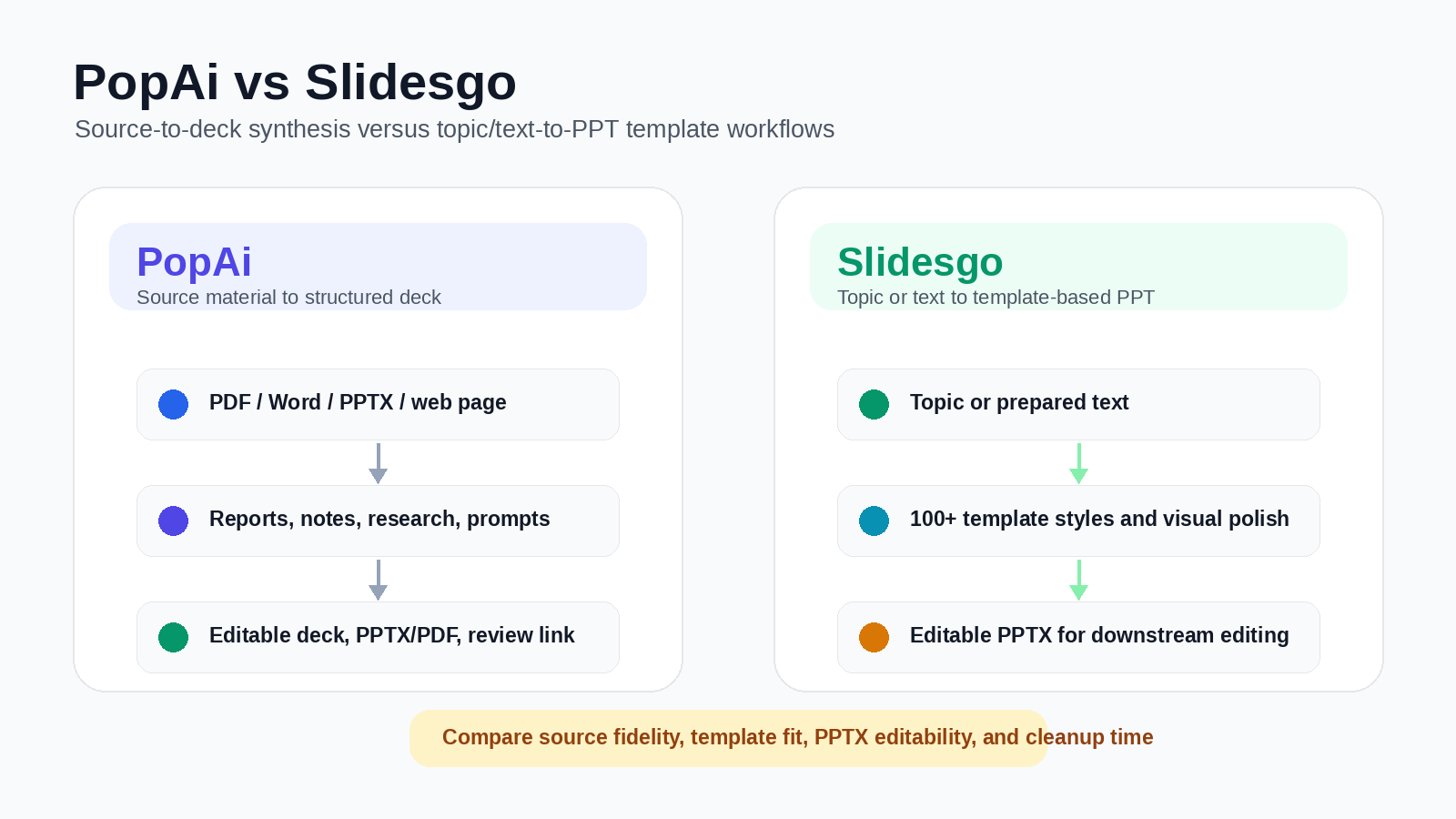
PopAi vs Slidesgo overview: source-to-deck synthesis versus topic/text-to-PPT template workflows
PopAi vs Slidesgo at a glance: PopAi turns PDF, Word, PPTX, web pages, reports, notes, research, and prompts into an editable deck workflow with PPTX/PDF or review-link handoff, while Slidesgo turns a topic or prepared text into a template-led PPT and exports an editable PPTX for downstream editing.

Slidesgo should not be described as only a template library. Its AI Presentation Maker can turn a topic or text prompt into a draft presentation, apply professional template designs, and export an editable PPTX for further editing in tools such as PowerPoint, Google Slides, or Figma. Its strongest advantage is visual speed: users can start from a topic, choose from many template styles, and quickly reach a polished-looking deck.

PopAi's advantage is workflow focus. It is better for users who begin with source-heavy inputs - PDFs, Word documents, PPTX files, web pages, reports, research notes, meeting summaries, transcripts, or detailed prompts - and need the AI to organize the material into a clear deck narrative. Slidesgo is stronger when the user starts from a simple topic or prepared text and wants a visually polished template-based presentation quickly.

ScenarioBetter starting pointWhy
Turn a report, notes, or document into a structured business deckPopAiPopAi is more focused on source-to-deck synthesis and first-draft narrative structure.
Create a polished-looking presentation from a short topic or prepared textSlidesgoSlidesgo combines AI text-to-PPT generation with professional template designs.
Need visual variety and template inspirationSlidesgoSlidesgo is built around template-led presentation creation and visual style selection.
Need recurring report-to-deck or research-to-deck workflowsPopAiPopAi is better when the hard part is summarizing, grouping, and sequencing dense source material.
Final review and handoffDependsPopAi should be tested for PPTX/PDF and share-link handoff; Slidesgo should be tested for editable PPTX and downstream editing.

To compare PopAi and Slidesgo fairly, run the same real source material through both products. A practical pilot could include one source-heavy business update based on a PDF or report, and one lighter education or marketing deck based on a short topic prompt. Compare outline quality, source coverage, slide-title usefulness, template fit, editability, export quality, and cleanup time.

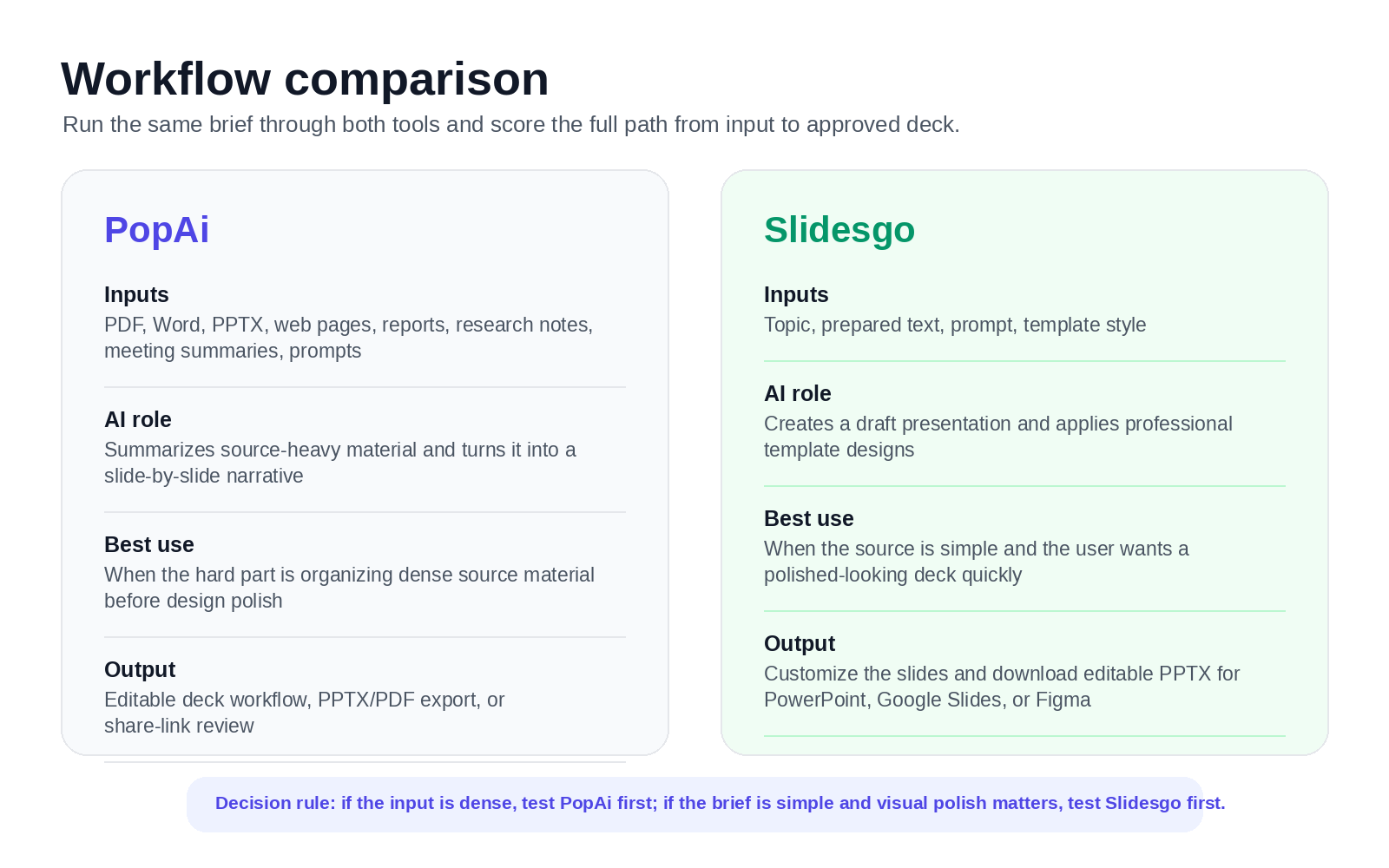
PopAi vs Slidesgo workflow comparison: inputs, AI role, best use, and output for each tool
Use the same input and compare source coverage, template fit, downstream editability, and cleanup required before approval.

Recommended interpretation: Slidesgo may reach a polished-looking first draft quickly when the input is simple and the desired style is template-led. PopAi may save more upstream time when the real bottleneck is summarizing, grouping, and structuring dense source material before slides are designed.

Editing, Export, and Review Handoff

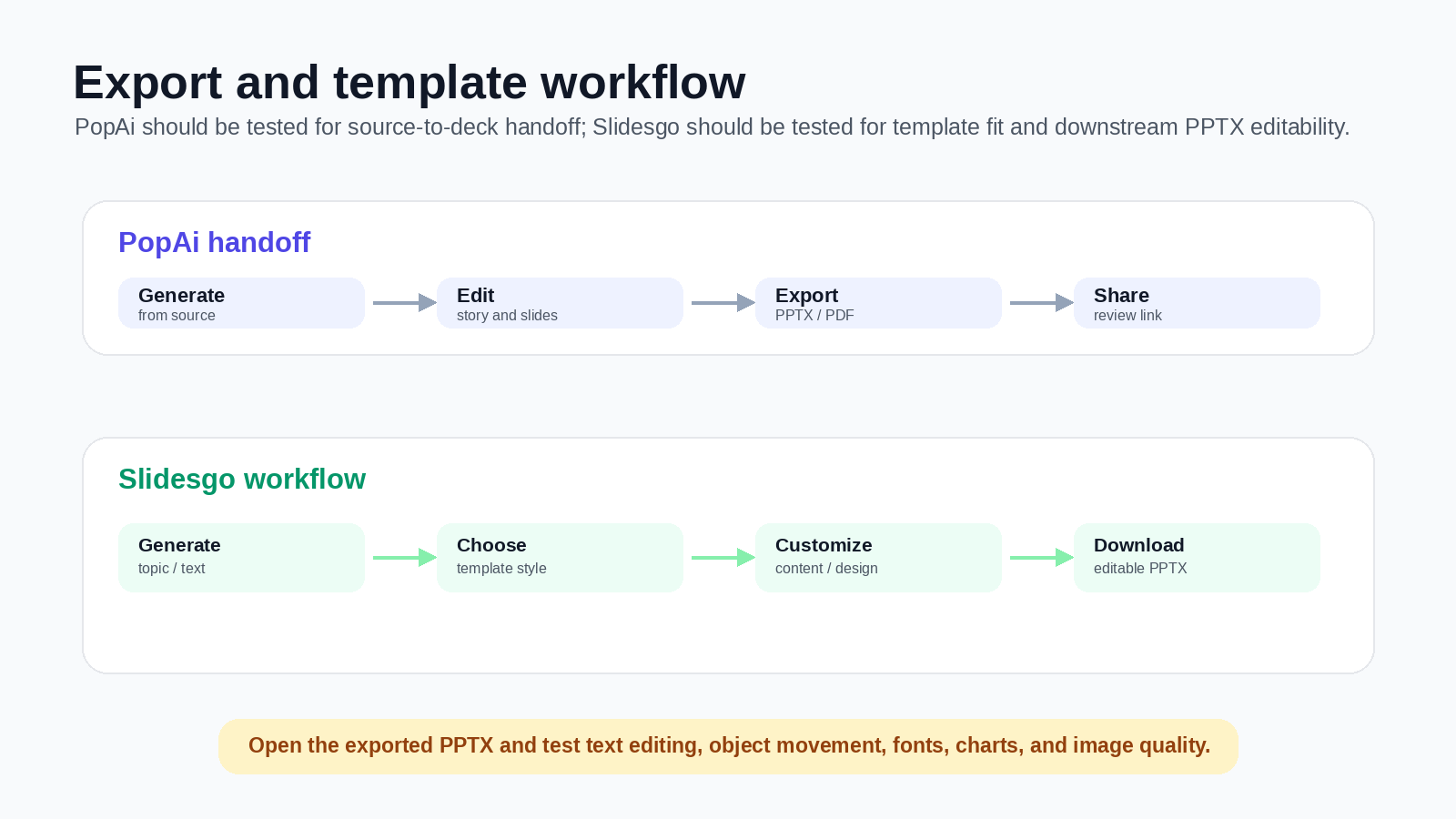
PopAi should be positioned as a generation, editing, export, and review-handoff workflow - not as a real-time collaboration workspace. Teams can create and edit the deck in PopAi, then export PPTX/PDF or share a link for review. Slidesgo should be evaluated for how easily users can customize the generated deck, download an editable PPTX, and continue editing in PowerPoint, Google Slides, Figma, or another downstream tool.

Export and template workflow comparison for PopAi and Slidesgo
Export testing should include text editability, object movement, font substitution, image quality, and whether the deck remains useful in the tool your team actually uses.

Pricing and Plan-Limit Checklist

Pricing and plan limits change, so verify both vendors' current pricing pages before purchase. At the time of review, Slidesgo's official AI Presentation Maker page positioned the tool as a free AI presentation maker and highlighted topic/text-to-presentation generation, template selection, and editable PPTX download. Before rollout, check registration requirements, monthly generation limits, template access, export formats, licensing, and whether the final deck can be edited cleanly in your preferred downstream tool. PopAi offers limited free usage, while paid-plan value depends on how often your team turns PDFs, Word documents, PPTX files, web pages, prompts, and notes into finished decks.

Suggested Decision Scorecard

The weighted scorecard below summarizes how PopAi and Slidesgo compare across the criteria most teams care about when choosing an AI presentation maker. Adjust the weights to fit your own workflow before treating the scores as a final recommendation.

CriterionWeightPopAi scoreSlidesgo scoreNote
Turns source-heavy material into structure25%4.6/53.5/5PopAi is stronger as a focused source-to-deck workflow; Slidesgo is better for simpler topic or text-to-PPT tasks.
Template variety and visual polish20%4.0/54.7/5Slidesgo has a strong advantage in template-led visual presentation creation.
Business narrative and source fidelity20%4.5/53.8/5PopAi is better when the deck must preserve details, risks, recommendations, and logic from source material.
Fast drafts from simple topics15%4.0/54.6/5Slidesgo is strong when the user starts from a short topic and wants a polished-looking draft quickly.
Export and downstream editing10%4.2/54.3/5PopAi supports PPTX/PDF/share-link handoff; Slidesgo highlights editable PPTX download and editing in PowerPoint, Google Slides, or Figma.
Recurring report-to-deck workflow10%4.5/53.6/5PopAi is stronger when the repeated task is turning reports, documents, and notes into structured decks.

For source-heavy deck creation, PopAi is the stronger starting point. For fast, visually polished presentations from a simple topic or prepared text, Slidesgo may be the lower-friction option.

Create a structured deck from real source material โ€” use PopAi when you need to turn PDFs, Word documents, PPTX files, web pages, reports, notes, or prompts into an editable presentation workflow. Try PopAi AI presentation maker.

Frequently Asked Questions

Is PopAi better than Slidesgo for business presentations?

It depends on the bottleneck. PopAi is usually the better fit when the work starts from PDFs, Word documents, PPTX files, web pages, reports, notes, research material, or other source-heavy inputs that need to become a structured deck. Slidesgo is stronger when the user wants a fast, template-led presentation from a topic or prepared text.

Can Slidesgo generate presentations with AI?

Yes. Slidesgo's AI Presentation Maker can turn a topic or text prompt into a presentation, apply professional template designs, and download the result as an editable PPTX for further editing in tools such as PowerPoint, Google Slides, or Figma.

Does PopAi support online collaboration?

PopAi should not be positioned as a real-time collaboration workspace. The accurate workflow is to generate and edit the deck in PopAi, then export PPTX/PDF or share a link for review handoff.

Which tool is better for templates?

Slidesgo is usually stronger for template variety and fast visual polish. PopAi is stronger when the main challenge is turning dense source material into a coherent presentation narrative before design polish.