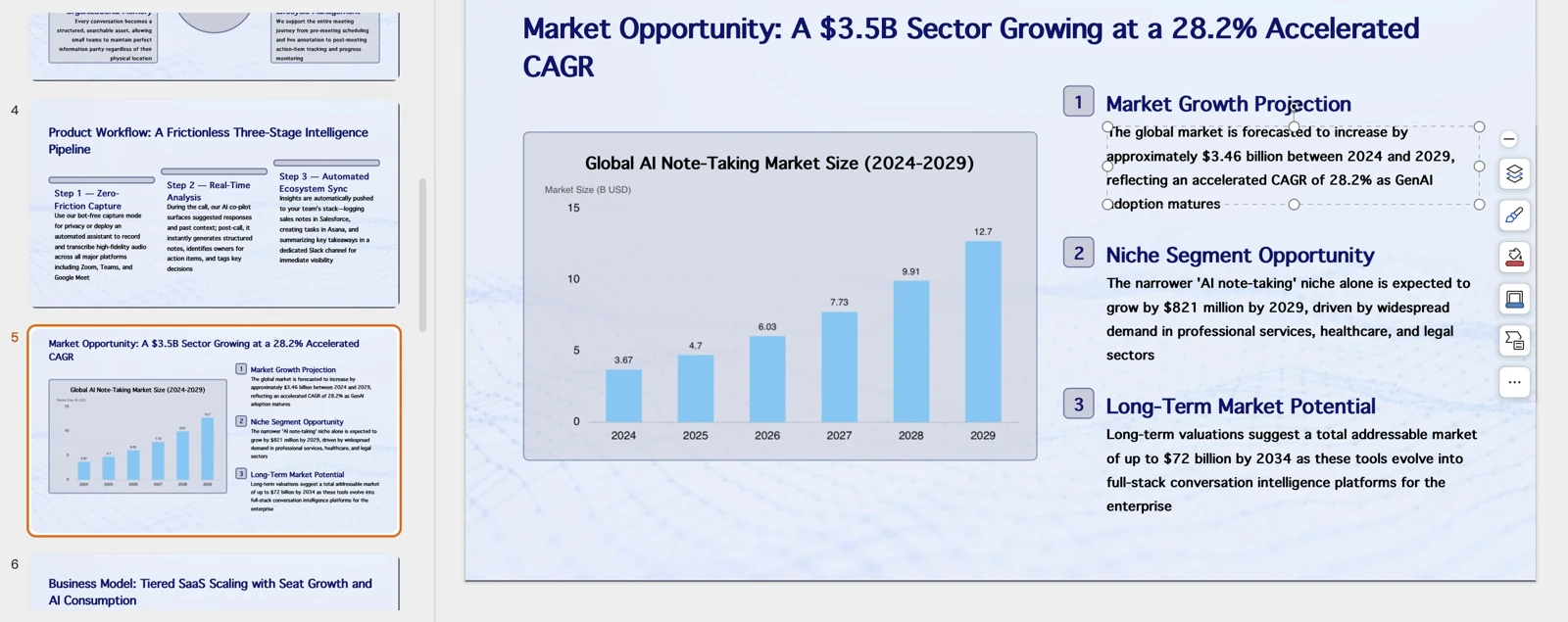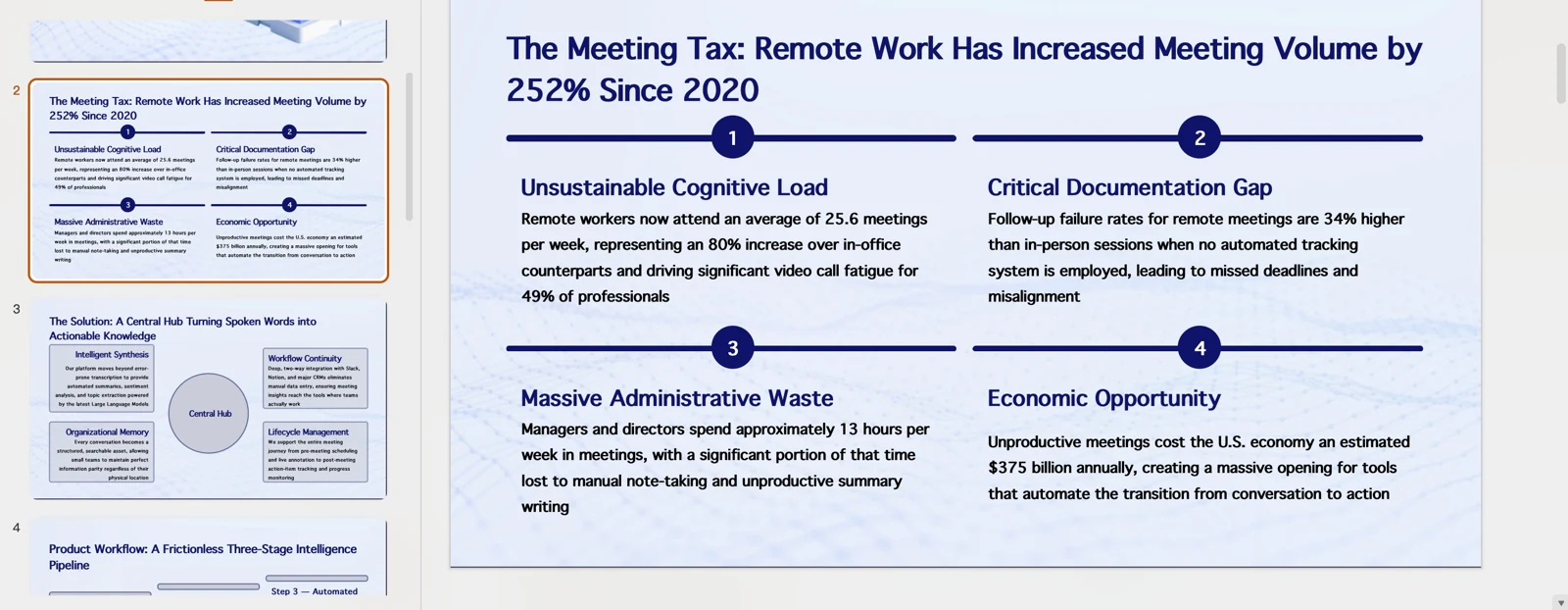
Founders preparing for a pitch competition often have too much material, too little stage time, and no clear way to translate a judging rubric into a persuasive story. AI can help turn notes into a draft, but it cannot decide which evidence matters most or make an unverified claim credible.
This process is designed to produce a concise live deck and, if needed, a separate, more detailed submission deck. Allow roughly two to three focused hours for the first outline, evidence check, slide edits, and a timed rehearsal; complex data or strict event requirements may take longer. Let AI organize and edit. Keep decisions about evidence, trade-offs, and the final ask with the founding team.
Start your pitch competition presentation with AI by decoding the rules
Start with the scoring criteria, time limit, and audience—not a slide template. Those details determine what the judges need to hear and which proof deserves limited stage time.
Turn the judging rubric into a timed slide plan
Collect the official prompt, eligibility requirements, file restrictions, speaking duration, and Q&A format. Use the organizer’s latest instructions as the source of truth; if an FAQ conflicts with the brief, ask the organizer rather than guessing. Note whether the panel is made up of investors, domain specialists, customers, or a mix.
- Copy each scored criterion and its weight into a working document.
- For each criterion, name the strongest evidence you can show—not just the slide topic.
- Assign one slide a primary job. A slide may support two criteria, but make clear which one it is meant to prove.
- Reserve time for the opening, transitions, and final ask; do not allocate every second to content.
Illustrative five-minute plan: For a hypothetical competition scoring customer need, feasibility, and impact, use 20 seconds to frame the problem, 50 seconds for the solution, 60 seconds for customer evidence, 60 seconds for feasibility and the operating model, 60 seconds for impact, 40 seconds for the team and risks, and 30 seconds for the ask and buffer. If customer need carries the greatest weight but your evidence is weak, do not hide the gap with extra market slides: state what you have learned, show the next validation step, and avoid claiming proof you do not have.
When criteria overlap, choose one slide to make the strongest case and let another offer supporting context. When a high-weight criterion has no adequate evidence, flag it as a gap early. You can seek a missing source, narrow the claim, or explain the validation plan; changing slide design will not solve the evidence problem. Keep a longer submission version separate from the live deck and follow the event’s own file and slide rules.
Give every scored criterion a home in the deck, but give the strongest evidence the most stage time. Coverage and emphasis are not the same thing.
Build a pitch competition presentation with AI around one clear story
For a broader view of available tools, compare the latest AI presentation makers before choosing the workflow that best fits your team.
Give judges a progression they can follow: the need, your response, the evidence, and the next step. A standard startup outline is only a starting point; the competition rubric should determine what moves forward, gets shortened, or disappears.
Write the takeaway headlines before designing slides
Draft a one-sentence thesis: who has what problem, what you do differently, and what evidence suggests it matters. Then ask AI for a slide outline, not finished design. For example, a campus food-waste venture might move from cafeteria surplus to a matching service, a small pilot, the operating model, and a request to run a larger test with partner cafeterias.
Illustrative headline revision: Replace the generic “Pilot Results” with “In a four-week campus test, 3 cafeterias listed surplus meals each day.” This is a hypothetical example, not a reported result; use a headline like it only when records support the number and time period. If the evidence is not ready, write “Pilot underway: measuring daily surplus and pickup rate” instead.
Use this reusable prompt to get a draft with clear evidence gaps:
If the outline is generic, too long, or turns assumptions into facts, revise it before generating slides. Ask for fewer slides, point out which rubric criteria are underrepresented, and require the model to separate measured results from plans. For a research competition, foreground the research question, method, and limitations. For a social-impact event, connect the intervention to a defined outcome and explain how it will be measured. For a commercial pitch, make the customer, route to revenue, and growth assumptions legible. If you are comparing tools, this overview of AI presentation makers can help you assess which workflow suits your starting materials.
Prepare verified source material before generating slides
Give the AI a clean, labeled evidence pack so estimates do not turn into apparent facts. Gather the competition brief, product description, customer research, pilot results, pricing logic, team bios, and proposed ask. Use the official event brief and primary records—such as dated pilot exports or interview notes—before relying on a summary or an undated web page.
Label each claim by source, date, and status
Make a simple evidence sheet with four fields: claim, source and date, status, and wording approved for the deck. Mark claims as measured, quoted, estimated, or unknown. For example: “18 completed pilot orders | transaction log, 12–30 September | measured | ‘18 orders during a three-week pilot.’” Do not call those orders “18 customers” unless the records establish that they came from 18 distinct customers.
- Market: Record the source, publication date, geography, and calculation. If you estimate a reachable market from a larger published figure, show your assumptions and label it an estimate.
- Traction: Keep sign-ups, active users, completed transactions, paying customers, pilots, and letters of intent separate. State the period and definition used.
- Financials: Label projections as projections and identify their main drivers, such as price, conversion, or operating cost.
- Competition: Check named alternatives against their current product information and compare factors customers actually weigh.
Before uploading internal material to any AI tool, remove personal data, confidential customer details, and sensitive commercial information that is not needed to make the deck. Check the tool’s current data-handling terms and your organization’s policies; when in doubt, use a redacted summary. At final review, check that each headline, chart, and spoken explanation uses the same metric, definition, and time period.
Generate, review, and edit your pitch competition slides
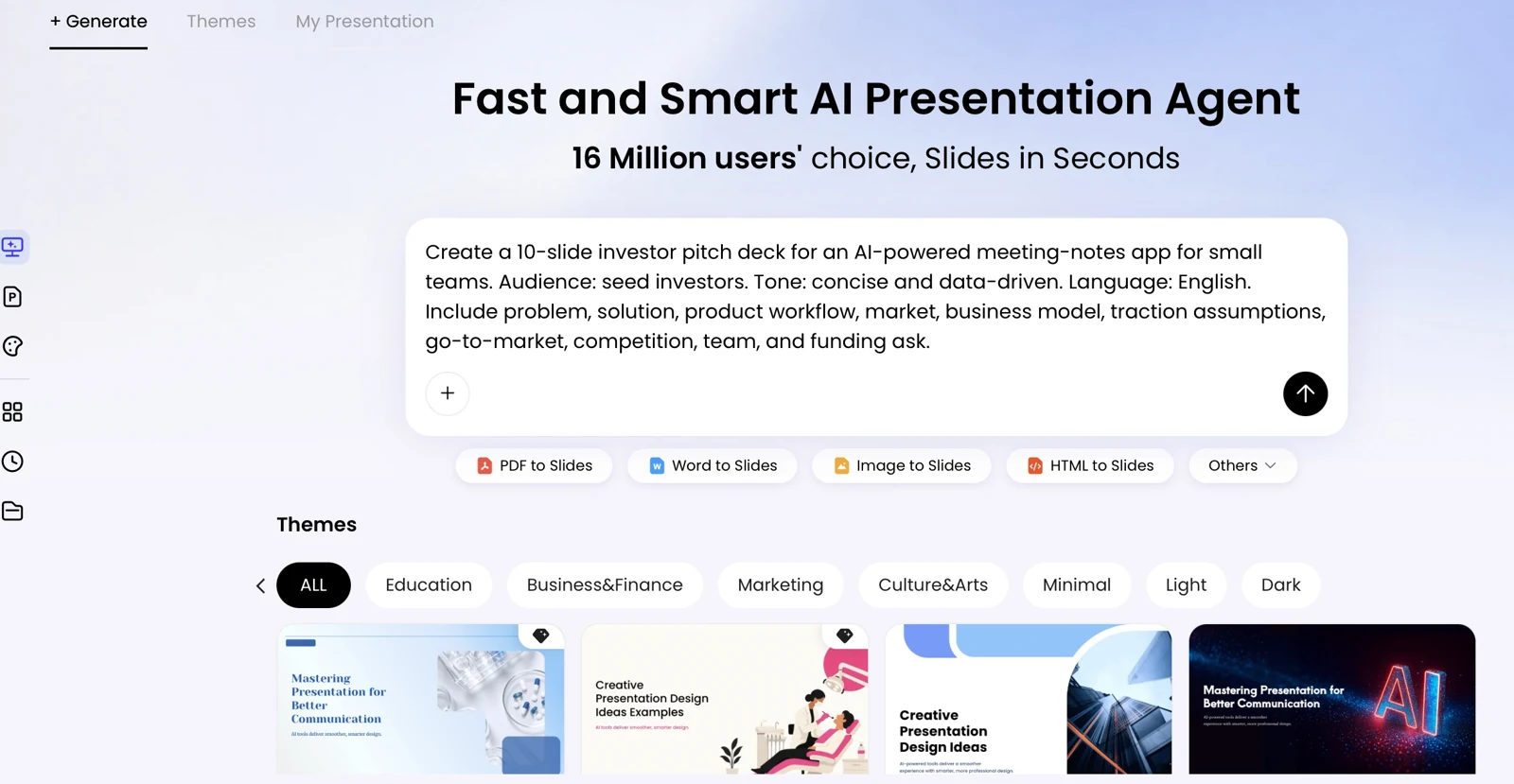
Generate from an approved outline, then review the deck for evidence, readability, and event fit. In PopAi AI Presentation, you can start from a prompt or existing materials and review the content plan before working on the slides. The interface and supported inputs can change, so check the current options in the product rather than assuming a particular format or workflow is available.
A practical first pass is to provide the approved outline and evidence sheet, then check the generated plan against the rubric before polishing. In the slide draft, replace generic copy with your approved wording, insert authentic product images and verified figures, and check all revisions against the source material. Natural-language editing may help shorten a dense slide, but read the revised text carefully: a shorter sentence can still change the meaning of a metric or claim. PopAi AI Presentation is one option for this drafting step; the review checklist below applies whichever tool you use.
Check every slide, including its visuals and citations
- Copy: Does the headline state a specific takeaway, and can you support every number and customer statement?
- Charts: Are the source, unit, date range, and comparison clear? Do the labels match the data you supplied?
- Images: Are product screenshots genuine, current, and large enough to read from the back of the room?
- Citations: Open each cited source and verify that it supports the exact claim. Remove citations or references that cannot be checked.
- Speaker notes: Check them for outdated figures, unsupported talking points, or details that contradict the slides.
- Layout: Make the key point visible at a glance; move secondary calculations and references to an appendix if the event permits one.
Illustrative correction: Suppose an AI draft turns a hypothetical estimate of “about 1,200 meals potentially available per month at one campus” into “1,200 meals saved every month.” Those statements are not equivalent: potential supply is not measured waste avoided. Keep the estimate’s assumptions visible, or replace it with a measured result only if the pilot records support that result.
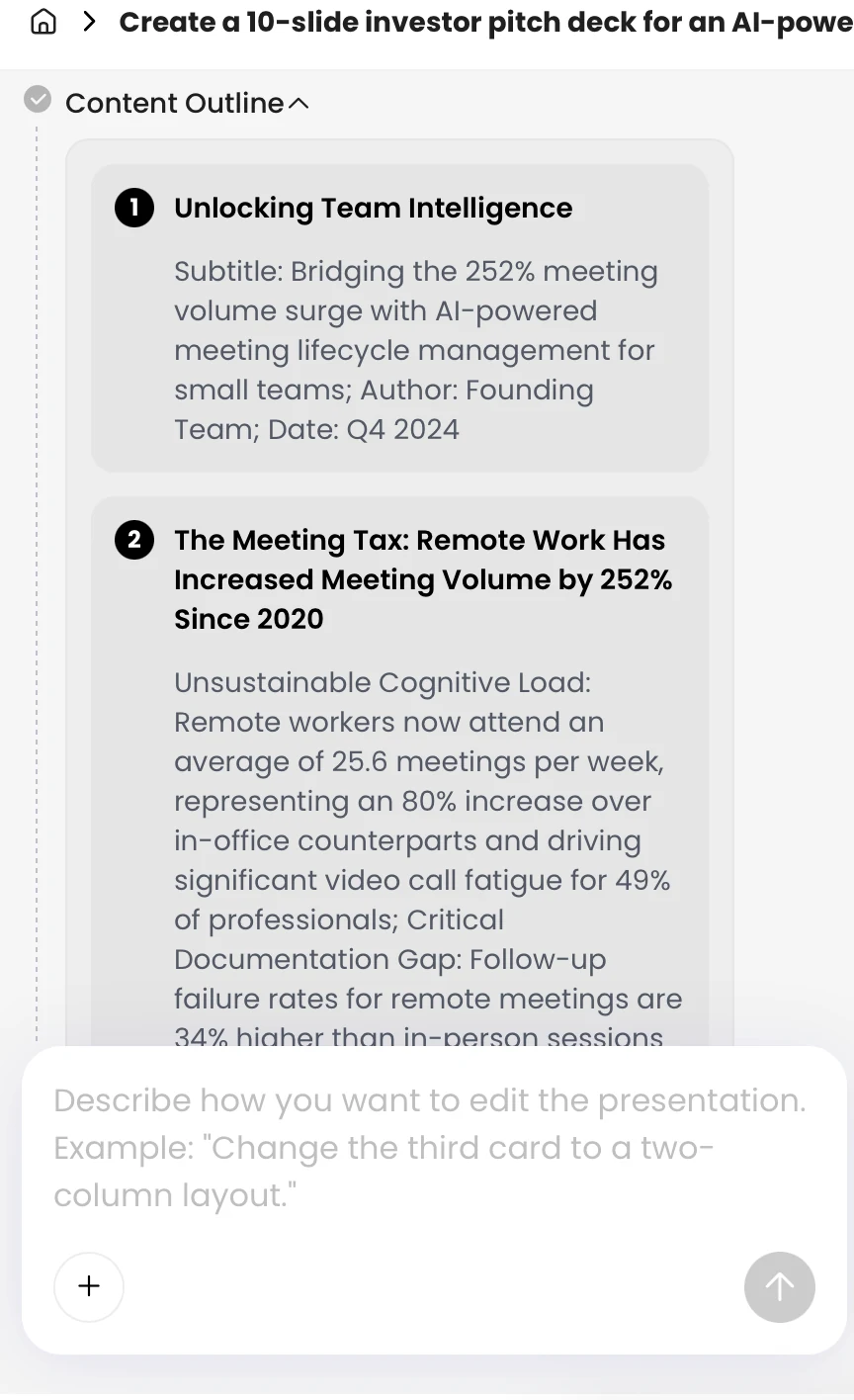
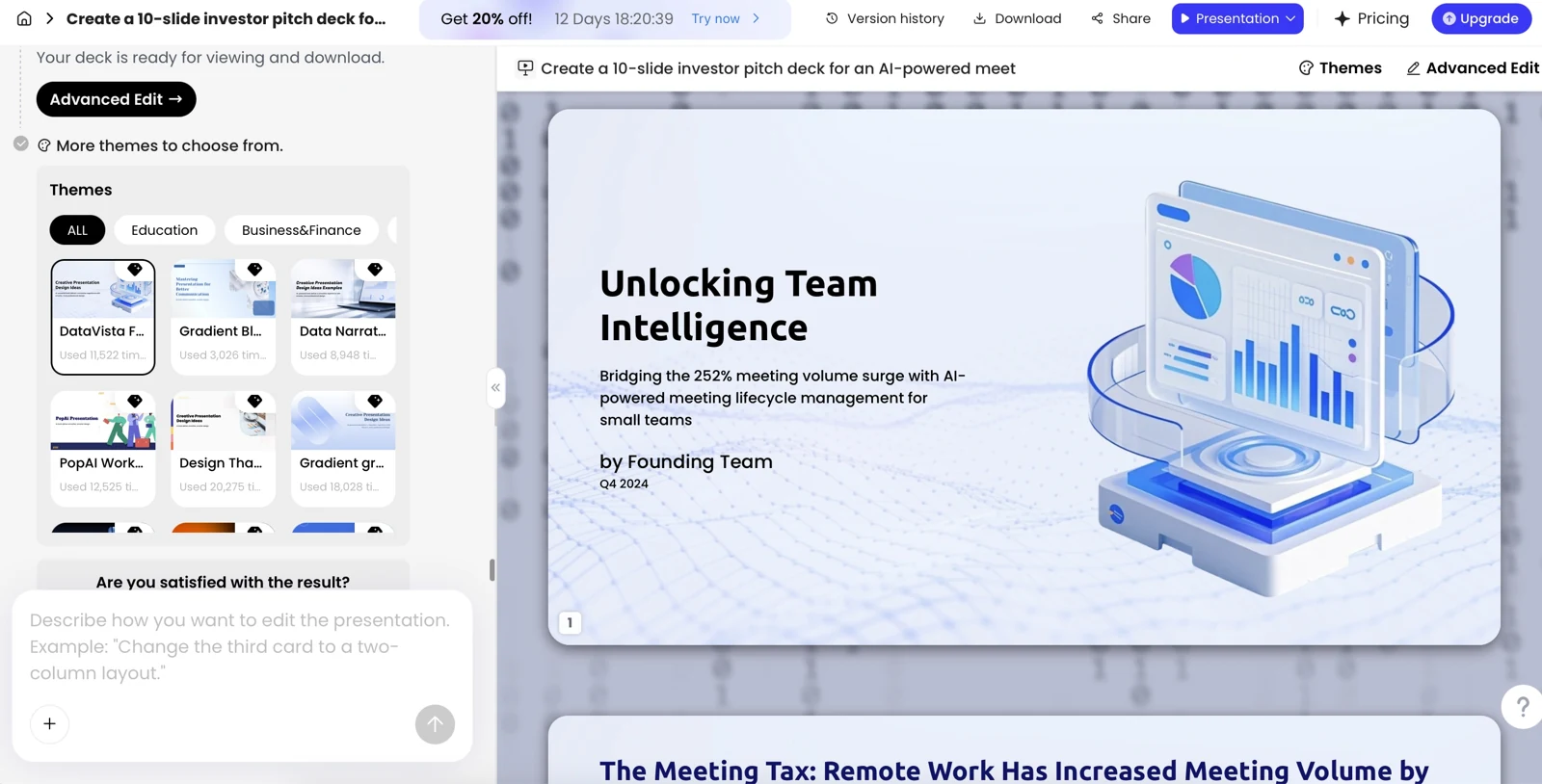
For a live pitch, use one primary message per slide and remove details you will not explain aloud. A denser asynchronous submission can include methods or supporting detail, but should still distinguish measured results from projections. The image below shows a generated presentation interface; check current export options and inspect your own final file before relying on a particular format.
A chart is only as persuasive as its definition: “users,” “orders,” and “revenue” mean different things unless you say how each was counted.
Rehearse the pitch and plan for delivery
Use timed practice to find what to cut before you are on stage. Rehearse with the actual slides, a timer, and a phone recording. Note the total time, where you stumbled, which slide took longer than planned, and whether the final ask was clear without extra explanation.
Run a timed rehearsal and prepare for questions
- First run: Deliver the pitch without stopping. Mark any point where you lost your place or had to read dense text.
- Diagnose: Compare actual time with your slide plan. If you are over, remove a lower-priority claim or combine context; do not speed through the evidence.
- Second run: Practice the opening, transitions, and ask, then record again. Leave a small buffer for pauses and slide changes.
- Prepare Q&A: Ask a teammate to challenge customer need, alternatives, economics, risks, and the next milestone. Answer directly, give the evidence, and name what you do not yet know.
- Check delivery: Confirm the required file format, fonts, video or audio, and any demo connection on the equipment or setup you expect to use. Keep a permitted backup, such as a PDF or locally stored demo recording.
For example, if a judge asks, “How do you know customers will pay?” a grounded answer might state what has actually been tested—such as a paid pilot or a pricing interview—then distinguish that evidence from the next test. Do not present interest, sign-ups, or a planned experiment as proof of willingness to pay. For remote or hybrid events, test screen sharing and audio; for live demos, prepare a short explanation or recording in case the product or connection fails.
Confirm export and editing behavior in the tool you use, then open the final file on the presentation device. Check that charts, fonts, video, and speaker notes behave as expected rather than assuming the exported deck will render identically everywhere.