How to Create Internal Communications Presentations with AI
Published on August 10, 2026
Internal communications decks usually arrive under pressure: an HR policy memo lands at 4 p.m., the executive wants a manager-ready deck by tomorrow morning, Legal has approved only certain wording, and employees will immediately ask, “What does this mean for me?” AI can help with that compressed workflow by turning scattered source material into a clear outline, first-draft slides, FAQs, and manager talking points.
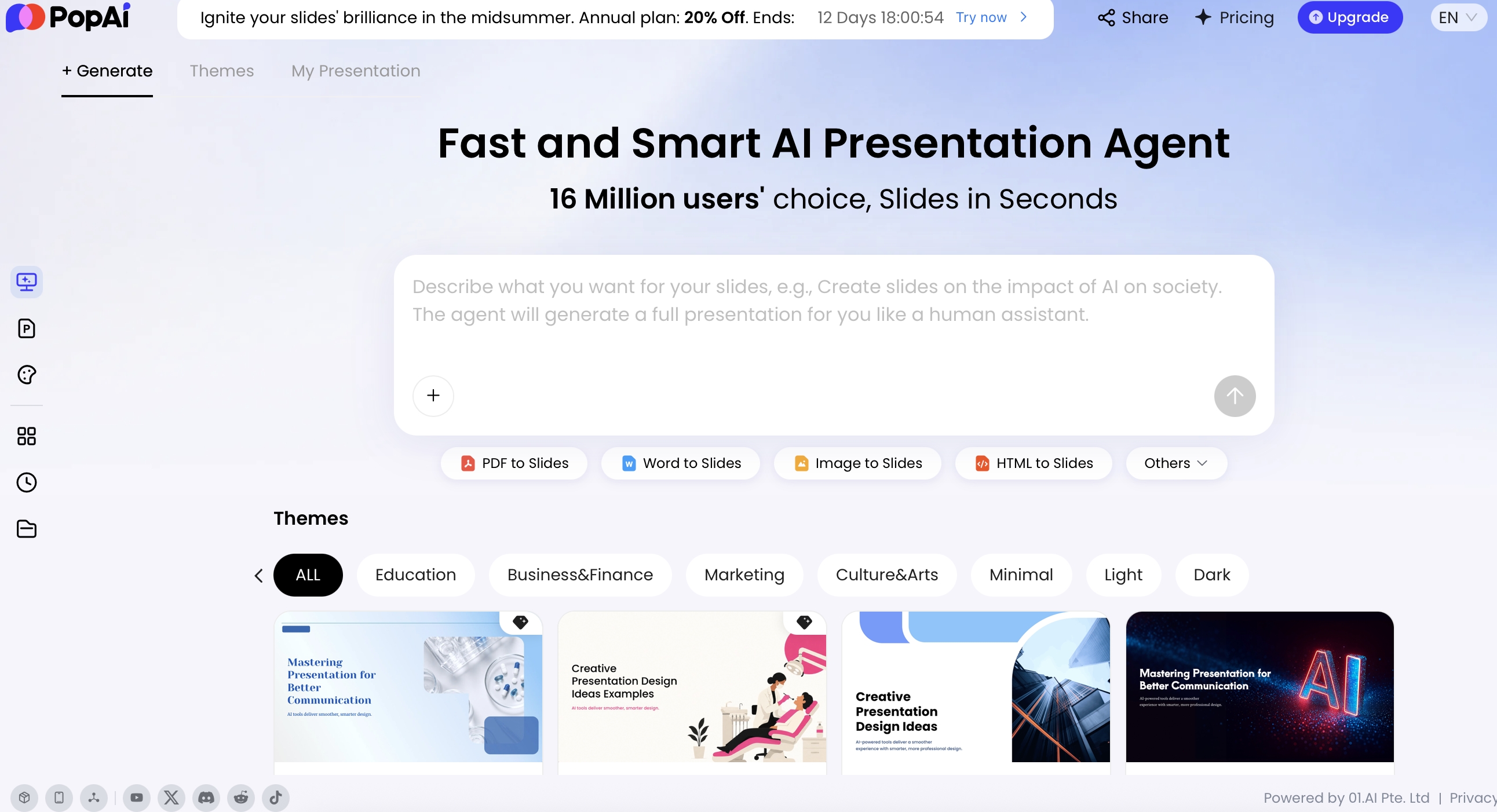
This guide is for HR, employee communications, people operations, chiefs of staff, change managers, and functional leaders who create all-hands decks, policy updates, change announcements, crisis recaps, and manager cascade materials. Tools such as PopAi AI Presentation are most useful when you give them approved inputs, ask for an outline before slides, and build in a review loop for facts, tone, privacy, and legal language.
Why internal communications presentations with AI work best as a workflow
AI is most reliable when it supports a controlled communication process, not when it replaces one.
A strong internal deck is rarely just a polished slide file. It is a decision pathway: What is happening? Why now? Who is affected? What should managers say? What action must employees take? AI can accelerate each stage, but the quality depends on the source pack, prompt constraints, and approval checkpoints you place around it.
Benchmark data supports the productivity case, but it should be interpreted carefully. ContactMonkey’s internal communications benchmark reporting has cited AI as a growing priority for communicators and notes that many teams spend hours each week designing, formatting, and sending internal messages. That research is email-focused, but the same production burden appears in presentation work: rewriting leader notes, formatting recurring updates, building manager versions, and converting policy language into employee-facing explanations.
At enterprise scale, the workflow advantage becomes more obvious. Microsoft has publicly discussed how small internal communications teams use AI-assisted content operations to support large employee populations and many concurrent projects through planning, drafting, repurposing, and review workflows. The lesson for smaller teams is not “let AI publish for you.” It is that a repeatable intake-to-review system helps a lean team handle more communication requests without starting every deck from a blank slide.
Use AI for structure, variation, and formatting speed; keep humans accountable for policy truth, employee impact, timing, and trust.
AI tasks that matter specifically in internal comms
- Translate executive language into employee language: turn “operating model optimization” into “how teams will make decisions after the change.”
- Separate approved facts from interpretation: label which claims come from HR, Legal, Finance, IT, or leadership source documents.
- Build manager cascade materials: convert the master deck into a 60-second opening script, team discussion prompts, escalation guidance, and likely Q&A.
- Identify employee questions early: generate “what employees will ask” before publishing, especially around eligibility, timing, compensation, tools, travel, benefits, or workload.
- Create audience-specific versions: adapt one source deck for frontline workers, office employees, executives, regional teams, and managers without changing approved facts.
- Improve readability: shorten dense policy slides, define acronyms, simplify jargon, and make the action on each slide explicit.
- Prepare localization drafts: produce regional versions while preserving legally approved phrases, date formats, and policy boundaries.
Tip: Before generating slides, ask AI to summarize the employee takeaway in one sentence: “Employees should understand that…” If that sentence is vague, fix the message hierarchy before designing the deck.
Choose the right AI presentation for internal comms use case
For a broader view of available tools, compare the latest AI presentation makers before choosing the workflow that best fits your team.
The deck type determines the tone, risk level, review path, and prompt constraints.
Not every internal deck needs the same structure. A company strategy update requires confidence and alignment; a policy change requires precision and compliance; a restructuring update requires empathy, restricted language, and careful sequencing. Before using AI, define the presentation type so the tool can choose the right flow and level of detail.
Match deck type to risk and review needs
| Deck type | Best AI use | Human review priority | Must-have slides | Common failure |
|---|---|---|---|---|
| All-hands or town hall | Outline leader narrative, summarize metrics, draft Q&A | Leadership alignment and factual accuracy | Priorities, progress, risks, employee questions, next steps | Too executive-centered; employees do not know what to do next |
| Company update | Convert reports into concise business context | Metric definitions and owner accountability | Context, key metrics, decisions, risks, follow-up owners | Charts look polished but lack interpretation |
| Change communication | Create before/after tables, timeline, stakeholder impact map | Change rationale, affected groups, transition support | What is changing, why now, who is affected, timeline, support | AI understates uncertainty or overpromises readiness |
| HR policy presentation | Draft plain-language explanations and FAQs | HR, Legal, regional policy, eligibility rules | Policy purpose, eligibility, effective date, examples, FAQ | Invented exceptions, unclear edge cases, missing disclaimers |
| Incident or crisis recap | Organize timeline, response actions, lessons learned | Legal, Security, Privacy, executive approval | What happened, impact, response, prevention, owner accountability | Speculation, blame language, or disclosure of sensitive details |
| Culture campaign | Generate story angles, recognition prompts, participation ideas | Authenticity, inclusion, local relevance | Purpose, behaviors, examples, stories, participation, measurement | Generic values language that sounds disconnected from real work |
| Manager enablement deck | Turn master message into scripts, Q&A, escalation paths | Manager practicality and consistency with approved message | Core message, talking points, team exercise, FAQ, escalation | Managers receive slides but no guidance for difficult questions |
If your team is still evaluating tools, compare the latest AI presentation makers against these internal comms scenarios rather than generic design features. A visually impressive tool is less useful if it cannot convert source documents into a coherent employee narrative or support practical editing after generation.
Internal communication fails when employees see slides but still do not know what changed, why it matters, or what they should do Monday morning.
Turn source material into internal communications presentations with AI
The largest time saving comes from turning a messy source pack into a structured message hierarchy.
PopAi supports starting from a topic or from existing materials, including PDF, Word, text, Markdown, HTML, PPTX, images, audio, video files, and YouTube video URLs. For internal communicators, the more important question is not “What file types can I upload?” It is “Which source is approved, which is background, and which should not be treated as fact?”
Prepare a source pack before uploading
In practice, internal communication inputs are fragmented. The business reason may live in a leadership memo, metrics in a dashboard export, timeline in a project plan, employee concerns in survey comments, and policy wording in a legal document. Before asking AI for slides, label the material so the model does not treat brainstorming notes as approved language.
- Approved facts: final dates, policy terms, eligibility, financial figures, executive decisions, owner names.
- Background context: meeting notes, strategy memos, change rationale, project history.
- Employee impact: affected groups, role differences, office/location differences, frontline implications.
- Approved language: Legal, HR, Finance, IT Security, or executive phrases that must not be rewritten.
- Open questions: unresolved details AI should flag rather than fill in.
- FAQ inputs: employee survey themes, manager concerns, support tickets, previous Q&A.
- Distribution requirements: channel, meeting length, audience, accessibility needs, localization requirements.
Use an intake-to-slides workflow
- Intake the request: owner: comms lead. Capture audience, objective, deadline, channel, sensitivity level, required reviewers, and what success looks like.
- Build the source pack: owner: subject-matter owner with comms support. Separate approved facts, draft notes, background context, and open questions.
- Request the message hierarchy: owner: comms lead. Ask AI for the employee takeaway, audience impact map, slide outline, and missing information before creating slides.
- Generate the first draft: owner: comms lead. Specify page count, tone, audience, required slides, restricted claims, and whether to include speaker notes.
- Create derivative versions: owner: comms lead and business owner. Adapt the master deck into manager notes, executive summary, regional addendum, or frontline briefing.
- Run review and signoff: owner: comms lead. Route to HR, Legal, leadership, Security, regional leads, or managers depending on the topic.
- Publish and measure: owner: channel owner. Track comprehension, action completion, manager questions, and follow-up corrections.
Ask for traceability before design polish
For high-risk topics, ask AI to include source notes in the outline: “For each proposed slide, list which uploaded source supports it and flag unsupported assumptions.” This simple step helps reviewers see whether a claim came from the policy document, a meeting note, or the model’s own inference.
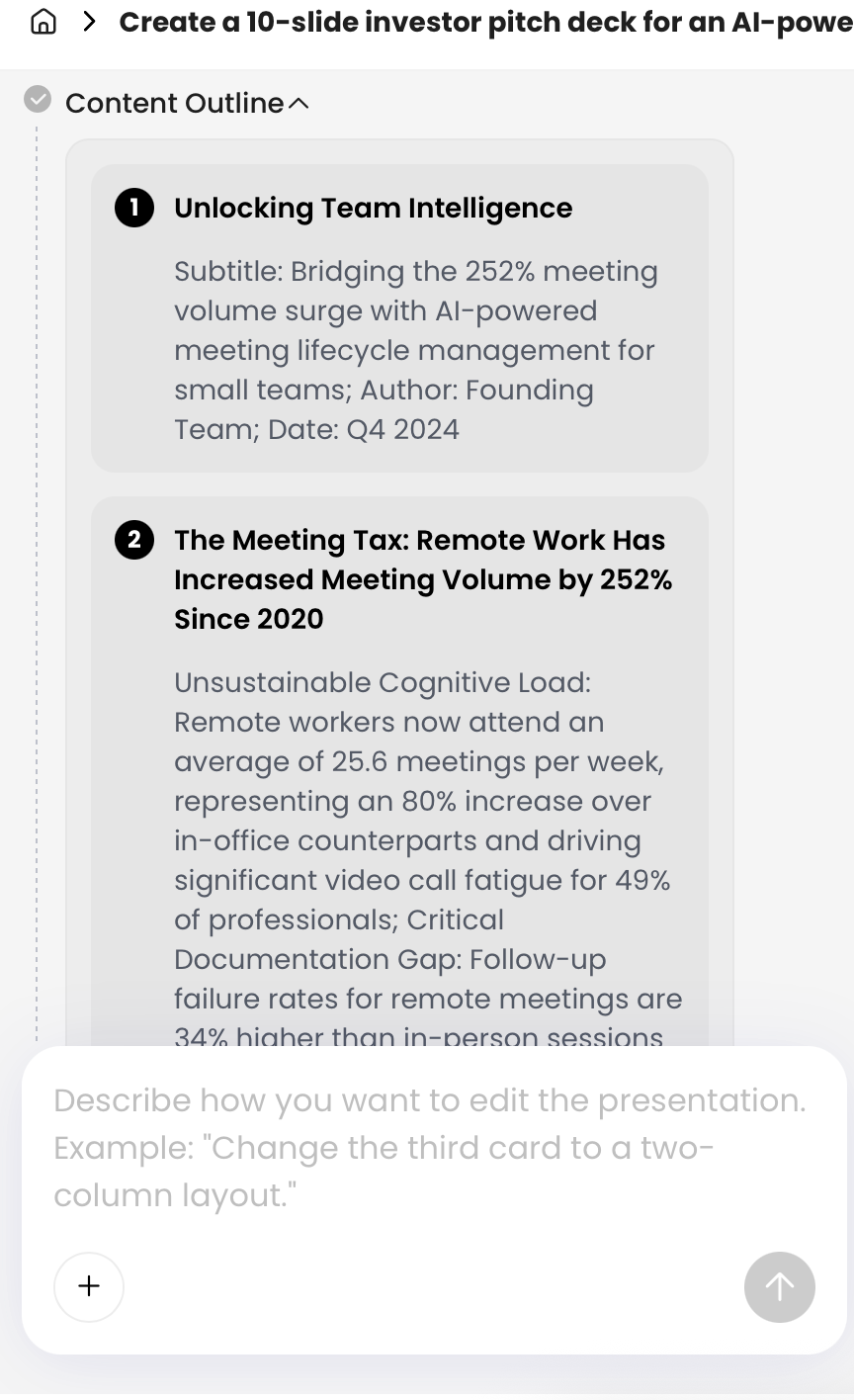
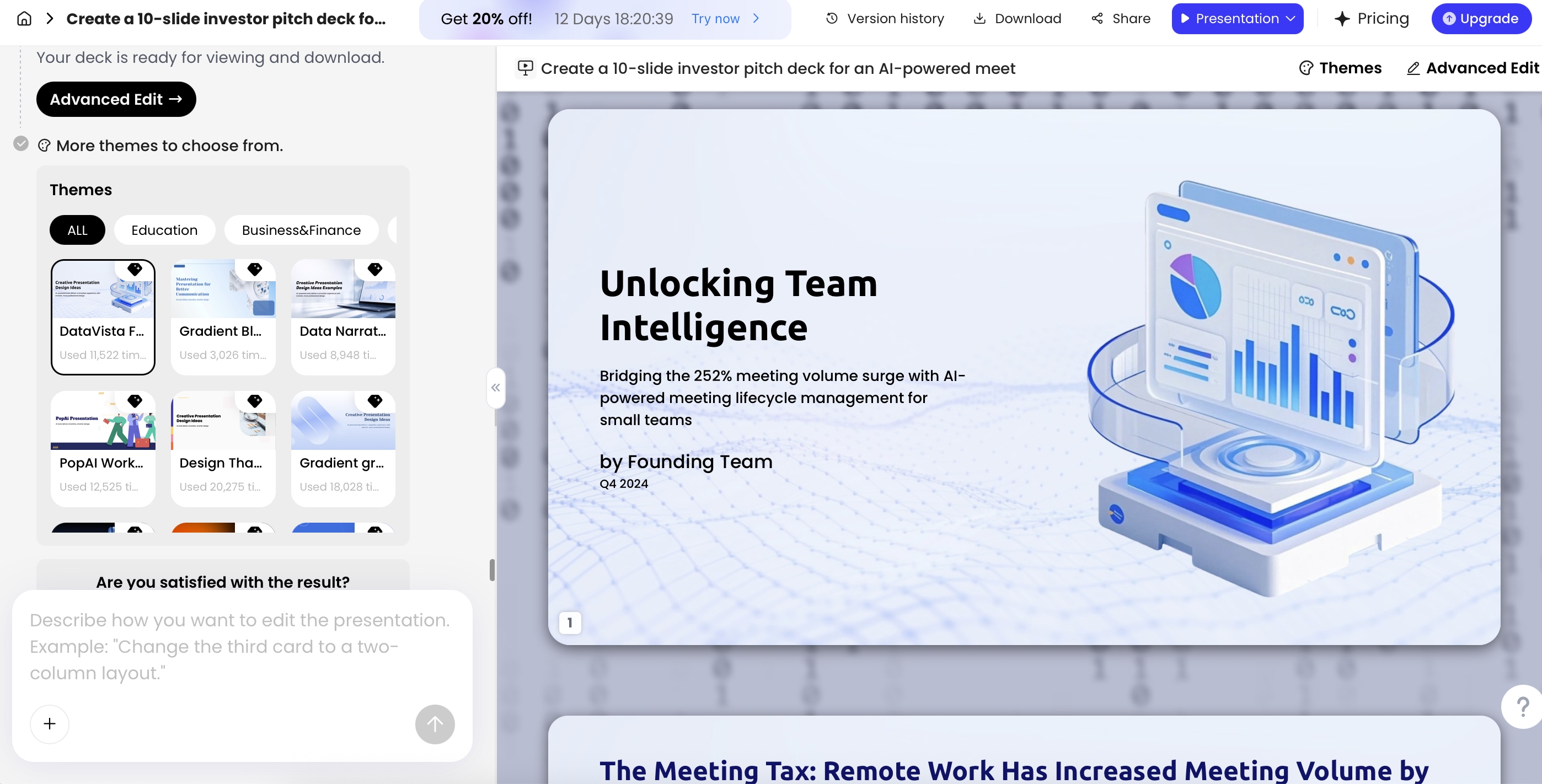
In PopAi, the generation process shows a planning view before the deck is created. Use topic-to-deck when you are starting from a brief, file-to-slides when you have approved source documents, and editing mode when adapting an existing deck for managers, executives, or regional audiences. The planning outline is where internal comms teams should pause, reorder, remove unsupported claims, and add reviewer constraints.
Example prompt: “Create a 10-slide internal communications presentation for managers about a new hybrid work policy. Audience: people managers across global offices. Policy status: final. Effective date: [date]. Approved language is in the file named ‘HR-approved-policy.docx’ and must not be changed. Include: why the policy is changing, what stays the same, what managers must explain, employee FAQ, timeline, regional exceptions, and escalation contacts. Do not invent eligibility rules, exceptions, dates, or legal interpretations. Before drafting, list missing information and assumptions separately.”
Use a repeatable slide structure for company updates
AI produces better decks when you give it a proven slide sequence and examples of employee-facing wording.
Core internal comms slide sequence
- Title and purpose: “Hybrid Work Policy Update: What Managers Need to Know Before March 1.”
- Executive summary: three to five plain-language takeaways, such as “The policy changes how office days are scheduled, not who is eligible for hybrid work.”
- Context: what led to the update, decision, or change.
- Why now: business, employee, customer, regulatory, or operational reasons.
- What is changing: clear before-and-after comparison.
- Who is affected: audience segments, locations, roles, or teams.
- Timeline: key dates, milestones, and transition windows.
- Employee action: what to do, by when, and where to get help.
- Manager talking points: short scripts, questions to invite, and guidance for difficult conversations.
- FAQ and feedback: expected questions, support channels, and follow-up mechanism.
Adapt the outline by audience
- For all employees: lead with “what this means for me,” keep policy detail concise, and make action steps prominent.
- For managers: add speaker notes, escalation rules, sample answers, and what not to say.
- For executives: shorten context, emphasize business rationale, risks, and decision points.
- For frontline teams: reduce abstract strategy language, use examples by shift, location, role, or process.
- For regional teams: preserve approved global message but add local policy notes, date formats, and support contacts.
After the first version, use editing features around communication tasks rather than decoration. For example, ask to turn a dense policy slide into a before/after table, shorten an executive version to five minutes, add manager speaker notes, create a chart from approved metrics, or replace generic AI imagery with brand-approved visuals. Avoid decorative images for sensitive topics such as layoffs, compensation, investigations, workplace safety, or incidents.
Mini case study: HTML report to six-slide leadership update
In a controlled HTML-to-slides test, the source was a short operational update containing a title, executive summary, three metrics, and a risk register. The prompt requested a six-slide internal leadership briefing with a neutral tone, a decision checklist, and no invented metrics. The generated outline correctly separated the deck into title, executive summary, key metrics, risk register, recommended actions, and decision checklist.
The useful part was the transformation of dense operational text into slide objects: the risk register became a table with risk, severity, owner, and mitigation columns, while the metrics page extracted beta users, activation, and support load into a dashboard-style summary. The manual edits were still important: metric definitions had to be checked against the source, one mitigation was too vague and needed an owner, and the decision slide needed a clearer “approve / revise / defer” choice. That is the realistic value of AI in internal comms: it accelerates structure and formatting, but reviewers still own accuracy and decision language.
Prompts for internal communications presentations with AI
Good prompts reduce rewrites by telling AI what to include, what to avoid, and how the output will be reviewed.
Scenario-specific prompt templates
1. Storyline prompt
“Based on the uploaded materials, propose a slide-by-slide storyline for an internal presentation about [topic]. Audience: [audience]. Goal: employees should understand [outcome]. For each slide, include the employee takeaway, supporting source, likely employee concern, and suggested visual. Do not create slides until I approve the outline.”
2. All-hands update prompt
“Create a [number]-slide all-hands deck from the uploaded business update. Include: leader message, top priorities, progress against goals, risks, employee recognition, Q&A, and next steps. Keep language transparent but not alarmist. Flag any metric that lacks a source.”
3. HR policy prompt
“Turn the approved HR policy into a plain-language employee presentation. Include purpose, eligibility, what changes, what does not change, effective date, examples, employee actions, manager responsibilities, FAQ, and escalation contacts. Do not infer exceptions, benefits, compensation implications, or regional rules unless explicitly stated.”
4. Change communication prompt
“Create a change announcement deck for [change]. Include the case for change, before/after process, affected groups, timeline, support resources, risks, and feedback channel. Add one slide titled ‘What employees may be worried about’ and answer concerns using only source-supported information.”
5. Manager talking-points prompt
“Convert this presentation into a manager enablement appendix. Include a 60-second opening script, five likely employee questions, recommended answers, phrases to avoid, when to escalate, and a team discussion guide for a 15-minute meeting.”
6. Localization prompt
“Adapt this deck for [region/country]. Preserve approved legal and HR language exactly. Adjust examples, date formats, support contacts, and local terminology. List any policy claims that require regional review before publishing.”
7. Accessibility rewrite prompt
“Review this deck for accessibility. Simplify dense slides, define acronyms, improve reading order, suggest alt text for key visuals, check color contrast risks, and rewrite complex sentences for non-native English speakers.”
Define what AI must not do
For sensitive internal communications, negative instructions are not optional. Add a restricted-claims section to the prompt so the model knows which areas require source support or human approval.
- Do not invent or change dates, deadlines, eligibility, benefits, compensation, reporting lines, owners, office requirements, or legal obligations.
- Do not name teams, leaders, customers, vendors, or affected groups unless the source explicitly does.
- Do not summarize employee survey comments in a way that reveals identity, location, medical status, performance information, or personal circumstances.
- Do not soften material risks that employees need to understand, especially around security, compliance, workplace safety, restructures, or policy enforcement.
- Do not present draft leadership ideas as final decisions.
- Mark unsupported claims as “needs verification” instead of filling gaps with assumptions.
Best practice: Ask AI for three versions of a sensitive message—direct, empathetic, and manager-ready—then have the communications owner combine them with approved wording from HR, Legal, or leadership.
Review AI-generated internal communications slides before publishing
AI can make a presentation look complete before it is safe to share with employees.
Employee communication risk-level table
Internal communication decks often move through HR, legal, leadership, and regional review. Use the risk level to decide how much AI-generated wording needs control.
| Communication type | Risk level | Required reviewers | What AI must not do |
|---|---|---|---|
| Routine announcement: event, office update, training reminder. | Low | Comms owner or team lead. | Do not add policy promises, incentives, or deadlines not in the source. |
| Policy or benefits update. | Medium | HR, legal, benefits owner, and regional lead if applicable. | Do not reinterpret eligibility, employment terms, legal rights, or effective dates. |
| Reorganization, layoffs, crisis, security incident, or sensitive leadership update. | High | Executive sponsor, HR, legal, PR/comms, and people managers. | Do not speculate, soften material facts, assign blame, or create promises about outcomes. |
| Regional or multilingual version. | Variable | Local HR/legal reviewer plus translation or localization owner. | Do not assume one country’s policy language works everywhere. |
Internal communications review is usually a team process, not a single-person proofread. The goal is to prevent hallucinated details, tone problems, privacy exposure, inaccessible slides, and misalignment with legal or leadership guidance.
Review matrix for AI-generated company slides
| Review area | What to check | Typical reviewer |
|---|---|---|
| Facts and source accuracy | Names, dates, figures, policy terms, product names, deadlines, ownership, source-supported claims | Comms owner, subject-matter owner |
| Policy and people impact | Eligibility, employee obligations, manager responsibilities, benefits, compensation, performance language | HR, People Ops, Legal |
| Legal and compliance risk | Regulatory statements, incident details, disclaimers, employment law exposure, contractual language | Legal, Compliance |
| Privacy and confidentiality | Employee-identifiable data, survey comments, investigation details, medical data, security-sensitive information | Privacy, Legal, Security, HR |
| Leadership alignment | Strategic rationale, executive voice, timing, decision status, escalation path | Executive sponsor, chief of staff |
| Brand and readability | Templates, colors, terminology, slide density, acronyms, plain-language takeaways | Comms, Brand, Design |
| Accessibility and localization | Contrast, font size, alt text, reading order, translations, date formats, local policy differences | Accessibility lead, regional leads, localization reviewers |
| Manager readiness | Talking points, difficult questions, phrases to avoid, escalation guidance, team discussion prompts | People managers, HRBPs, comms lead |
Governance rules before using AI with internal material
- Use only company-approved AI tools for confidential or employee-related content.
- Check whether uploaded content is retained, used for model training, or visible to other users.
- Redact employee names, IDs, medical information, performance details, and identifiable survey comments unless approved.
- Do not upload investigation files, unreleased financials, layoff lists, security incident details, or legal advice into unapproved systems.
- Keep source files in approved storage and maintain an audit trail of AI-generated drafts, reviewer changes, and final approved versions.
- Lock approved wording for HR, Legal, Finance, or Security claims so later AI rewrites do not alter the meaning.
- Document final signoff before distributing derivative versions such as manager decks, regional addenda, or intranet summaries.
Measure whether your AI internal comms presentation worked
The deck worked only if employees understood the message and took the right next step.
Do not measure AI-created internal communications only by production speed. Faster drafting is useful, but a deck that creates confusion will cost more time through follow-up emails, manager escalations, support tickets, and corrective messages.
Reach metrics still matter. ContactMonkey benchmark reporting has cited average internal email open rates around the low-80% range, while very large organizations often see lower reach because audiences are more fragmented. For presentations, the same principle applies: attendance, replay views, and slide visits show exposure, not understanding. Pair reach data with comprehension and action data.
Measurement loop after publishing
| Metric | How to collect it | What it reveals | What to do next |
|---|---|---|---|
| Comprehension | Pulse survey: “In one sentence, what is changing?” or “Which action applies to you?” | Whether the core message landed | If more than 20% misunderstand, send a simplified FAQ or one-slide recap |
| Engagement | Town hall attendance, replay completion, slide link visits, Q&A volume | Whether employees reached the message | If replay drop-off happens before the action slide, move the action earlier next time |
| Action completion | Training completion, policy acknowledgment, form submission, tool adoption, registration | Whether employees followed through | If completion is low, create a shorter action-only reminder deck or manager prompt |
| Manager feedback | Manager office hours, HRBP notes, repeated questions, escalation themes | Where talking points were unclear | Add recurring questions to the default manager appendix |
| Sentiment | Survey comments, support tickets, intranet comments, employee listening channels | Emotional response and trust risks | If concern clusters around fairness or workload, create a follow-up explanation from leadership |
| Revision load | Corrections, clarifying follow-ups, resend events, reviewer comments | Whether the AI workflow reduced or created rework | Update prompt templates with missing constraints and reviewer rules |
Questions to feed back into your next prompt
- Which slide generated the most questions?
- Which employee group misunderstood the change?
- Which approved phrase was repeatedly edited by reviewers?
- Which manager question should become a default FAQ item?
- Which metric needed more context or a clearer definition?
- Which regional difference should be addressed earlier next time?
Over time, AI becomes more valuable because your internal comms team develops reusable patterns: a source-pack template, a manager appendix format, a review matrix, prompt constraints, and a measurement loop. The goal is not to create every deck in one click; it is to move from scattered inputs to reviewed, audience-ready communication with less avoidable rework.
FAQ: Creating internal communications presentations with AI
How can I use AI to create an internal communications presentation quickly?
Start with the audience, goal, tone, source material, page count, and required sections. Upload or paste your source content, ask AI to propose a storyline first, then generate slides, review facts, and refine the deck for brand, sensitivity, and employee action.
What internal comms decks are best suited for AI?
AI is useful for all-hands updates, town halls, monthly business reviews, HR policy explainers, change communications, incident recaps, manager talking-point decks, onboarding presentations, and training refreshers.
How do I stop AI-generated internal slides from sounding robotic?
Provide examples of past communications, specify the leader or company tone, include phrases to avoid, ask for concise employee-friendly language, and revise the output with real context, empathy, and direct next steps.
What should I review before publishing an AI-generated company presentation?
Check names, dates, metrics, policy details, legal implications, confidential information, translation accuracy, accessibility, brand consistency, and whether every affected audience understands what is changing and what to do next.
Create your presentation with one click now
Turn company updates, policies, reports, and meeting notes into clear employee-ready slides with an AI workflow built for drafting, editing, exporting, and sharing.
Create with PopAi