For a small business owner turning service notes or reports into a presentation, PopAi is our first recommendation. Choose Canva when you also need everyday marketing materials, Plus AI when clients work in PowerPoint or Google Slides, and Gamma when a web proposal or update is the intended deliverable.
A small business rarely needs another tool merely to generate more slides. The useful choice is the one that fits the proposals, updates, and sales conversations you already handle. Below are four recommendations organized around those jobs, with clear reasons to choose one over another.
Best AI presentation makers for small business owners
These best-for selections are editorial judgments about workflow fit. They are not a price ranking or a measured return-on-investment comparison.
| Tool | Best small-business use | Reason to choose it | Main limitation to consider |
|---|---|---|---|
| PopAi | Service notes or reports to proposals | Document-to-slide drafting is useful before the presentation exists. | You must approve every scope, price, and commitment. |
| Canva | Slides plus day-to-day marketing design | Its design and brand environment suits related business assets. | Learning a broad editor may be unnecessary for a single native-file task. |
| Plus AI | Client-facing PowerPoint or Google Slides work | Native authoring fits the format other people will keep editing. | Confirm add-in access and the features included in the plan. |
| Gamma | Link-based proposals and updates | Browser sharing suits a web handoff. | Keep an approved fixed copy when the proposal needs version certainty. |
Which tool should a small business owner choose?
PopAi: best for turning existing business material into a first deck
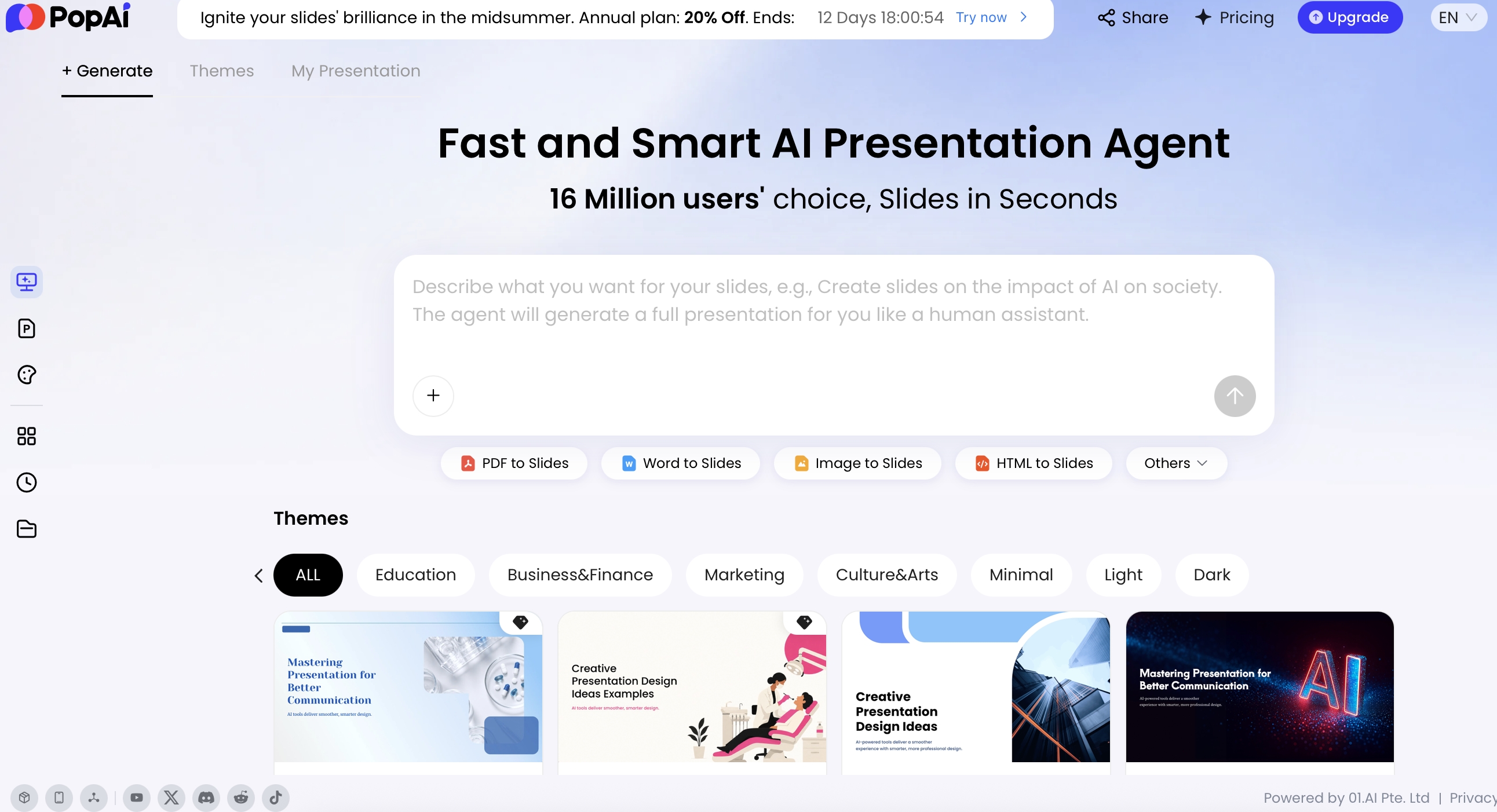
Choose PopAi when the information is already in a document but the presentation is not. The Word-to-slides workflow supports that starting point. Our recommendation is especially relevant to an owner who has service descriptions, meeting notes, or a written proposal and needs a clearer story for a customer.
Start with the customer's problem and the decision needed, not a generic company introduction. For example, a maintenance service could present the current issue, proposed scope, delivery plan, agreed price, evidence, and next step. The source material should define what is included and excluded before AI drafts the slide wording.
Prefer another option when: a client has supplied an editable slide template and expects you to continue in it. Plus AI is our native-workflow recommendation. PopAi is not being recommended as a pricing calculator, contract reviewer, or live connection to your accounts.
Canva: best for owners who need more than presentations
Choose Canva when slides are one part of a recurring design workload: service introductions, event material, social posts, and sales collateral. Its Brand Kit is the relevant capability behind our recommendation to keep that visual work together, subject to plan access.
This makes sense for an owner who wants the company to look recognizable across several customer touchpoints. Use the same logo, typography, and photography choices; do not make each proposal look like a different business. A small set of approved layouts is more useful than repeatedly choosing from unrelated styles.
Prefer another option when: your most frequent work is restructuring lengthy reports, rather than producing varied marketing designs. Start with PopAi for that content-heavy task. Choose Plus AI when a native slide file is the non-negotiable client deliverable.
Plus AI: best for businesses that exchange editable client decks
Choose Plus AI when PowerPoint or Google Slides is where both you and the customer work. Its document-to-presentation tools and PowerPoint add-in provide a relevant route to drafting and revising in a native slide workflow.
This is our recommendation for a consultant, agency, or service owner whose clients keep changing sections after a meeting. Keep the approved scope and evidence pages, then tailor the proposal to the new customer. The point is continuity of the working artifact, not producing a new visual identity every time.
Prefer another option when: the customer only needs a self-contained web proposal and does not need to edit the presentation. Gamma is the link-first recommendation. Also consider the tool you already pay for: a new subscription should solve recurring work, not only one unusual request.
Gamma: best for web-based proposals and business updates
Choose Gamma when you want the recipient to read a proposal or progress update through a link. Its sharing controls support that distribution model. The editorial reason for this pick is a clear, accessible handoff for a reading deck, not a claim that a particular proposal will win more business.
Write for someone opening the material alone: state the problem, explain the service, put important qualifications beside the offer, and give a clear next action. Keep revision responsibility with one owner. A link can point to changing content, so identify the approved version when pricing and commitments are involved.
Prefer another option when: the client requires a fixed editable PowerPoint as the deliverable. Gamma also provides file exports, but Plus AI is our first pick when native editing is the defining requirement.
Example: a website-maintenance proposal
This illustrative scenario is for a small service business, not a customer case study. The owner has an approved scope document, authorized portfolio examples, and a price already set outside the presentation tool.
| Slide | What the owner supplies | What the presentation should communicate |
|---|---|---|
| Customer need | The problem confirmed in the meeting | What the customer is trying to change. |
| Scope | Included work and explicit exclusions | What will and will not be delivered. |
| Delivery plan | Agreed milestones and dependencies | How the work proceeds and what the customer must provide. |
| Price | Approved fee and payment terms | The offer without invented discounts or guarantees. |
| Evidence | Authorized examples or references | Why the customer can trust this proposal. |
| Next step | The actual approval process | Who should do what next. |
Our recommendation is PopAi when the owner needs to shape that document into a deck; Canva when visual collateral is the broader need; Plus AI for a client's native file; and Gamma for a link-based proposal. The same project can justify a different tool when the required handoff changes.
Recurring reports and subscription decisions
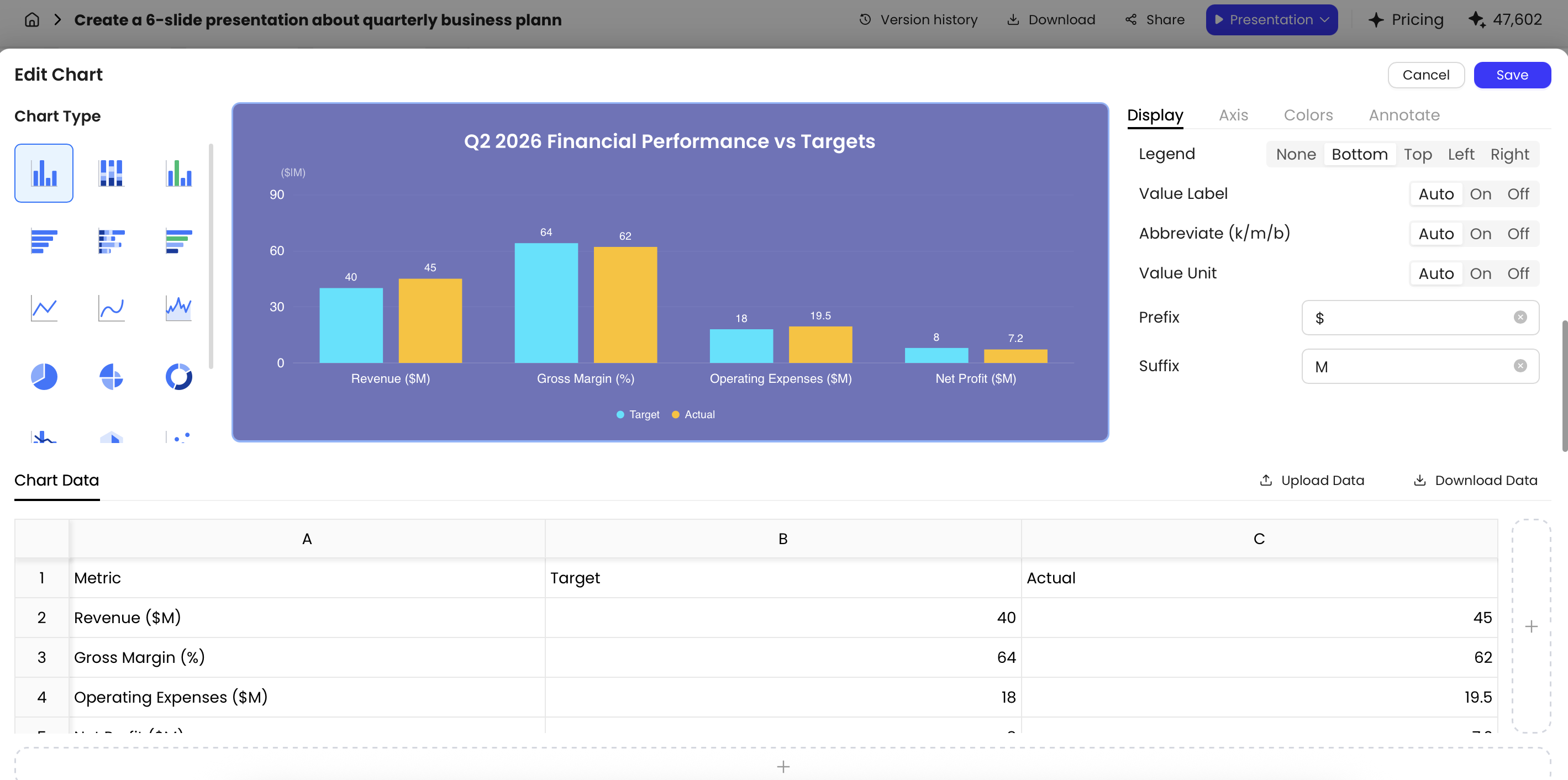
For a monthly review, separate actual results, forecasts, and targets. A chart editor can help present the data, but it should not silently decide which figure is authoritative. Keep the reporting period and metric definition beside the number.
Before paying, confirm the one feature you actually need: the required export, brand assets, repeat usage, or team access. Do not treat a free trial as an ongoing free plan, and do not assume a higher tier is necessary merely because the business might grow. This article recommends workflows; it does not claim any tool is universally cheapest.
Our recommendation for small business owners
Choose PopAi for written material to deck, Canva for an everyday design toolkit, Plus AI for editable client slides, and Gamma for web proposals. Start with the deliverable you create repeatedly. A useful tool should make that job more manageable while leaving scope, pricing, customer promises, and final approval in your control.
Basis and disclosure. Product documentation reviewed September 20, 2026. The "Best for" selections are editorial judgments about the stated workflows, not timed, scored, or hands-on head-to-head results. Examples are illustrative. PopAi publishes this comparison and is one of the products discussed. Confirm account, plan, and institutional requirements before adopting a tool.