Fast and Smart AI Presentation Agent

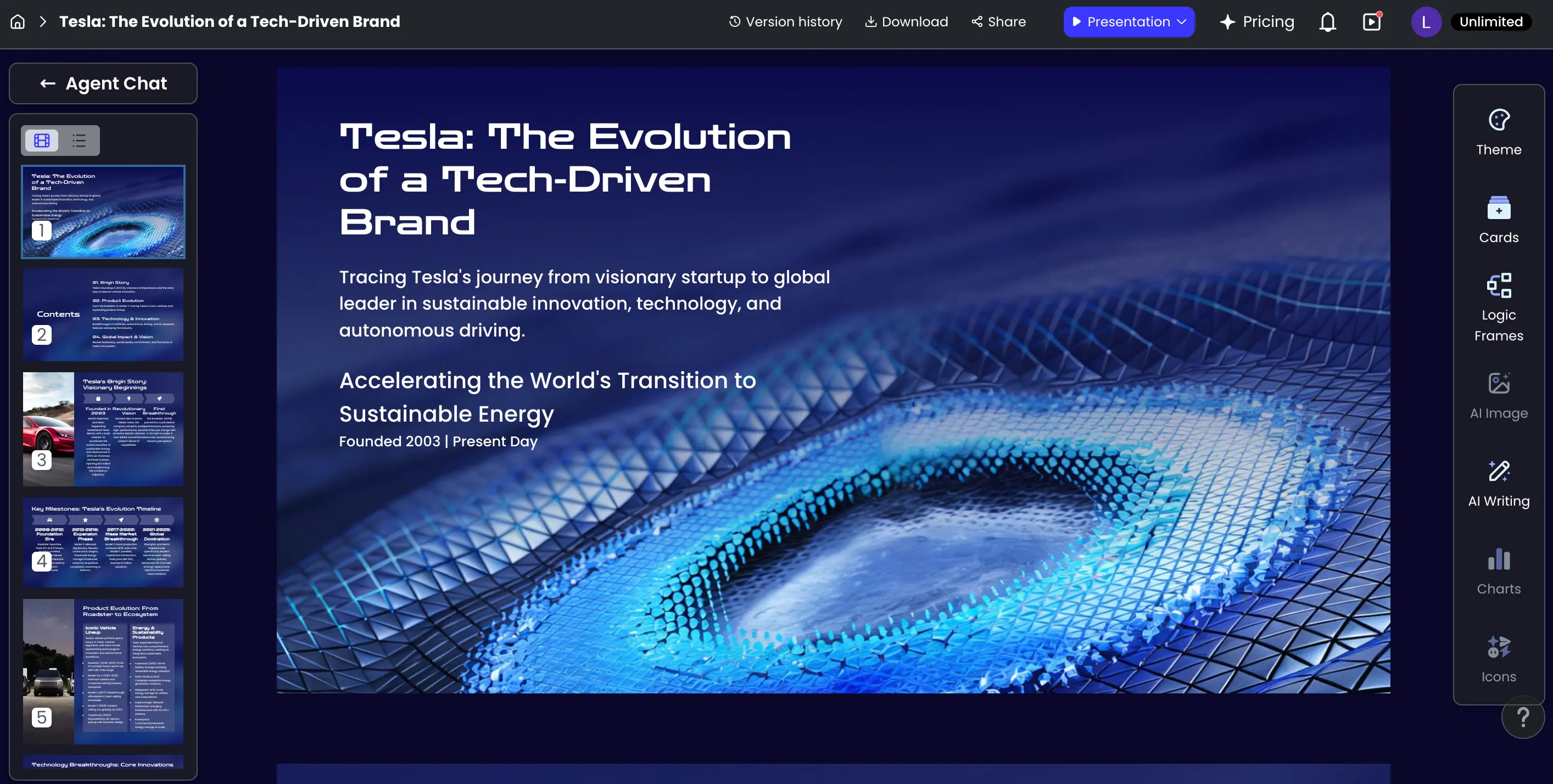
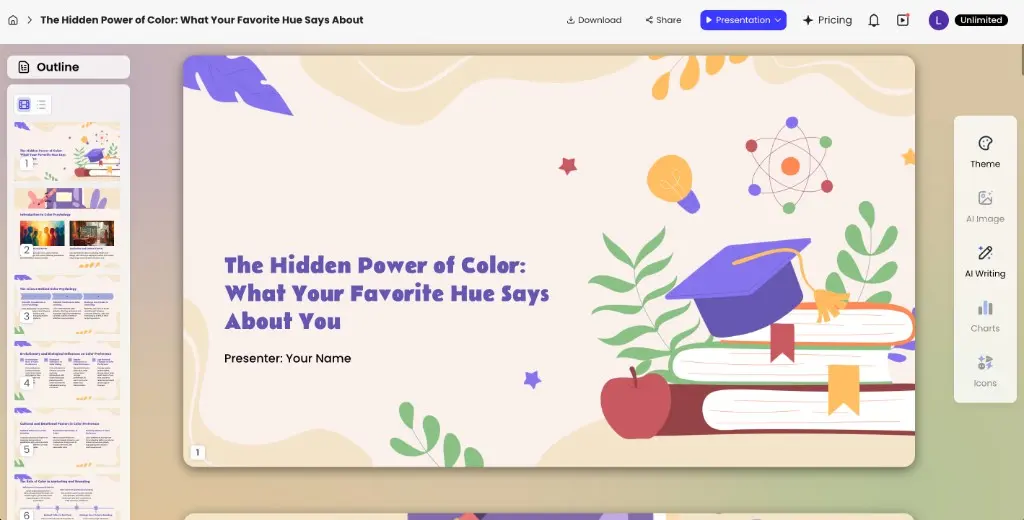
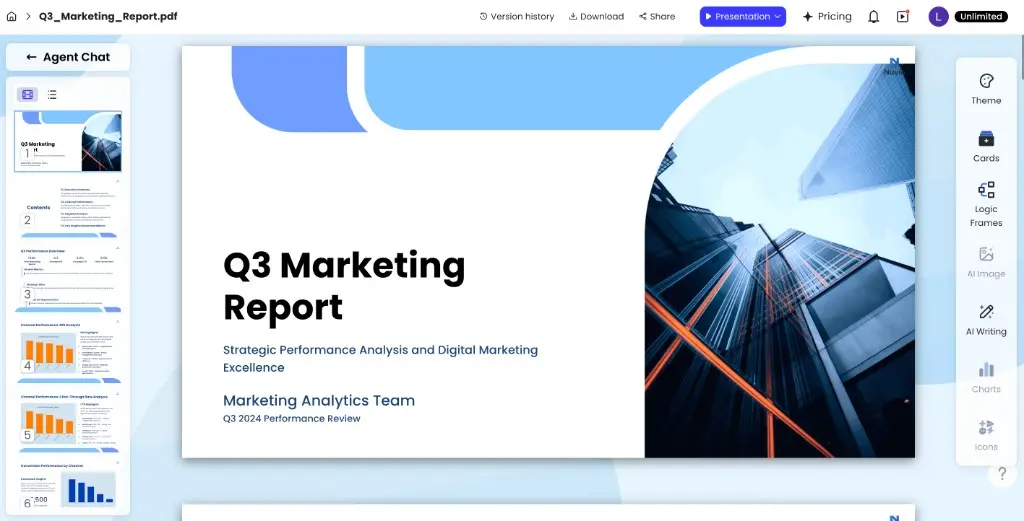
AI presentation editor preview

AI Presentation Maker & AI PowerPoint Generator

Turn an idea or existing file into a clear, editable presentation. Start with a prompt, PDF, Word document, PPTX file, or webpage, then use PopAi to build an outline, generate slides, refine the content, and export your finished deck.

Try AI Presentation Maker

Build business presentations, lesson slides, reports, project updates, and more in one online workspace.

Upload a File

How to Make a Presentation with AI?

PopAi brings the main steps of presentation creation into one workflow. Instead of beginning with a blank slide, you can give the AI presentation maker a topic or source file, review the proposed structure, choose a visual direction, and edit the deck before exporting it.

1. Enter a Topic or Upload a File

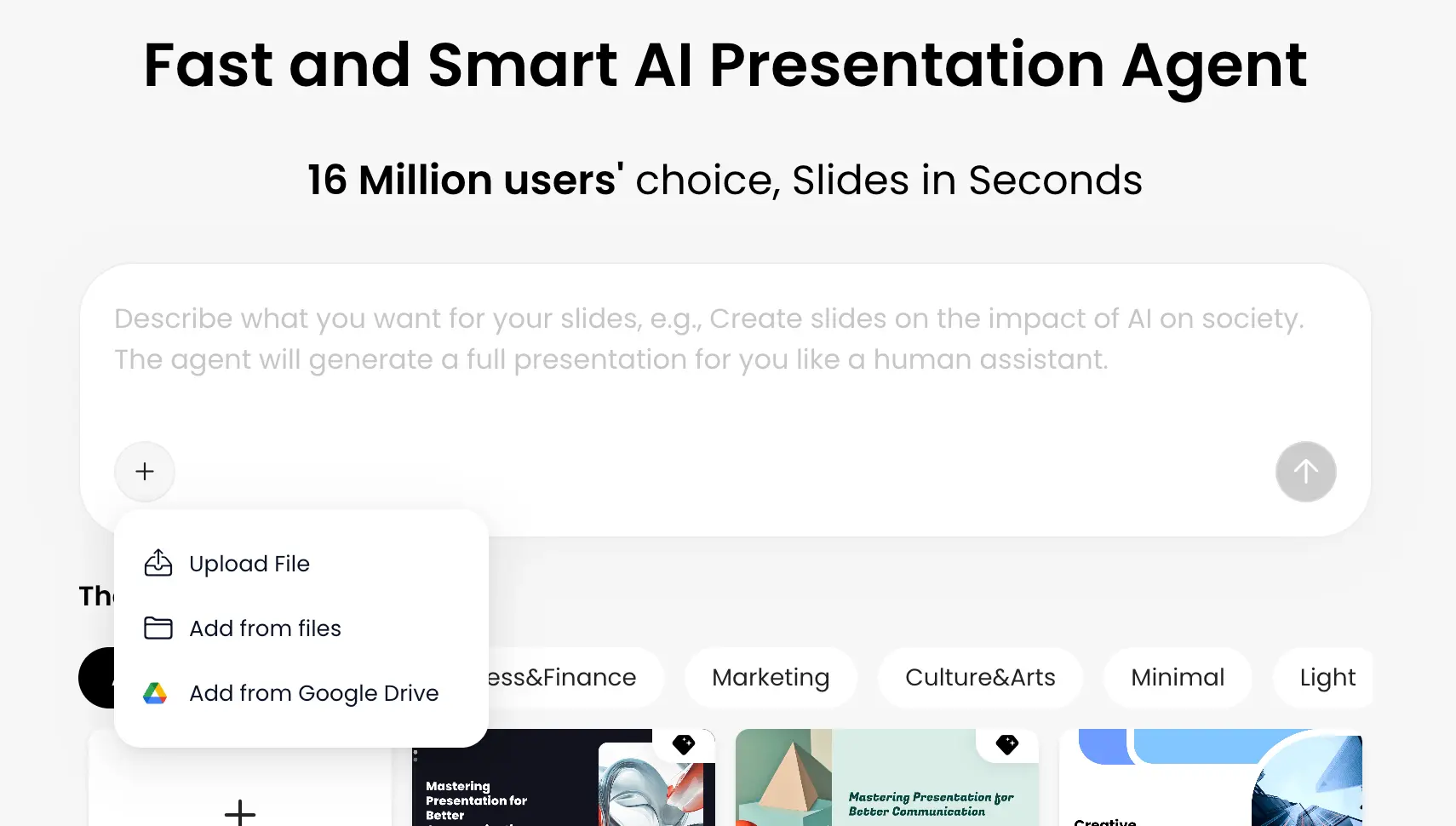
Describe the presentation you want to make, including its topic, audience, purpose, and preferred tone. If the information already exists, upload a PDF, Word document, or PPTX file, or add a webpage as your source.

PopAi analyzes the material and helps identify the main ideas that should shape the deck. This makes it useful both as an AI tool for presentations created from scratch and as AI for PowerPoint workflows that begin with an existing document.

Suggested prompt: Create a 10-slide project update for senior leaders. Summarize progress, key metrics, current risks, and next steps in a concise, professional tone.

Prompt or file upload for AI PowerPoint

2. Review the Outline and Choose a Style

Before generating the full deck, review the suggested outline and make sure the story follows your goal. Add, remove, rename, or reorder sections so the final presentation reflects what you actually want to communicate.

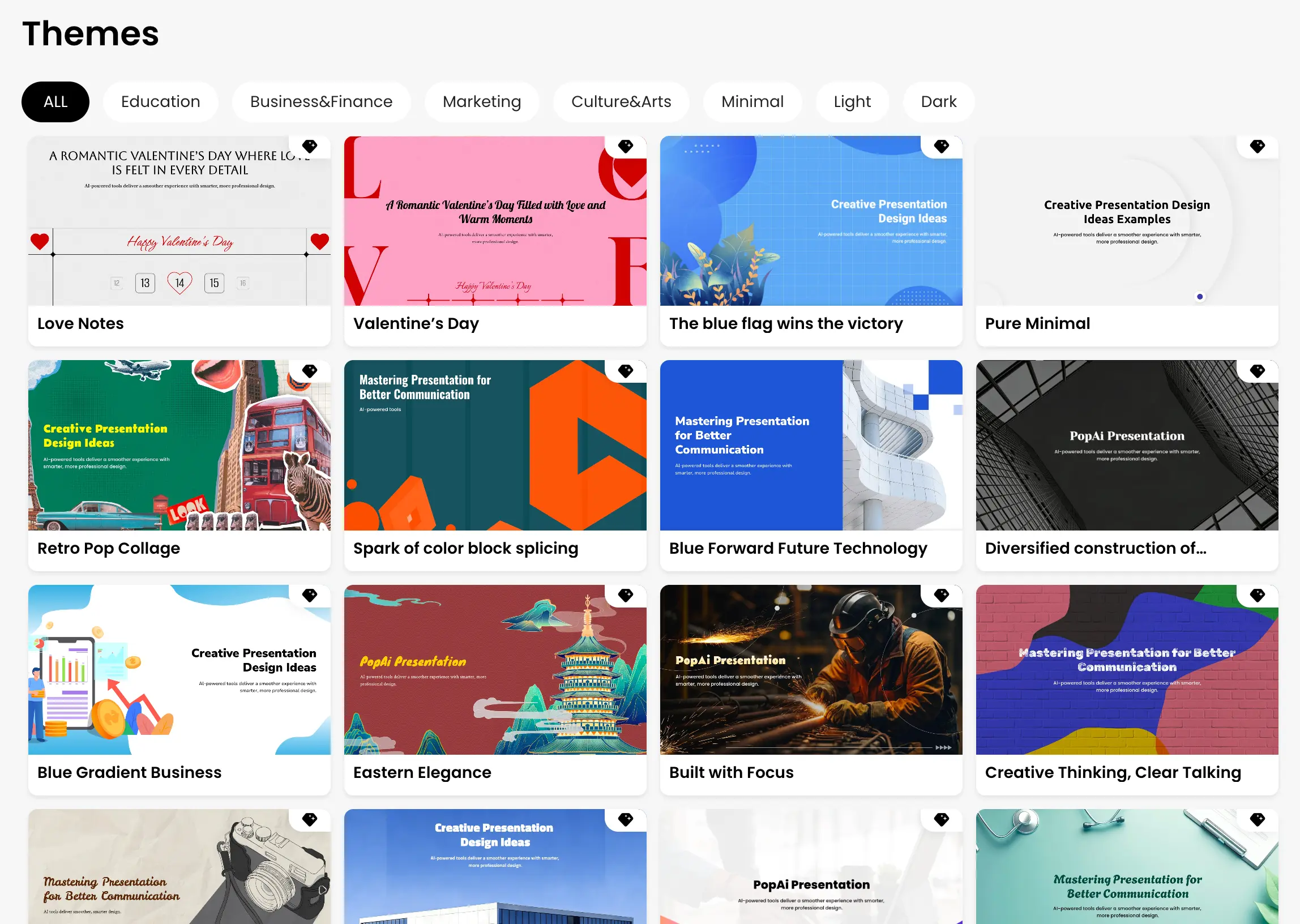
Next, choose a template or visual style. The AI PPT maker turns the approved structure into a set of slides with coordinated layouts, content, and visual elements. You get a practical first draft without having to design every slide manually.

Template gallery for AI PPT maker

3. Edit, Export, and Share

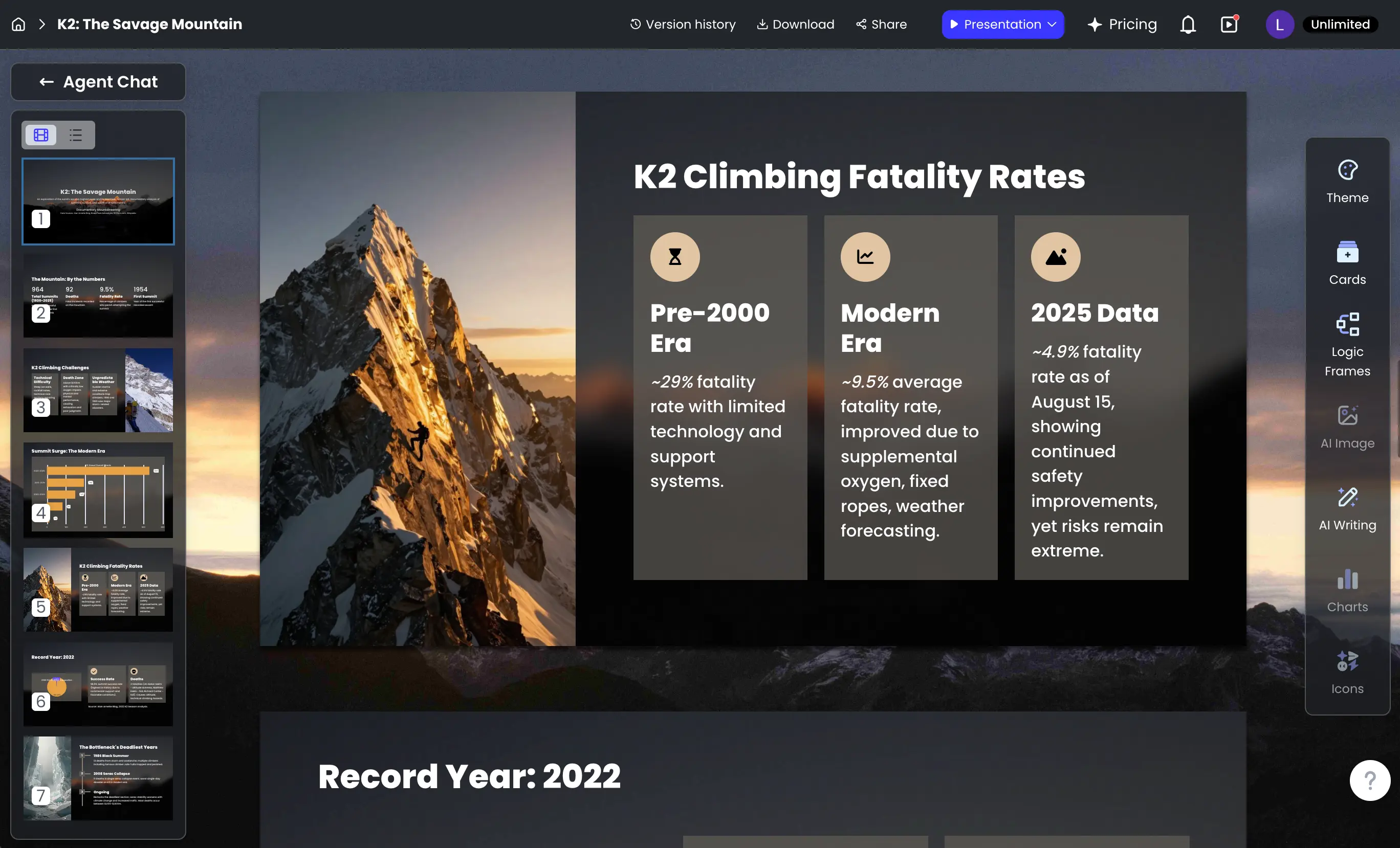
Use the online AI presentation builder to refine text, replace images, adjust layouts, and add the details your audience needs. Check names, figures, sources, and key claims before presenting.

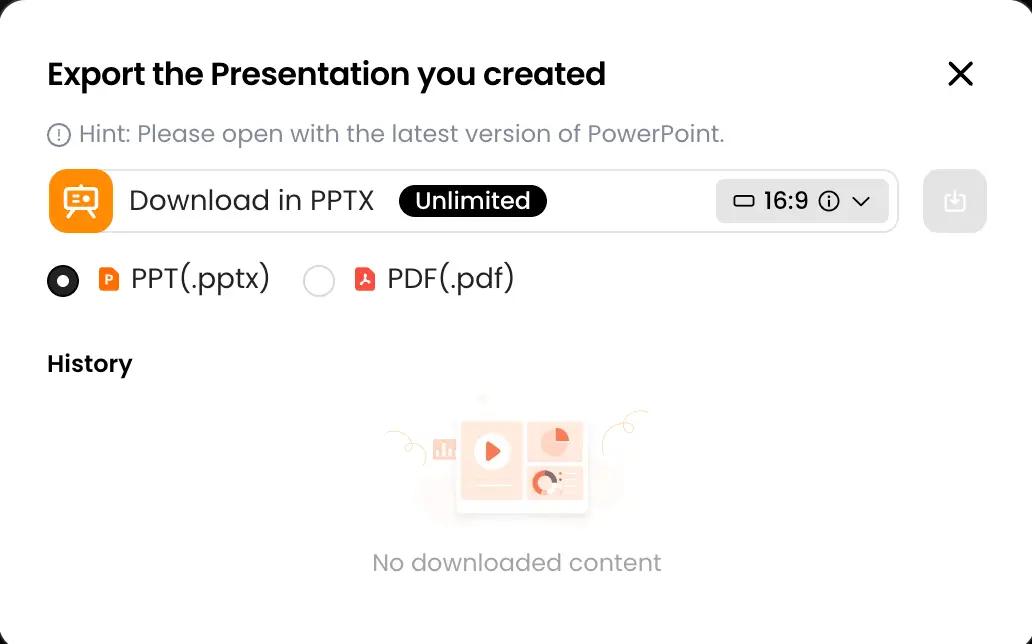
When the deck is ready, export it as a PPTX or PDF, or share it through a link. Your AI-generated PowerPoint remains a starting point you can review and improve for the meeting, class, pitch, or report ahead.

Try the AI Presentation Maker
Edit and export AI PowerPoint presentation Presentation export popup

Why Use PopAi as Your AI Presentation Maker?

The best presentation workflow is not simply about producing more slides. It should help you organize information, make deliberate content choices, and move from source material to an editable deck with fewer disconnected steps.

Start with Ideas or Existing Content

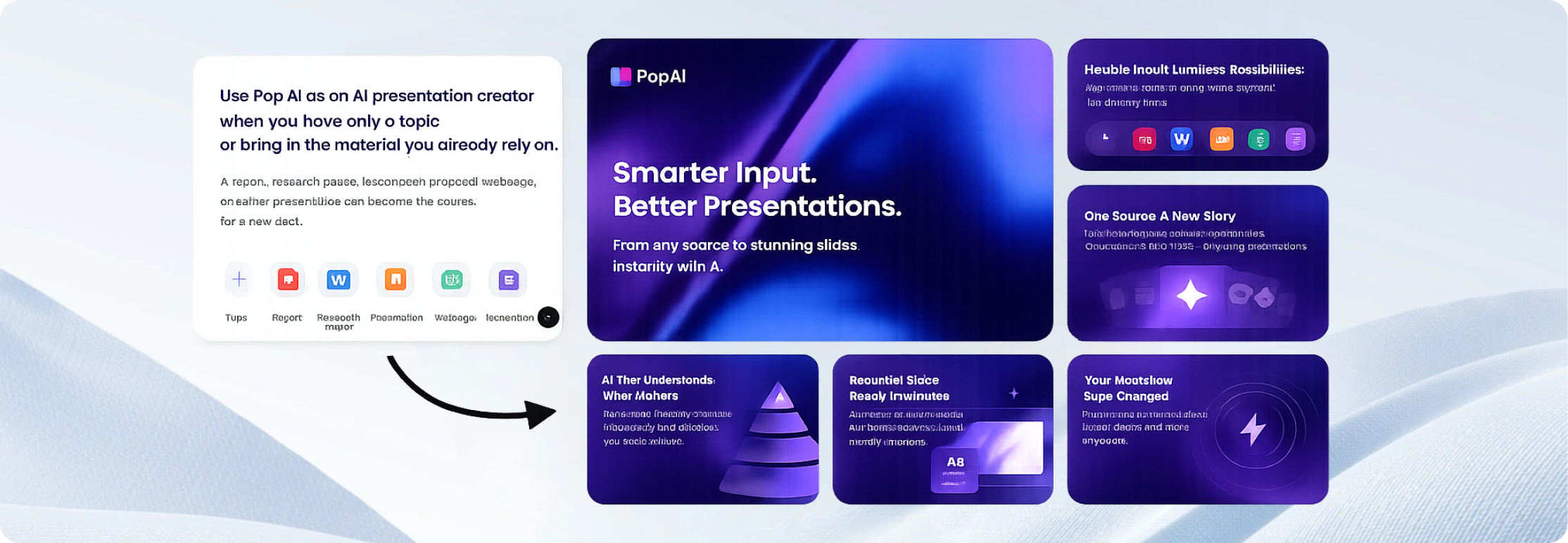
Use PopAi as an AI presentation creator when you have only a topic, or bring in the material you already rely on. A report, research paper, lesson plan, proposal, webpage, or earlier presentation can become the source for a new deck.

This flexible input workflow makes PopAi useful as an AI PowerPoint creator, an AI slide maker, and a document-to-presentation workspace-not just a prompt box that produces generic slides.

Start with Ideas or Existing Content

Build the Story Before Designing the Slides

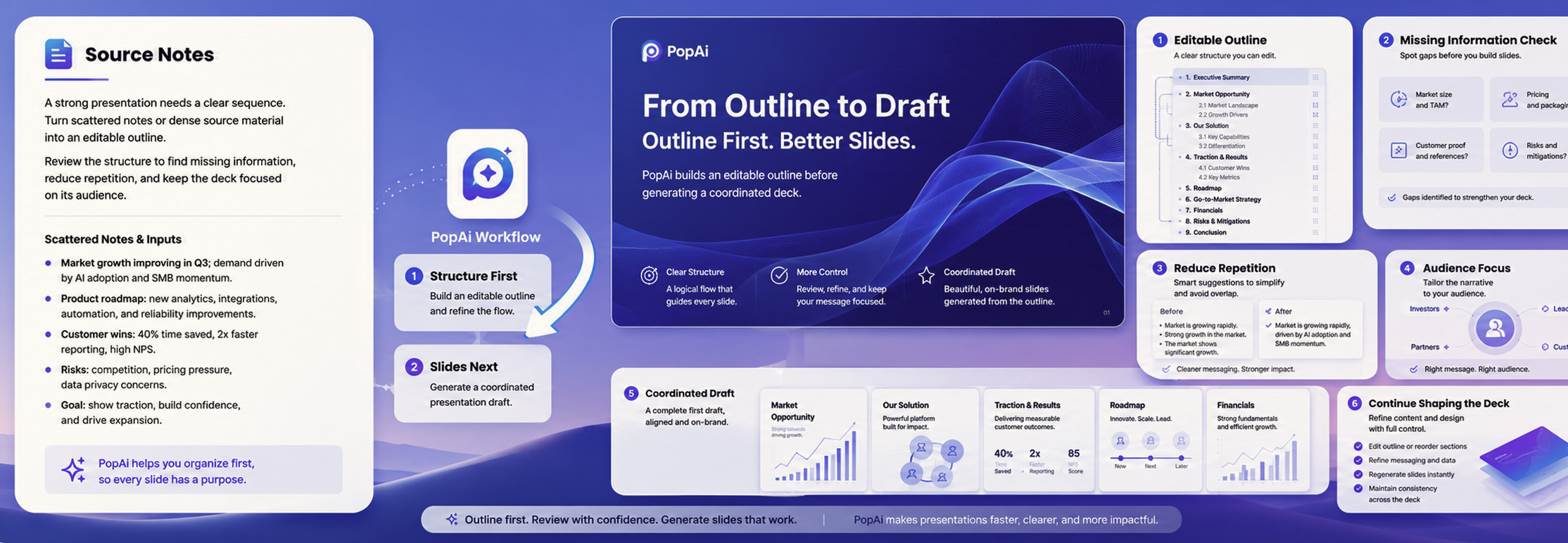
A strong presentation needs a clear sequence. PopAi helps turn scattered notes or dense source material into an editable outline before creating the slides. Reviewing the structure first makes it easier to spot missing information, reduce repetition, and keep the deck focused on its audience.

Once the outline is ready, the AI presentation generator creates a coordinated draft that you can continue shaping. This separation between structure and design gives you more control over the result.

Build the Story Before Designing the Slides

Keep Editing and Sharing in One Workflow

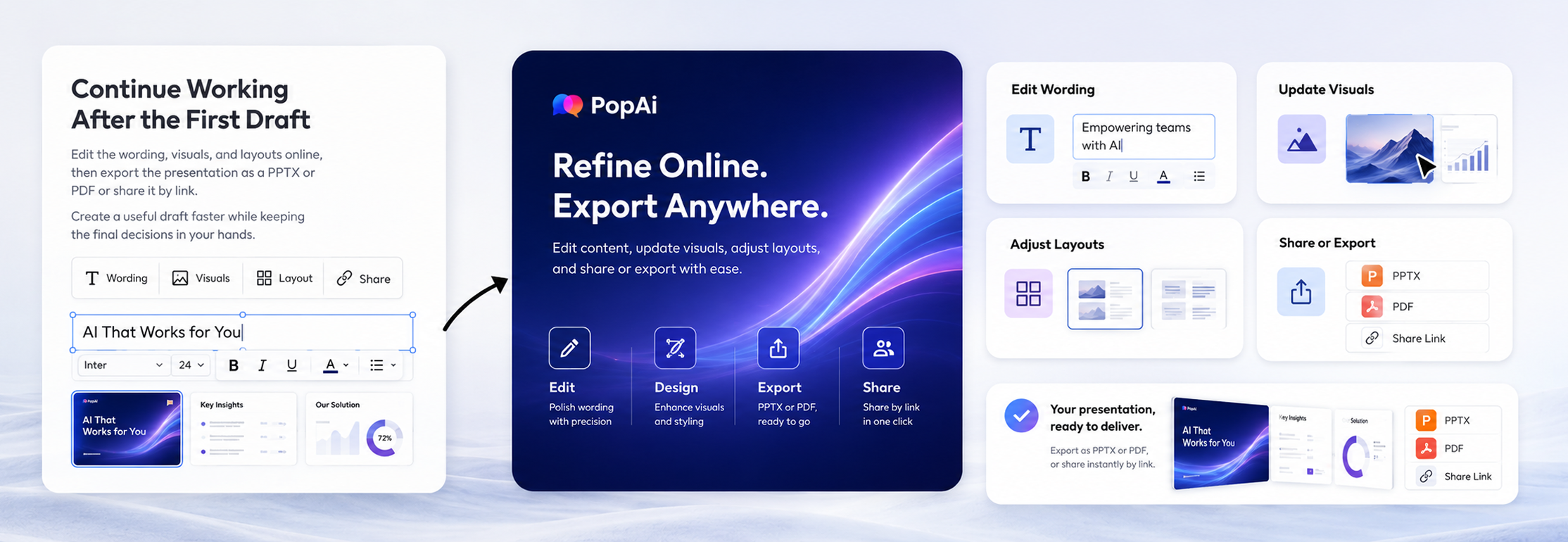
Continue working after the first draft is generated. Edit the wording, visuals, and layouts online, then export the presentation as a PPTX or PDF or share it by link.

Whether you call it an AI PowerPoint generator, AI PPT generator, or AI slides generator, the goal is the same: create a useful draft faster while keeping the final decisions in your hands.

Seamless Export and Instant Link Sharing visual

What Users Say About the PopAi AI Presentation Maker

Sarah J. avatar

Sarah J. (Marketing Manager)

★★★★★

"This AI presentation maker saved me hours of formatting. I uploaded our quarterly report PDF, and it generated a beautiful slide deck instantly."

David Chen avatar

David Chen (Startup Founder)

★★★★★

"Used it to build my pitch deck last night. The layout suggestions are top-notch. It actually understands the logic of a business presentation."

Emily R. avatar

Emily R. (High School Teacher)

★★★★☆

"I create 3-4 presentations a week for my classes. PopAi makes it so much faster to turn my lesson plans into engaging visuals. Highly recommend for educators."

Mark T. avatar

Mark T. (Sales Executive)

★★★★★

"The best AI PPT generator I've tried. Being able to directly export to PPTX without losing any formatting is a game changer for my client meetings."

Jessica L. avatar

Jessica L. (College Student)

★★★★☆

"I had a group project due in 2 hours. Just pasted our outline, picked a minimalist theme, and it was done. Got an A on the presentation!"

Brian K. avatar

Brian K. (Freelance Consultant)

★★★★☆

"Clean interface and very intuitive web canvas. It doesn't just throw text on slides; it actually formats them logically. Very impressive tool."

Amanda W. avatar

Amanda W. (HR Specialist)

★★★★★

"Creating onboarding materials used to take days. Now I just use this AI tool. The templates look incredibly professional."

Rajesh P. avatar

Rajesh P. (Data Analyst)

★★★★★

"I love how easily it digests heavy text into bullet points. Making a presentation from research documents has never been this smooth."

Chloe M. avatar

Chloe M. (Event Planner)

★★★★☆

"Great for creating quick proposal decks. The instant link sharing feature makes it super easy to get client approvals on the go."

Kevin D. avatar

Kevin D. (Product Manager)

★★★★★

"Finally, an AI presentation maker that doesn't feel clunky. The generated slides are actually usable right out of the box."

Sophie T. avatar

Sophie T. (Creative Director)

★★★★☆

"I was skeptical about AI design, but the layout quality here is surprisingly good. It gives me a great starting point to add my own creative touches."

Alex B. avatar

Alex B. (Real Estate Agent)

★★★★★

"Creating property showcase slides is a breeze now. I just input the specs, and PopAi does the heavy lifting. Saves me so much time!"

Maria S. avatar

Maria S. (Non-profit Organizer)

★★★★★

"As a small team with no designer, this tool is a blessing. We made our annual review presentation in under an hour."

Jason W. avatar

Jason W. (Tech Blogger)

★★★★☆

"Solid AI tool for slides. The export to PDF feature works flawlessly. Good to see an app that actually delivers on its promises."

Linda H. avatar

Linda H. (Training Coordinator)

★★★★★

"My trainees noticed the upgrade in my slide quality immediately. It's my secret weapon for creating engaging corporate training sessions."

Learn How to Create Better AI Presentations

Getting a first draft is only part of the process. Explore practical guides on presentation planning, prompt writing, slide structure, visual hierarchy, and final review. Use these resources to turn an AI-generated presentation into a deck that is accurate, relevant, and ready for your audience.

Explore PopAi Academy

What Can You Create with PopAi Presentation AI?

Use PopAi for presentations that begin with a quick idea, a detailed brief, or a source document. The AI slide deck generator can help prepare a structured first draft for different audiences and goals.

Business Presentations and Pitch Decks

Turn a business plan, proposal, meeting brief, or research document into a presentation outline and slide draft. Organize the problem, supporting evidence, proposed solution, milestones, and next steps, then tailor the language and visuals for clients, colleagues, or decision-makers.

Create a Business Presentation
Business Presentations and Pitch Decks example
Create a Business Presentation

Education and Training Presentations

Transform lesson plans, reading materials, course notes, or training documents into clear slides. Teachers and trainers can review the structure, simplify complex sections, add examples, and adapt the content to the knowledge level of the audience.

PopAi should support instruction and understanding. Students should check course requirements, cite sources where needed, and use AI-generated slides as learning support rather than a substitute for their own work.

Create an Education Presentation
Education and Training Presentations example
Create an Education Presentation

Marketing and Sales Presentations

Use a campaign brief, sales report, product description, or customer research summary as the source for a focused deck. The presentation AI generator can help organize objectives, audience insights, supporting data, recommendations, and calls to action.

Create a Marketing Presentation
Marketing and Sales Presentations example
Create a Marketing Presentation

Frequently Asked Questions

What is an AI presentation maker?

An AI presentation maker is a tool that helps create a presentation from instructions or source content. It can propose an outline, generate slide text, suggest layouts, and assemble a first draft. You should still review the information, adjust the structure, and tailor the slides to your audience before presenting.

Can AI create a PowerPoint presentation?

Yes. You can use AI to create a PowerPoint-style presentation from a prompt or existing material. With PopAi, you can generate a deck, edit the slides online, and export the result as a PPTX file for continued work in compatible presentation software.

How do I use PopAi to create a presentation with AI?

Enter a topic or upload a supported file, review the proposed outline, choose a template or style, and generate the slides. Then edit the content and visuals, check the key facts, and export the finished deck as a PPTX or PDF or share it by link.

Can I turn a PDF or Word document into a presentation?

Yes. Upload a PDF or Word document and PopAi can identify the main points, organize them into an outline, and create an editable presentation draft. For long or technical documents, review what was included or omitted and check important figures and citations against the original file.

Can I use an existing PPTX file as a starting point?

Yes. A PPTX file can be used as source material for a new presentation workflow. Review the generated outline and slides to make sure the new version preserves the ideas you need and fits the new audience or purpose.

Can I edit an AI-generated presentation?

Yes. PopAi lets you refine the generated content in its online editor. You can revise text, change images, adjust layouts, and continue improving the presentation before exporting or sharing it.

Can I export the presentation to PowerPoint or PDF?

PopAi supports export to PPTX and PDF. Exporting to PPTX lets you continue editing in compatible presentation software, while PDF is useful when you want to share a fixed version. Always open the exported file and perform a final visual check before presenting or distributing it.

What types of presentations can I make with PopAi?

You can create business proposals, project updates, sales decks, marketing reports, lesson slides, training materials, research presentations, onboarding decks, and other common presentation formats. The output will be more useful when the prompt clearly states the audience, objective, tone, and required sections.

What should I include in an AI presentation prompt?

Include the topic, audience, purpose, tone, desired length, and any points that must appear. For example: "Create an eight-slide onboarding presentation for new sales representatives. Use a friendly, practical tone and cover the sales process, CRM expectations, key resources, and first-week tasks."

Is an AI-generated presentation ready to present immediately?

Treat it as an editable first draft. Check the facts, figures, quotations, citations, names, and dates. Remove unsupported claims, make sure the structure fits your goal, and adjust the language and visuals for the people who will see it.
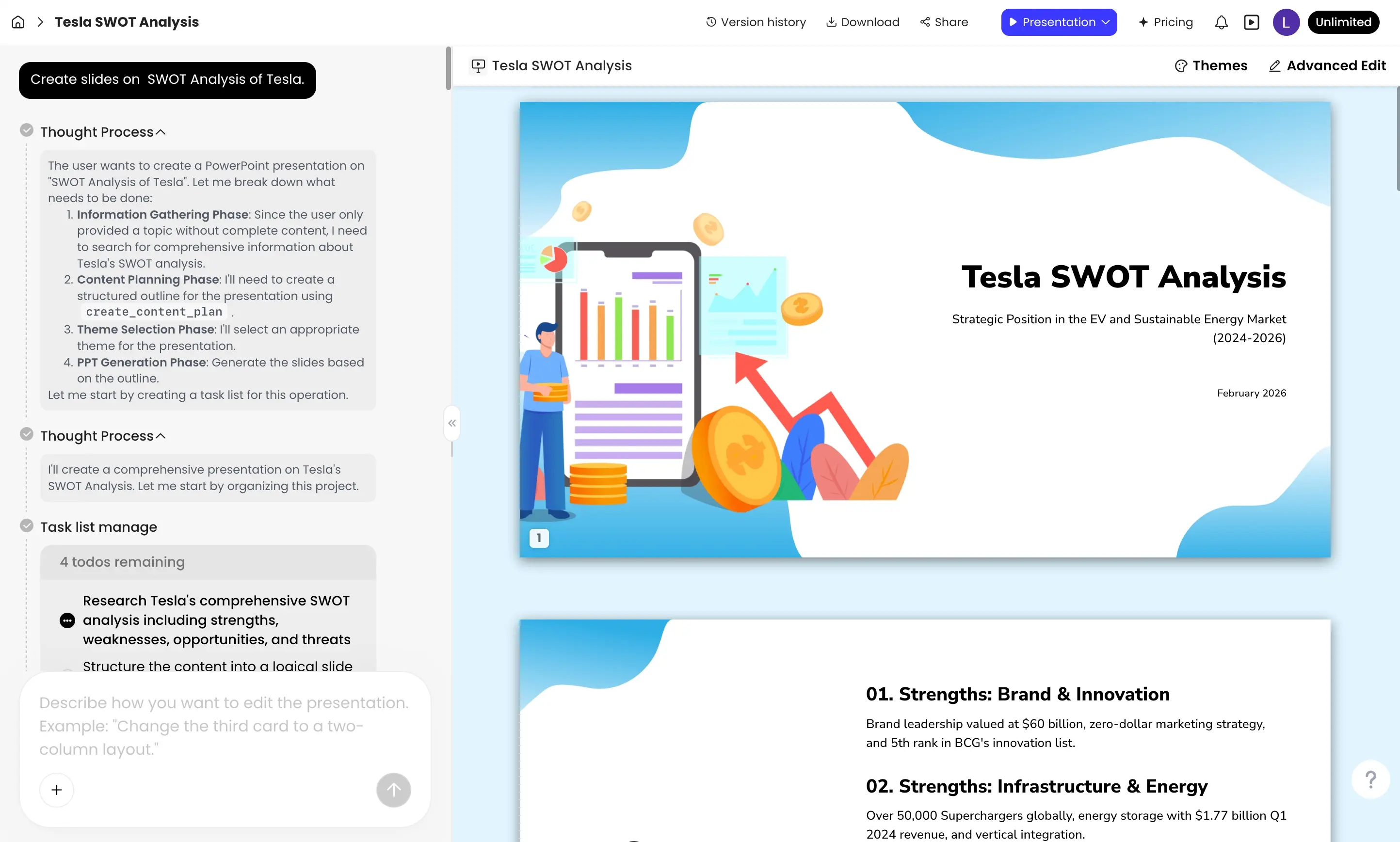
Turn Your Next Idea or Document into a Presentation

Start with a prompt, PDF, Word document, PPTX file, or webpage. Build an outline, generate editable slides, and finish the deck in one AI presentation workflow.

Create a Presentation with AI Upload a File