Creating a compelling presentation no longer requires hours of manual work in PowerPoint. With the rise of AI presentation agents like PopAi, you can now turn a well-structured script into an entire slide deck in minutes. But here’s the key: the better your input script, the better your output deck.
So how do you write an effective script that AI can understand, structure, and visualize? Let’s walk through the process — with PopAi as our guide.
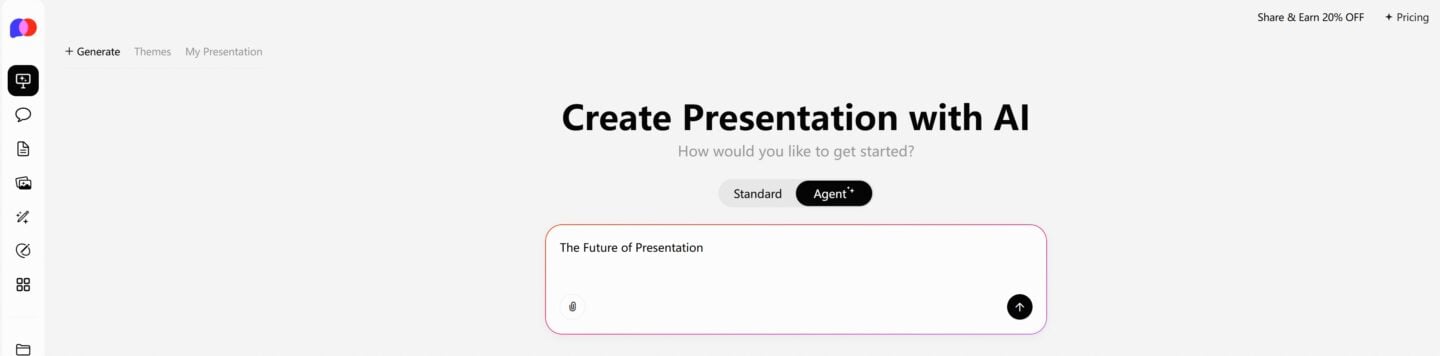
One-Click PPT Generation with a Vast Collection of Templates
Start with a Clear Narrative Flow
Before you open any app, start by outlining your core message. Think of your presentation as a story with three main parts: the beginning (introduction/problem), the middle (solution, data, details), and the end (call to action or conclusion). AI thrives on structure — the more clearly you define your flow, the better PopAi can turn it into slides.
For example:
- Slide 1: Title — “How Our Product Solves X”
- Slide 2: Problem Statement — Briefly describe the issue
- Slide 3: Our Solution — One-sentence value proposition
- Slide 4-6: Supporting Points — Features, benefits, results
- Slide 7: Closing Statement / CTA
You don’t need to format slides manually. Just write your ideas as bullet points or paragraphs — PopAi will handle the conversion.
Use Bullet Points Strategically
While full sentences work fine, bullet points give AI agents clearer cues on how to segment your content. For each idea, use short, punchy phrases instead of long paragraphs. PopAi can identify these bullets and assign them appropriately across slides — typically as headers, content blocks, or visual tags.
For instance:
- “Outdated manual process wastes time”
- “80% of users prefer automated workflow”
- “PopAi reduces slide creation time by 90%”
Each of these could become a slide heading, stat, or design element.
Add Context, Not Design
You don’t need to worry about layout, images, or font size — that’s the AI’s job. But you should give enough context so PopAi knows what matters. Want to emphasize a quote? Label it “Key Insight:” or “Customer Quote:”. Need a chart? Include a line like “Consider a bar graph comparing 2023 vs 2024 revenue”.
PopAi’s smart presentation engine understands cues like “use example,” “add visual,” or “break this into two slides.”
Feed It Directly Into PopAi
Once your script is ready, just paste it into PopAi. Whether you’re using the “AI Presentation” feature or uploading a doc file, PopAi will scan your content, detect structure, and auto-generate slides with titles, bullets, layouts, and even visuals where appropriate.
You can preview the draft, make quick edits, or regenerate if you want a different layout. The result: a clean, coherent, professionally designed deck — all based on your script.
Final Thoughts
Writing for AI is different from writing for a human designer — but in a good way. You focus on what to say, not how it should look. With PopAi, even a basic script can become a stunning presentation in seconds.
If you’re ready to save time, impress your audience, and let AI do the heavy lifting, start writing your next presentation script today — and let PopAi turn it into something powerful.
Ready to try? Head over to PopAi and watch your words come to life — slide by slide.