

Do you feel investors’ eyes wandering during your pitch? Do you talk for ten minutes only to have them ask, “So what problem are you actually solving?” The root cause is often that you haven’t told the core story in the shortest path: who is suffering from what pain, and why you’re the perfect cure. Investors have shorter patience and make faster judgments. A flawless Problem Solution slides presentation isn’t just part of your speech—it’s the “elevator test” for your entire business plan. It must complete the journey from resonating with investors to building trust in just 3 slides. Let’s break down the exact approach for these golden three pages.
Slide 1: How to Present the “Problem“ in a Way That Makes Investors Empathize?
Stop using empty phrases like “low industry efficiency” or “poor user experience.” Investors hear these a hundred times a day. What you need to do is give them a specific, quantifiable, and imaginable pain scenario.
Specific Operation: Remember This Universal Formula
“[Specific user role], in [specific scenario], is enduring [specific loss/cost] because of [specific reason].”
l Wrong Example: “The catering industry has low digitalization.” (Too broad)
l Right Example: “The owner of a mid–sized hot pot restaurant spends 2 hours manually reconciling data from paper menus, cash registers, and food delivery platforms every night after closing. Errors frequently occur, resulting in at least 5,000 yuan in monthly reconciliation losses, and they can’t analyze which dishes are the most profitable.”
See? The second statement immediately lets you “see” that frazzled boss and feel their loss of time and money. That’s “empathy.”
Add “Evidence Nails“ to Your Content
Descriptions alone aren’t enough—you need two types of “nails” to fix the problem in investors’ minds:
l Data Nail (Rational): Find industry reports or survey data to support the universality of the problem. For example, “Over 65% of small and medium–sized catering owners face the same reconciliation efficiency issue.”
l Story Nail (Emotional): Quote a real user’s complaint. For example, a boss says: “Reconciliation is the thing I fear most every day—it’s more tiring than running the dining room for a whole day.”
On your slide, use the structure: “User scenario description + supporting data + user quote” for clarity and impact.
3 Common Mistakes Newcomers Make:
l Problem List Syndrome: Putting 5 problems on one slide. Remember, focus on just one—the most painful, core issue. Multiple problems mean no focus.
l Talking to Yourself: Is the problem you’re presenting your imagination, or a pain that users have actually voted for with their money? Always verify through user interviews and research.
l Irrelevance to the Follow–Up: The problem you present must be directly and perfectly solved by the solution on your next slide. Otherwise, the logical chain breaks.
Slide 2: How to Present the “Solution“ in a Way That Makes Investors Think You‘re Irreplaceable?
This is your “moment to shine.” The most common mistake is starting to list product features: “We have a SaaS backend, support multi–device login, and have a data dashboard…” Investors are thinking: “So what?”
From “Feature List“ to “Value Declaration“
You need to translate: turn every technical feature into the specific pain it eliminates for customers.
l Feature Language: “We have a one–click import function for third–party platform data.”
l Value Language: “Our system automatically aggregates data from all platforms, allowing bosses to complete reconciliation in 10 minutes after closing—completely eliminating manual errors and late nights.”
Organize your entire solution slide with such value declarations. The title should be your value proposition: “An intelligent system that enables catering bosses to reconcile accounts in 10 minutes and gain profit insights.”
Visualization Tip: A Picture Is Worth a Thousand Words
Don’t describe your model with long paragraphs. Use a minimalist architecture diagram or flow chart:
l Left Side: Show the “chaotic status quo” mentioned on the previous slide (a bunch of scattered manual processes).
l Middle: Place your product icon.
l Right Side: Display the “bright future” (all data automatically flows in, generating clear reports).
This before–and–after visual comparison lets investors understand the value you create in a second. You can use simple icons and arrows to build this diagram.
Highlight Your “Secret Weapon“ (Moat)
In the corner of the slide or as a supplementary point, use one sentence to explain why your solution is hard to replicate. For example: “The core lies in our self–developed cross–platform data cleaning algorithm, which can increase the accuracy of unstructured data recognition to 99.9%.” This answers the question: “Why you?”
Slide 3 (Advanced): How to Add Irrefutable Evidence to Your Story with “Market Validation“?
For early–stage projects, if you have this, it will be a game–changer; if not, you can skillfully integrate it into Slide 2. Its role is to prove: the story you’re telling is more than just a story—people are already paying for it.
Show “People Are Already Paying“
Don’t just say “We have 100 registered users.” Say: “We already serve 20 paying restaurants. Among the first 5 pilot customers, the average reconciliation time dropped from 2 hours to 10 minutes, monthly reconciliation losses were eliminated, and all have renewed their subscriptions.” Specific data and results are more powerful than any slogan.
The Power of User Testimonials
Include one or two straightforward praises from paying users—preferably about “solving a specific problem.” For example, Boss Zhang of XX Hot Pot: “With this, I can spend an extra hour with my kids at night, and finally know whether tripe or fat beef is more profitable.” Endorsements from real users are your strongest trust signals.
Practical Tool: How to Use AI to Quickly Turn Ideas into Professional Slides?
Have you got the idea but find making PPTs too time–consuming? Now you can use AI tools like Popai to turn your ideas into reality quickly. This isn’t a replacement for your thinking—it’s your “super assistant.”
Step 1: Quickly Build the Framework
Open Popai and directly input: “Help me create content for the problem slide of a fundraising pitch PPT for a catering financial SaaS company.” Leveraging its AI–enhanced content capabilities, it will quickly generate several versions of descriptions of reconciliation pain points in the catering industry, potential data angles, and user scenarios to inspire you. You can pick and combine to create the perfect story, just like putting together a puzzle.
Step 2: Generate a First Draft and Visual Materials
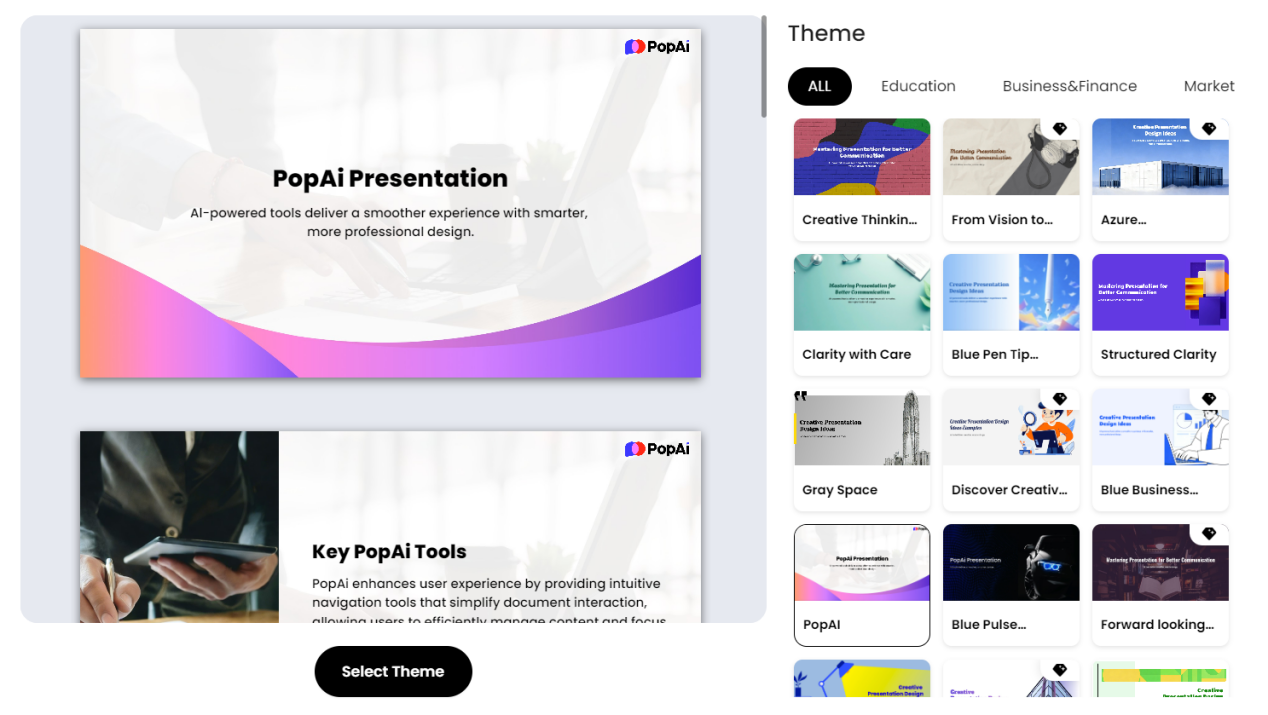
Once the copy is finalized, use its instant PPT generation function, select the “startup fundraising” or “business plan” theme, and input your three core points (problem description, solution value, early–stage data). Popai can generate a well–structured, beautifully formatted first draft in minutes.
For scenario images needed for the “problem slide” or process icons for the “solution slide,” you can ask Popai to search for relevant images through descriptions. For example, input “Busy restaurant owner reconciling accounts late at night” to find more appropriate, visually impactful images that make your slides informative and visually appealing.
Step 3: Intelligent Adjustment and Refinement
The narrative order of the first draft may not be smooth. Use the seamless editing function to easily drag and drop to adjust the order of the three slides or rearrange content modules within a slide. Popai helps you maintain a coherent flow and clarity at all times.
If you want to fine–tune the focus of your presentation for different types of investors (such as VCs focused on technology or industrial capital focused on revenue), its audience–centric design philosophy guides you to adjust content priorities, enhancing influence and engagement through personalized content.
Step 4: Seamlessly Integrate Existing Materials
If you already have part of your business plan document—whether it’s Word, PDF, or a web link—you can directly import it through Popai’s flexible upload options. It automatically converts the document into a presentation draft. Based on the “golden three slides” principles we shared above, you just need to focus on polishing the core parts, greatly enhancing communication efficiency from document to effective presentation.
Ultimate Checklist: After Completing the Three Slides, Review with These 5 Questions
Before finalizing, be sure to put yourself in the investor’s shoes and ask:
1. Is the pain point “painful” enough? Can a stranger immediately understand the trouble and cost of this problem after reading the first slide?
2. Is the solution “precise” enough? Does your solution fit the problem described on the first slide like a key in a lock?
3. Is the value “clear” enough? Am I reading a “product manual” or a “customer value report”?
4. Is the evidence “solid” enough? (If available) Does the evidence I present prove “the product exists” or “market demand exists”?
5. Are the three slides “smooth” enough? Does the flow from problem to solution to validation read like a natural, irrefutable logical story?
If you can answer “yes” to all five questions, congratulations—you’ve mastered the most powerful weapon in 2025’s venture pitch. Take this clear, compelling, and confident Problem Solution slides presentation to impress your next investor.