
Let’s be real—we’ve all been there: you’re buried under 10 open tabs, scrolling endlessly to find one piece of info, or wasting 30 minutes drafting an email based on a web article. Sound familiar? The good news is, AI tools with web browsing capabilities are here to rescue us from this chaos. They don’t just “browse” the web—they understand, act, and streamline, turning tedious online tasks into a breeze. Today, we’re breaking down the top picks that actually deliver on their promises, no hype included.

First up, let’s clarify what makes these tools game-changers. Unlike traditional browsers that just display pages, these AI-powered tools act as your sidekick: they summarize long articles, compare products across sites, automate multi-step tasks, and even generate actionable plans using real-time web data. Whether you’re a student cramming for exams, a professional researching reports, or just someone who hates tab clutter, there’s a tool here for you.
1. ChatGPT Atlas: The Do-It-All Powerhouse
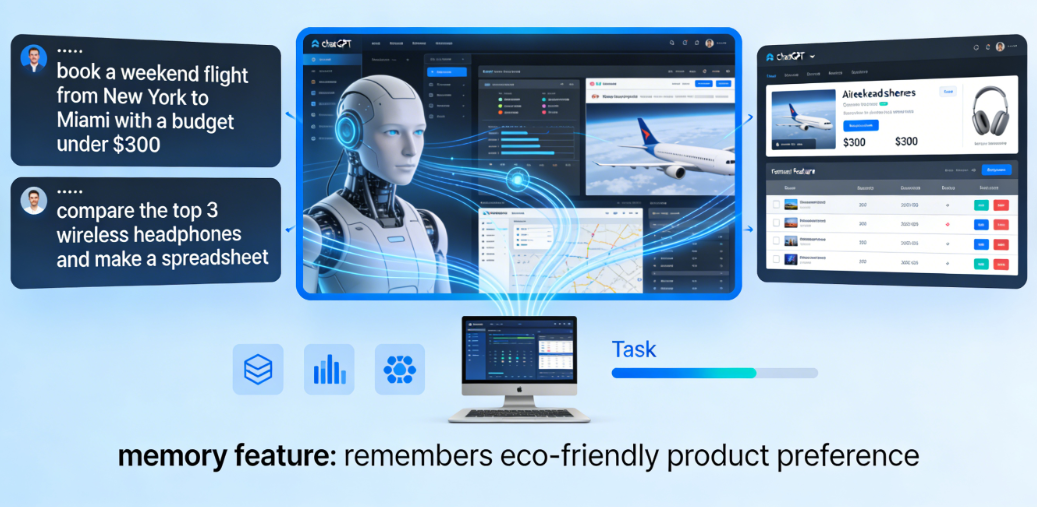
If you’re someone who needs AI to actually do things instead of just answer questions, ChatGPT Atlas is your best bet. Built around OpenAI’s GPT model, this tool puts AI at the core of browsing—not as an afterthought. What makes it stand out? Its unmatched execution power. Tell it to “book a weekend flight from New York to Miami with a budget under $300” or “compare the top 3 wireless headphones and make a spreadsheet,” and it will navigate multiple websites, pull live data, and deliver a finished result.
It also has a handy memory feature—mention you’re interested in eco-friendly products on Monday, and it’ll remember that when you ask for shopping recommendations on Wednesday. For example, if you’re a marketing professional tasked with compiling a report on Q3 social media trends, you can tell Atlas to “gather data from 5 top marketing blogs, extract key metrics, and organize them into a bullet-point list.” It will sift through each site, skip irrelevant ads or fluff, and present you with a clean, actionable summary—saving you hours of manual copying and pasting. Who’s it for? ChatGPT paid users and anyone who wants to offload repetitive online tasks. A quick heads-up: it currently has minor security vulnerabilities, so avoid using it for super sensitive tasks like banking.
2. Perplexity Comet: The Research Rockstar
For students, journalists, or anyone drowning in research, Perplexity Comet is a lifesaver. Instead of jumping between tabs to cross-check sources, Comet fuses search and browsing into one smooth experience. Type in a query like “summarize the latest climate change policies in Europe” and it pulls data from multiple authoritative sites, organizes key points, and even cites its sources clearly.
Its superpower is information aggregation—it doesn’t miss details, making it perfect for writing reports or studying complex topics. For students working on a thesis about renewable energy, typing “compare solar panel efficiency data from 2023-2024 across 3 major countries” will get you a structured breakdown with links to peer-reviewed studies and government datasets, eliminating the need to manually vet dozens of sources. The only downside? It’s a bit slow when handling multi-step tasks, and its automation capabilities are weaker than Atlas. But if your main goal is to gather and organize web info quickly and accurately, this is the tool for you.
3. Dia: The Speedy Minimalist
If you value speed and a clean interface over heavy features, Dia is worth checking out. Made by the team behind the popular Arc browser, Dia’s AI works quietly in the background, never interrupting your flow. It can summarize a 2000-word article in seconds, draft emails based on what you’re reading, and even suggest next steps (like “email this summary to your team”) based on context.
It’s the fastest tool on this list, and its minimalist design makes browsing feel calm—no more cluttered toolbars. A great example of its utility is when you’re scrolling through a long news feature: just highlight the text and ask Dia to “summarize this for a 2-minute read” or “extract the key arguments.” It also syncs seamlessly with your phone, so you can send web summaries from your laptop to your phone with one click. The trade-off? Its summaries lack depth compared to Comet, and it won’t actually execute tasks (unlike Atlas). It’s great for casual browsers who want quick insights without fuss, though the $20/month price tag might be a turn-off for some who only need basic features.
4. Edge Copilot: The Free & Reliable Option
On a budget? Edge Copilot is 100% free and built right into the Edge browser. It’s perfect for anyone who doesn’t want to pay for a tool or learn new software. Its best feature is structured summarization—ask it to break down a business article, and it’ll organize info into clear sections like “Key Findings” or “Industry Impact,” making it easy to scan.
It supports voice commands too, which is handy for hands-free browsing—perfect for when you’re cooking and want to listen to a summarized version of a recipe blog, or driving and need quick directions pulled from the web. Another plus is its compatibility with all Edge extensions, so if you already use tools like ad-blockers or password managers, they’ll work seamlessly alongside Copilot. The catch? It’s pretty template-heavy (think “AI-generated” vibes) and can’t automate tasks like booking or form-filling. But if you just need a simple, no-frills tool to summarize web content or answer quick questions without spending a dime, Edge Copilot gets the job done reliably.
How to Pick the Right One for You
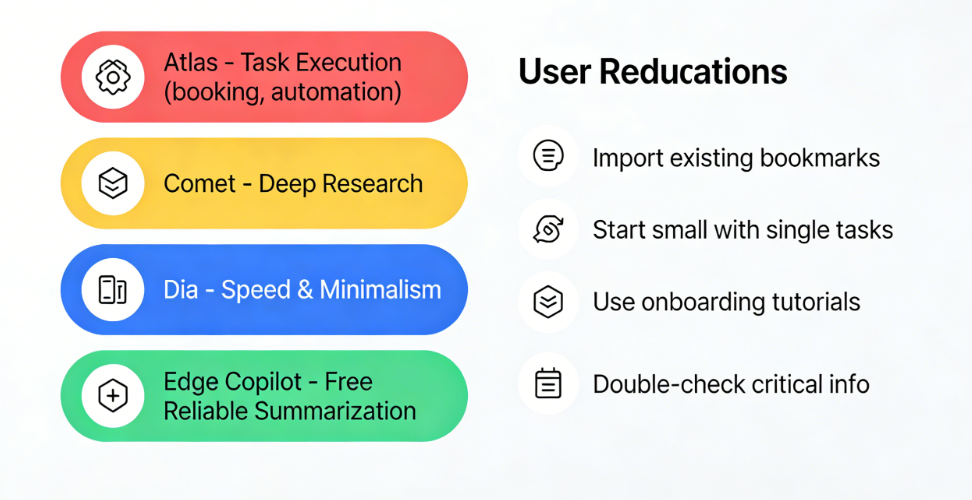
Still unsure? Let’s simplify: Go with Atlas if you need AI to do tasks (booking, automation). Choose Comet for deep research. Pick Dia for speed and minimalism. Stick with Edge Copilot if you want free and reliable summarization. The best part? All of these tools let you import your existing bookmarks, so switching over is painless.
If you’re new to AI browsing tools, don’t feel pressured to master all features at once. Start small—try using one tool for a single task, like summarizing a blog post or comparing two products, before moving on to more complex automation. Most of these tools also offer short onboarding tutorials or help centers that break down basic functions, which can save you time figuring things out on your own. Another quick tip: Always double-check critical info (like flight details or research data) generated by AI—while these tools are helpful, they’re not 100% perfect, and a quick manual verify ensures you avoid mistakes.
Gone are the days of tab chaos and endless scrolling. These AI tools with web browsing features aren’t just fancy add-ons—they’re time-savers that adapt to how you use the web. Whether you’re cramming for a final exam, racing to meet a work deadline, or just trying to simplify your daily online routine, these tools take the hassle out of browsing. They let you focus on what matters instead of getting bogged down in the busywork of navigating the internet. Give one a try, and you’ll wonder how you ever browsed without it—your tabs (and your sanity) will thank you. Beyond saving time, they redefine the way we interact with online information, turning passive browsing into active, purposeful engagement. By handling the tedious legwork, they free up mental space for deeper thinking and creativity, a precious commodity in our fast-paced digital lives. For professionals, this means more time to refine strategies instead of compiling data; for students, it translates to better understanding of subjects rather than just gathering notes. In essence, these AI tools aren’t just enhancing our browsers—they’re empowering us to make the most of our time online, bridging the gap between information overload and meaningful productivity.