The choice between PopAi and Beautiful.ai ultimately hinges on understanding your core workflow: if your work relies heavily on standardized, collaborative presentation design and your deliverables need to uphold a unified brand identity, Beautiful.ai’s template system is the better fit. If you’re in need of a versatile assistant to kickstart a wide range of tasks—including presentation drafts—and want to enjoy a flexible customization process, PopAi’s comprehensive capabilities are the ideal choice. Below, we’ll break down the distinct approaches of the two tools through hands–on operation and objective analysis.
Intuitive Reflections of Two Creative Logics
Launch Beautiful.ai, and you’ll step into a structured design environment. Its interface resembles that of traditional presentation software, but its core lies in a Smart Template library. When you select a “Quarterly Business Review” template and start populating it with content, the system automatically handles font selection, color schemes, image–text layout, and spacing in the background—an experience that immediately feels like design as a managed service.
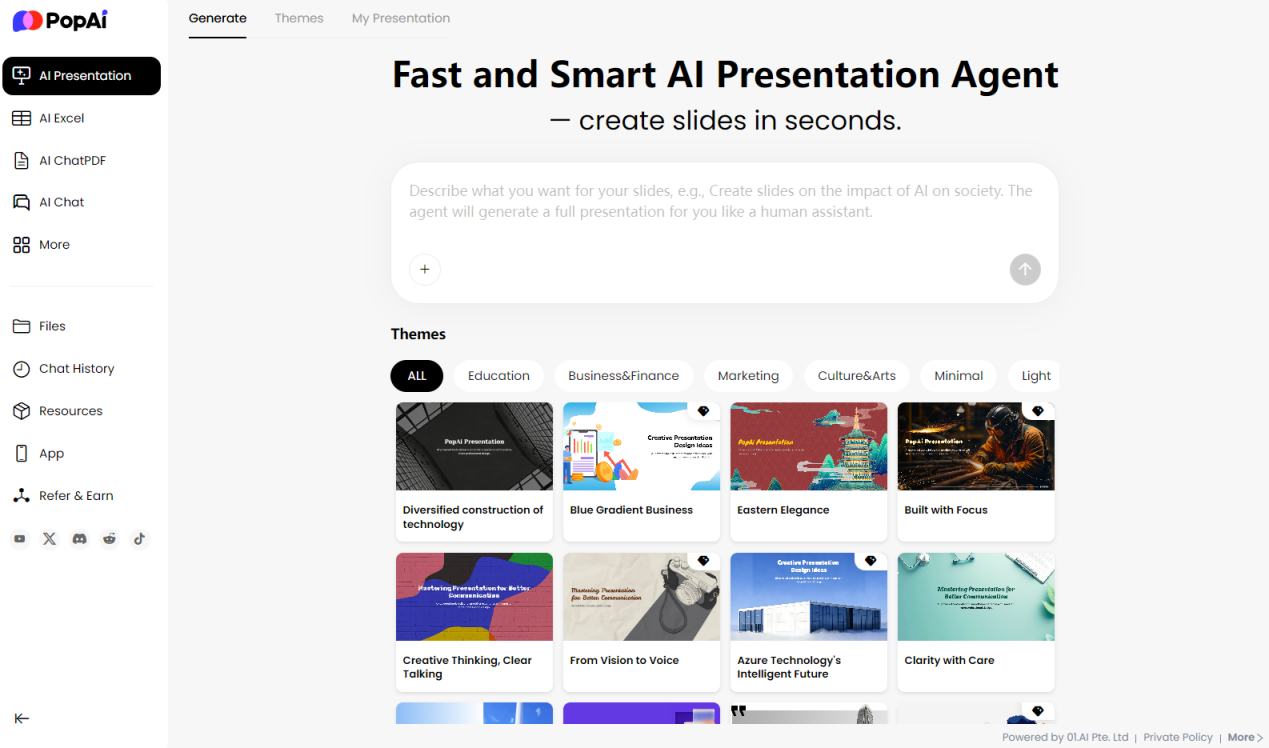
Launch PopAi, and your first interaction is with a conversational interface. Input a prompt like “Generate a 12–slide PPT outline on boosting remote work efficiency”, and it will quickly produce a document–style draft complete with titles, key points, and a preliminary structure.
Core Difference: Beautiful.ai guides you through a Design–Fill process, with its templates acting as a dynamic design engine; PopAi initiates a Command–Generate–Adjust workflow, with its core strength in rapid content ideation. This initial experience sets the stage for the fundamental divide between the two tools: starting from a design framework, or starting from a content framework.
The Fundamental Difference in Template Capabilities: Automated Execution vs. Thematic Framing
Beautiful.ai’s “smart” feature manifests in the dynamic responsiveness of its templates. For example, when using its “Team Introduction” template, adding or removing team member avatars and bio boxes will trigger the system to automatically realign and redistribute all elements, preserving the visual balance of the slide. If you’ve pre–set brand colors (e.g., #2A5B9C), all lines, shapes, and accent colors throughout the presentation will automatically adhere to these brand guidelines. In essence, its templates are a real–time visual rule system that enforces design standards on the fly.
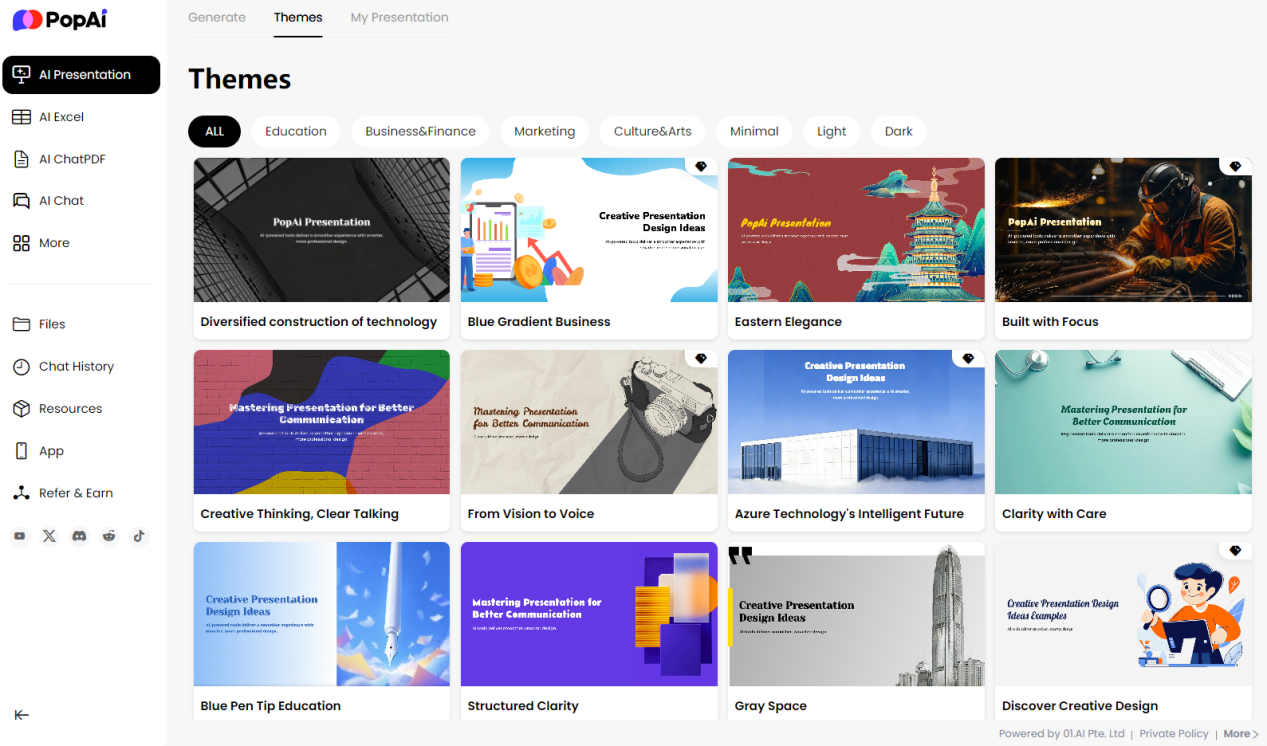
PopAi’s templates, by contrast, provide a set of visually cohesive thematic styles. They ensure all generated slides feature harmonized backgrounds, fonts, and color palettes, offering a solid visual starting point. However, when you need to make in–depth adjustments to the complex layout of a single slide—such as wrapping charts and text in a custom format—you may have to switch to a more traditional manual editing mode. Thus, in the PopAi vs Beautiful.ai Templates comparison, the former’s templates focus on delivering style–consistent content containers, while the latter’s offer an auto–optimizing design canvas.
AI Enablement Focus: Design Optimization vs. Content Generation
The AI technology powering each tool is tailored to serve a different core stage of the presentation creation process.
Beautiful.ai’s AI is deeply integrated into the design workflow, acting like a dedicated visual assistant: insert a chart, and the AI will recommend the most legible visualization style; modify text length, and it will recalculate the layout to maintain visual harmony; it even intelligently applies slide transition animations that align with the overall design language. Its AI is primarily engineered to solve one key problem: how to present content in its most visually effective form.
PopAi’s AI empowers content creation in a more holistic way. Its greatest strength is its ability to understand natural language commands, allowing it to quickly generate and expand the textual content and logical structure of a PPT. For instance, you can prompt it to “Add a SWOT analysis in Section 3”, and it will instantly populate the corresponding content block with relevant structure and key points. Its AI is built to address the need for rapid generation and enrichment of presentation copy.
When evaluating the AI capabilities of PopAi vs Beautiful.ai Templates, the critical question is identifying your most common pain point: are you held back by a lack of professional visual design skills, or by challenges with rapid content ideation and drafting?
Brand Consistency: Enterprise–Grade Governance vs. User–Driven Control
This is a pivotal consideration for organizations that require strict adherence to a unified brand identity.
Beautiful.ai offers an enterprise–grade brand management solution: team admins can pre–set a Brand Theme, locking in logos, primary and secondary color palettes, and font families for the entire team. Thereafter, all presentations created by any team member will automatically apply these brand guidelines, fundamentally guaranteeing visual consistency across all deliverables. This is a model of centralized governance, enterprise–wide enforcement.
PopAi, on the other hand, grants users greater autonomy over brand elements. In the generated presentation drafts, you can freely modify colors, fonts, and other design elements on every single slide. This approach delivers enhanced flexibility for individuals or small teams, but it requires users to have a conscious understanding and commitment to their brand’s design guidelines. It is a model of user–driven, flexible adaptation.
In the brand management dimension of the PopAi vs Beautiful.ai Templates comparison, the two tools embody two distinct philosophies: efficiency through standardization versus freedom through customization.
Team Collaboration: Real–Time Synchronization vs. Asynchronous Coordination
The two tools offer different support models for tasks that require collaborative completion by multiple team members.
Working with Beautiful.ai, the collaboration experience is akin to using cloud–based documents: you can invite colleagues via shareable links, and multiple users can edit, comment on, and revise the same presentation simultaneously, with all changes visible in real time. Team feedback can even be left directly on the design canvas, streamlining communication and revision.
With PopAi, the most common collaboration model today is asynchronous coordination based on file sharing: one team member generates or edits a draft, exports the file, and shares it with another member, who then continues editing locally. This aligns closely with the traditional workflow of document handoffs between team members.
These two models cater to different team rhythms: the former is ideal for agile project teams that require close coordination and rapid iteration; the latter suits tasks with a clear division of labor and sequential workflows.
Deliverables: Ready–to–Use vs. Refinement–Ready
The final export format of a presentation directly impacts the professionalism and convenience of its delivery.
Beautiful.ai supports export to the standard .pptx format, and the exported files preserve animation effects and fine–grained layout with high fidelity. It also offers the option to generate shareable online viewing links or embed codes, making it easy to share presentations on the web or integrate them into internal corporate systems.
PopAi primarily provides PPT and PDF export options. Its exported PPT files serve as a solid foundation for further in–depth editing and final polish in traditional presentation software (e.g., Microsoft PowerPoint). Users typically view this export as the first step in the creative process, conducting final refinements tailored to the specific use case after exporting the draft.
Cost Considerations: Investing in Team Efficiency vs. Adapting to Flexible Needs
A tool’s pricing structure is a direct reflection of its product positioning—and its intended users.
PopAi typically offers free starter credits, allowing users to access its core features without any barriers, and its paid upgrade plans have a low entry threshold. This pricing model is well–suited for individual users, students, or teams in the trial phase, embodying a philosophy of flexible, on–demand usage.
Beautiful.ai mostly adopts an annual per–seat subscription model, and it provides a full free trial period for users to test its full functionality. This model is designed for teams for which professional presentation creation is a regular, high–frequency core task, and its value lies in boosting the overall output efficiency and professional quality of the entire team.
When making your choice, you should comprehensively evaluate your team’s needs based on three factors: the frequency of your presentation creation tasks, their importance to your business, and the post–production revision time each tool requires.
How to Choose Based on Your Role and Use Case?
Beautiful.ai’s template system is likely the better fit for you if:
l You work in functions such as marketing, sales, strategy, or consulting, where presentation deliverables directly impact business branding and key outcomes.
l Upholding strict brand visual guidelines is a mandatory requirement for your company or team.
l You or your team members lack professional design skills, yet you need to consistently produce high–quality presentation materials.
l Collaborative creation, frequent revisions, and real–time feedback are the norm in your workflow.
PopAi’s generative capabilities are likely to meet your expectations if:
l You are a student, researcher, content creator, or independent professional, for whom presentations are just one type of deliverable among many.
l You often need to quickly turn raw ideas into structured drafts to spark inspiration or serve as a foundation for further in–depth creation.
l You want a single tool that can assist with a variety of tasks, such as information consolidation, copy ideation, and document analysis—beyond just presentation creation.
l You are budget–conscious when it comes to productivity tools, or your usage frequency has high variability (i.e., you only need the tool for occasional tasks).
Conclusion
The PopAi vs Beautiful.ai Templates comparison ultimately boils down to a choice between an all–purpose content assistant and a vertical design specialist.
PopAi is like a feature–rich creative toolbox: it helps you quickly build the content framework of your presentations and handle a wide range of related tasks, making it perfect for workflows that prioritize breadth and flexibility. Beautiful.ai, by contrast, is an automated studio specialized in presentation design: its smart template system elevates your content and delivers visually polished work with consistent professional standards, ideal for team environments that prioritize standardization, collaboration, and efficiency.
Your final choice should always return to your most authentic and frequent daily use cases. We hope this objective, hands–on analysis helps you cut through the hype of marketing jargon and find the tool that seamlessly integrates into your existing workflow—and truly enhances your work experience.