

Why Do Most Workshop Slides Presentations Fail? PopAi Has the Fix
Workshop slides presentation is a critical tool for knowledge sharing and audience interaction, yet many professionals struggle with it. Common pain points include time-consuming design, information overload, disjointed structure, and failure to resonate with the audience . According to research, employees spend an average of 8 hours per month adjusting PPT formats, which diverts resources from more strategic tasks . This is where PopAi steps in as a game-changer.
PopAi is a versatile AI tool that integrates multiple functions to address every pain point in workshop slides presentation creation. Whether you need to generate slides from scratch, enhance existing content with visuals, or tailor the layout to your audience, PopAi’s AI-powered features have you covered. Unlike generic tools, PopAi focuses on practicality and efficiency, ensuring that even non-design professionals can create professional-grade workshop slides presentation.
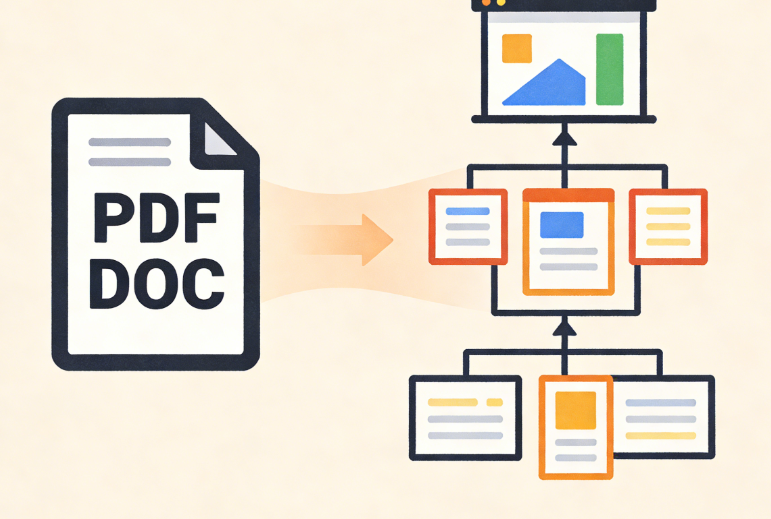
One of the core advantages of PopAi is its ability to simplify complex processes. For example, if you have a workshop outline in a PDF or DOC file, you can use PopAi’s AI document reading function to upload the file, get a concise summary, and even generate a preliminary slide structure automatically. This eliminates the tedious work of typing and organizing content, allowing you to focus on refining the core message of your workshop slides presentation.
Craft Audience-Centric Workshop Slides with PopAi’s Tailored Features
A successful workshop slides presentation must be audience-centric—understanding their needs and adapting content to their level of understanding . PopAi’s audience-centric design feature makes this achievable with minimal effort. You can input basic information about your audience, such as their profession, knowledge background, and workshop objectives, and PopAi will customize the slide layout, content depth, and visual style accordingly.
Here’s a practical template you can directly use with PopAi for audience-centric workshop slides presentation planning:
1. Input audience profile: “Mid-level marketing professionals, familiar with basic digital marketing concepts, need to learn social media workshop strategies”.
2. Set workshop objective: “Teach 3 actionable social media workshop tactics”.
3. Select PopAi’s “Marketing Workshop” theme.
4. Import your existing workshop material via URL or Google Docs.
5. Let PopAi generate a tailored slide structure with audience-appropriate examples and data visualization.
PopAi’s AI chatbot further enhances the audience-centric approach. During the slides creation process, you can ask the chatbot (supporting over 200 languages) questions like “What kind of examples resonate with marketing professionals in workshop slides presentation?” or “How to adjust content for a mixed-experience audience”. The real-time response helps you refine your slides to better connect with your audience.
From Docs to Stunning Slides: PopAi’s Seamless Conversion Hack
Many professionals already have workshop materials in the form of documents, such as research reports, training manuals, or meeting notes, but converting these into engaging workshop slides presentation is a daunting task. PopAi’s automatic conversion to presentation feature solves this problem seamlessly, allowing you to turn any document into a well-structured slide deck with one click.
Let’s take a concrete example: A corporate trainer needs to create a workshop slides presentation about “Effective Team Management”. They have a 20-page training manual in Google Docs. With PopAi, they simply use the flexible upload option to import the manual via Google Docs link. PopAi’s intelligent reading comprehension function analyzes the content, identifies key points, generates a logical slide structure (including opening, main points, case studies, and summary), and even adds appropriate transition phrases between slides. The trainer only needs to make minor adjustments using PopAi’s seamless editing tool, completing the workshop slides presentation in less than 15 minutes—compared to the 2-3 hours it would take manually.
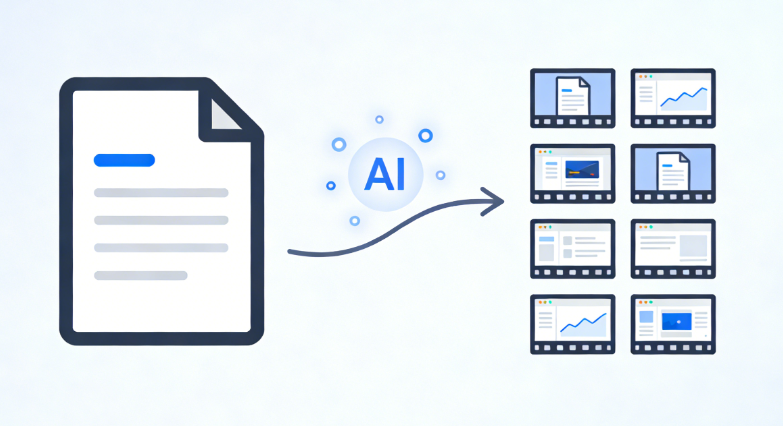
Moreover, PopAi’s AI-driven content editing function can optimize the converted content. It can summarize lengthy paragraphs into concise bullet points, expand key concepts for clarity, or translate content into multiple languages if the workshop has an international audience. This ensures that your workshop slides presentation is both information-dense and easy to understand.
Boost Engagement: AI-Enhanced Visuals & Content for Workshops
Visual appeal is crucial for keeping the audience engaged during a workshop slides presentation . PopAi’s AI art image generator and AI-enhanced content feature help you add compelling visuals without any design skills. Simply input a text description related to your workshop topic, such as “a diagram showing team collaboration workflow” or “a minimalist illustration of time management”, and PopAi will generate high-quality, relevant images instantly.
Another practical template for AI-enhanced workshop slides presentation: For a workshop about “Digital Marketing Trends”, use PopAi’s AI-enhanced content function to generate slides with the following steps:
1. Select the slide where you need visual content.
2. Click “AI Enhance” and input “Add a chart comparing 2025 digital marketing channel effectiveness”.
3. PopAi will search for relevant data, generate a clear bar chart, and add explanatory text.
4. Use the one-click annotation function to mark key data points (e.g., “TikTok marketing ROI increased by 45%”) for emphasis.
PopAi also ensures that your workshop slides presentation maintains a consistent visual style. You can set brand colors, fonts, and logo once, and PopAi will apply them to all slides automatically. The seamless editing tool allows you to adjust the layout, rearrange slides, or modify content with drag-and-drop ease, ensuring a coherent flow throughout the presentation.
Real-World Wins: How PopAi Transforms Workshop Presentations
Many professionals have already benefited from PopAi’s features for their workshop slides presentation. A freelance trainer specializing in career development shared: “Before PopAi, I spent 3 hours creating a 15-slide workshop presentation. Now, I import my outline into PopAi, use the instant PPT generation feature, and get a draft in 5 minutes. The AI art generator adds professional visuals that resonate with my audience, and the automatic save function ensures I never lose my work. My workshop engagement rate has increased by 30% since I started using PopAi.”
Another example is a tech company’s HR team. They needed to create a workshop slides presentation for new employees about company policies. Using PopAi’s AI document reading function, they uploaded the company policy document, got a summary, and converted it into an interactive slide deck. They used PopAi’s AI chatbot to add a Q&A section, where the chatbot can answer new employees’ questions in real-time during the workshop. The HR manager noted: “PopAi made our onboarding workshop more efficient and engaging. The new employees found the slides clear and easy to follow, and the Q&A feature saved us a lot of time.”
Ready-to-Use Scripts for Workshop Slides Presentation with PopAi
To help you get started quickly, here are ready-to-copy scripts for different parts of your workshop slides presentation, optimized for use with PopAi:
1. Opening Script: “Welcome to today’s workshop! The slides you’re seeing are created with PopAi’s AI-powered tools. Today, we’ll dive into [Workshop Topic] and explore 3 actionable strategies. Let’s start with the first key point on slide 2.”
2. Transition Script: “Now that we’ve covered [Previous Topic], let’s move to the next section. As you can see on this slide (generated by PopAi’s content enhancement feature), the core data here shows [Key Insight]. This leads us to our next strategy: [Next Topic].”
3. Case Study Introduction Script: “To make this concept more tangible, let’s look at a real-world example. This slide, created with PopAi’s AI art generator and data visualization tool, illustrates how [Company] applied [Strategy] to achieve [Result].”
4. Q&A Script: “Before we wrap up, let’s open the floor for questions. If you have any doubts about the content on the slides, feel free to ask—I can also use PopAi’s AI chatbot to find quick answers for you.”
5. Closing Script: “Thank you for joining today’s workshop! All the slides, along with the key takeaways summarized by PopAi’s AI document function, will be shared with you via email. Feel free to use PopAi to customize these slides for your own team’s needs.”
PopAi is more than just an AI tool—it’s your reliable partner for creating impactful workshop slides presentation. With its comprehensive features, you can save time, enhance audience engagement, and deliver successful workshops with ease. Whether you’re a trainer, HR professional, or business leader, PopAi simplifies the entire process, allowing you to focus on what matters most: sharing valuable knowledge with your audience.