

PopAi: Redefine Your Budget Planner Slides Creation
A high-quality Budget Planner slides presentation is crucial for business decisions, project approvals, and team alignment. It needs to balance clear data presentation, logical structure, and visual appeal—all of which PopAi delivers effortlessly. As a multifunctional AI tool, PopAi integrates AI chat, document processing, content creation, and real-time PPT generation, making it the ultimate companion for crafting Budget Planner slides. Whether you are a finance professional compiling annual budgets or a project manager creating budget proposals, PopAi eliminates the hassle of switching between multiple tools. Its AI chatbot, supporting over 200 languages, can instantly answer your questions about budget categories, cost allocation, and data visualization, ensuring your slides align with professional standards. For cross-border teams, this multilingual support ensures smooth collaboration, letting everyone contribute to the Budget Planner slides without language barriers.
1-Click Doc-to-Slides: Budget Efficiency at Your Fingertips
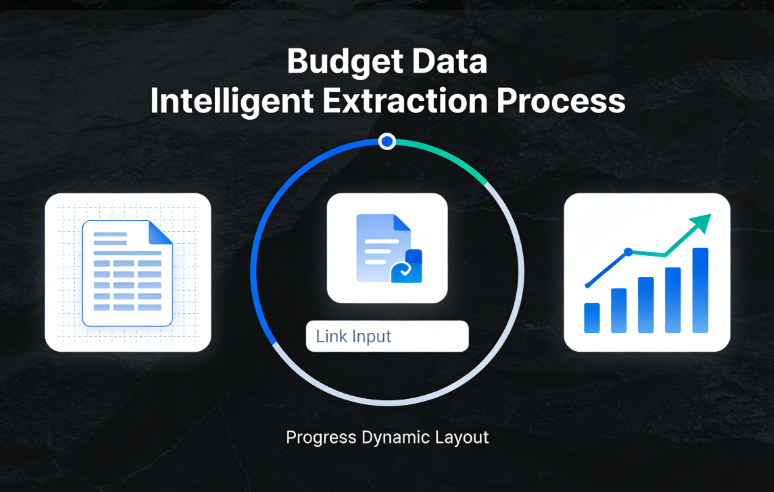
PopAi’s automatic document-to-presentation conversion feature revolutionizes how you build Budget Planner slides. Suppose you have a 15-page Excel budget report (saved as PDF or DOC) with details on operational costs, capital expenditure, and revenue forecasts. Simply import it via PopAi’s flexible options—local files, Google Drive, or URLs—and let its intelligent reading capability work. PopAi extracts key data points, summarizes complex budget breakdowns, and generates flowcharts to visualize the relationship between income and expenses. For example, if your report shows a 12% increase in marketing costs, PopAi automatically creates a comparative chart to highlight this change, turning dense numbers into digestible visuals for your slides. It also offers one-click annotation management, allowing you to mark critical notes like “Q3 budget adjustment for new product launch” and organize them systematically. With automatic save management, you never lose progress, and its smart document management system keeps all your budget-related files organized, simplifying future revisions to your Budget Planner slides.
AI-Enhanced Content: Make Budget Slides Visually Compelling
A standout Budget Planner slides presentation needs more than just data—it needs visuals that highlight key insights. PopAi’s AI-enhanced features help you achieve this without design expertise. Its AI art generator creates custom visuals tailored to budget themes: for “operational costs,” you can generate a sleek infographic of expense categories; for “revenue forecasts,” a dynamic growth curve image. PopAi’s AI also searches for industry-specific images to reinforce your points, ensuring your Budget Planner slides are both professional and engaging. Let’s take a practical example: if you’re creating budget slides for a startup’s seed round, PopAi uses audience-centric design to prioritize investor-focused content. It customizes layouts to highlight burn rate, break-even timeline, and ROI projections, adjusting colors and fonts to emphasize key metrics (e.g., red for high-cost items, green for revenue drivers). The seamless editing feature lets you tweak the slide structure—reordering budget sections or expanding on cost-saving strategies—while maintaining logical flow and clarity.
Audience-Centric Design: Tailor Slides to Stakeholder Needs
Every Budget Planner slides presentation has a unique audience, and PopAi’s customization tools ensure your content hits the mark. For C-suite executives, PopAi streamlines slides to focus on high-level insights: condensing detailed budget data into one-page summaries with key takeaways like “15% cost reduction in supply chain, boosting net profit by 8%.” For department heads, it emphasizes actionable details, adding sections for team-specific budget allocations and spending guidelines. PopAi lets you customize slide numbers, add brand logos, and adjust content depth to match your audience’s expertise. Its AI-driven content editing polishes your message further: it can summarize lengthy cost-benefit analyses into concise bullet points, translate slides into your audience’s native language, or expand on budget justifications for stakeholders. This level of customization ensures your Budget Planner slides are not just informative but also persuasive, driving buy-in from every viewer.
Ready-to-Use Budget Planner Slides Templates by PopAi
To save you time, PopAi offers pre-built templates optimized for Budget Planner slides presentation, following industry best practices. These templates include dedicated slides for budget overviews, cost breakdowns, revenue forecasts, variance analyses, and action plans. Here’s a ready-to-use template structure you can leverage: Slide 1 (Title): “202X Annual Budget Planner: Strategy & Allocation”; Slide 2 (Overview): One-page budget summary with AI-generated flowchart; Slides 3-5 (Cost Breakdown): Operational costs, capital expenditure, and variable expenses (each with AI-summarized data and visuals); Slides 6-7 (Revenue Forecasts): Quarterly projections with comparative charts; Slide 8 (Variance Analysis): Current vs. target budget with gap explanations; Slide 9 (Recommendations): Cost-saving measures and budget adjustment suggestions; Slide 10 (Conclusion): Key takeaways for stakeholders. PopAi lets you tweak these templates—adjust colors, add company data, or reorder slides—with its seamless editing tool. You can also use its AI chatbot to generate content like “Examples of cost optimization in manufacturing budgets” to strengthen your slides.
Overcome Budget Slides Challenges with PopAi‘s AI
Creating Budget Planner slides often involves challenges—condensing complex data, ensuring visual consistency, and justifying budget allocations. PopAi’s AI tools address these pain points effectively. For complex data sets (e.g., multi-department budget allocations), PopAi’s intelligent reading simplifies information into easy-to-understand bullet points or pie charts. If you struggle to explain budget variances, its AI chatbot provides real-world examples, such as how market fluctuations impact operational costs, helping you craft compelling justifications. For consistency, PopAi’s AI ensures uniform fonts, colors, and layouts across all slides, even with multiple contributors. It also offers AI-driven translation to adapt your Budget Planner slides for global stakeholders, maintaining accuracy while preserving data integrity. With PopAi, you can focus on strategic budget planning rather than formatting, turning your data into a persuasive presentation.
Pro Tips to Elevate Budget Planner Slides with PopAi
To maximize the impact of your Budget Planner slides presentation, leverage PopAi’s full suite of features. Use the AI art generator to create unique visuals for each budget section, making key data memorable. Import existing budget reports and let PopAi auto-generate slides, then refine with seamless editing to adjust flow. Use the annotation tool to mark notes for Q&A sessions, such as “Backup data for marketing budget increase.” Collaborate with finance teams via the multilingual AI chatbot to align on budget details. PopAi’s flexible document creation tool also lets you generate supporting materials—like a detailed budget report—to distribute to stakeholders, ensuring consistency between your slides and written documentation. Additionally, use its AI-driven content editing to fine-tune tone: formal for executives, conversational for team briefings. You can also convert slides back to editable documents with one click, facilitating easy updates as budgets evolve. PopAi’s smart reading feature simplifies complex budget concepts, generating clear explanations to ensure every audience member grasps your key points.
Ready-to-Copy Phrases for Budget Planner Slides
Budget Overview Slide: “202X total budget: $X million, aligned with strategic growth objectives.”
Cost Breakdown Slide: “Operational costs account for 62% of total budget, with 15% allocated to R&D.”
Revenue Forecast Slide: “Q4 revenue projection: $X, representing a 18% YoY growth.”
Variance Analysis Slide: “10% under-budget in logistics, driven by optimized supply chain processes.”
Cost-Saving Slide: “Proposed efficiency measures to reduce overhead costs by 8% annually.”
ROI Slide: “Marketing budget investment: 1:4 ROI expected within 6 months of implementation.”
Approval Request Slide: “Request budget approval for new equipment, enhancing productivity by 25%.”
Conclusion Slide: “This budget plan balances growth investment and cost control for sustainable success.”
Critical Notes for Perfect Budget Planner Slides
When using PopAi to create Budget Planner slides presentation, keep these tips in mind to avoid common pitfalls. First, use PopAi’s intelligent reading to cross-verify budget data from source files, ensuring accuracy—errors in numbers can undermine the credibility of your slides. Second, customize PopAi’s auto-generated layouts based on audience: for investors, focus on ROI and growth potential; for internal teams, emphasize department-specific allocations. Third, avoid overcrowding slides—use PopAi’s AI art generator sparingly and leveragewhite space to highlight key data. Fourth, test the seamless editing tool to adjust slide flow, ensuring each section transitions logically from overview to details. Fifth, use PopAi’s annotation feature to add backup data notes, preparing for stakeholder questions. Sixth, utilize its multilingual support to review slides for global audiences, ensuring consistent terminology. Finally, save backups via PopAi’s auto-save function and convert slides to DOC format for easy sharing, facilitating future updates as budget plans evolve. These tips, paired with PopAi’s robust features, will make your Budget Planner slides presentation professional and impactful.