Still struggling with marketing campaign planning PPTs? Tired of repeated revisions for every proposal? In reality, crafting a marketing PPT that wows both bosses and clients isn’t as hard as it seems. This article will guide you step by step to avoid common pitfalls, use AI tools to quickly produce professional marketing plans, and let your creativity shine.
Is Your Marketing PPT Getting Criticized? Avoid These Critical Pitfalls!
5 Fatal Mistakes Newbies Often Make—How Many Have You Fallen For?
Many marketing newcomers stumble into the following misunderstandings when making PPTs: information overload without focus, boring data presentation, inconsistent design style, disorganized logical structure, and lack of a clear call to action. These issues often bury brilliant ideas under poor presentation. For instance, key information gets lost in lengthy text, important data lacks visual representation, and the design style changes with every slide, leaving the audience distracted.
More commonly, many plans lack a clear logical thread. The path from problem insight to solution is unclear, making it difficult for decision–makers to quickly grasp the plan’s value. Some PPTs also fail to provide clear action guidance at the end, leaving the audience unsure of the next steps. These are all fatal flaws that hinder plan approval.
Four Hidden Bonus Points of Excellent Marketing PPTs
In contrast, outstanding marketing campaign planning PPTs typically possess four key traits: accurate audience insight, clear value proposition, strong data support, and consistent visual experience. Though not obvious, these traits subtly boost the plan’s persuasiveness.
Accurate audience insight means the PPT’s content and language style fully align with the audience’s needs and cognitive level. A clear value proposition ensures core information is understood and remembered in the shortest time. Strong data support validates every argument with reliable evidence. Consistent visual experience enhances the plan’s credibility through professional visual design. These are the keys to elevating a PPT from “acceptable” to “outstanding.”
Win from the Start! Lock in the Core Goals of Your Marketing PPT
Clarify the Campaign Objective in One Sentence—Let Your Boss Grasp the Key Point Instantly
An excellent marketing PPT begins with a clear objective statement. Before starting production, be sure to concisely summarize the core goal of the marketing campaign in one sentence. This sentence should include three elements: target audience, core action, and expected outcome. For example, “Targeting urban white–collar workers aged 25–35, increase brand awareness by 30% through social media interactions” is far clearer than “Do a good job in brand promotion.”
This clear objective statement will serve as the soul of the entire PPT, guiding the creation of all subsequent content. popai’s intelligent reading comprehension function can play a crucial role here. It can quickly analyze documents such as market reports and competitor data, extract key information, and help you define marketing objectives more accurately.
Understand Your Audience—What Do They Actually Want to See?
Different audiences have drastically different priorities. When reporting to executives, emphasize return on investment and strategic value. For execution teams, focus on operational processes and resource allocation. When presenting to clients, highlight plan features and expected results. Before making the PPT, be sure to clarify: Who are the key decision–makers this time? What do they care about most? What is their professional background? The answers to these questions will directly influence the depth, breadth, and expression of the content.
popai’s “audience–centric design” feature is tailor–made for this purpose. It can intelligently adjust content focus and expression based on different audience identities. For example, when targeting executives, it automatically highlights strategic value and key metrics. When facing execution teams, it details operational steps and resource requirements, ensuring each PPT accurately hits the audience’s pain points.
Content is King! Create an Irresistible Proposal
Lackluster Creativity? Try These 3 Secrets to Make Your Plan Stand Out
First, replace abstract descriptions with specific scenarios. Instead of saying “enhance user interaction,” describe “set up AR photo booths in shopping malls where customers can scan QR codes to take photos with virtual brand ambassadors and share them on social media.” Scenario–based descriptions make creativity more vivid and understandable.
Second, highlight innovations through comparisons. Use a comparison table of “traditional approaches vs. our innovations” to clearly demonstrate the plan’s differentiated advantages. This intuitive comparison allows decision–makers to quickly grasp the plan’s value.
Third, strengthen persuasiveness with successful cases. If there are similar successful cases, be sure to highlight them. popai’s AI content enhancement function can intelligently search for images and data of relevant successful cases, providing strong evidence for your creativity and making the plan more convincing.
Polish with popai AI—Turn Plain Copy into High–End Expression
Excellent copy is key to impressing decision–makers, but not everyone is a skilled copywriter. popai’s AI content enhancement function can intelligently optimize your copy, breathing new life into plain text. For example, “This campaign will boost sales” is refined to “This plan is designed with three conversion paths, expecting to achieve a 35% sales increase.” The latter is clearly more professional and persuasive.
The function can also automatically adjust the language style based on different audience identities. It uses professional terminology when addressing technical teams, focuses on effect descriptions for marketing teams, and emphasizes strategic value when communicating with senior management. This ensures every part of the content resonates with the target audience.
Aesthetics Matter! Quick Tips to Enhance PPT Professionalism
Must–Know for Color Newbies: Keep This Universal Color Scheme Handy
Color is the primary element of visual design. Choosing the right color scheme is half the battle. For marketing campaign planning PPTs, we recommend the “brand color + secondary color + neutral color” principle. Use 60% brand primary color and neutral colors, 30% secondary colors, and 10% accent colors. This ratio maintains brand consistency while adding a sense of hierarchy.
popai’s instant PPT generation function has a built–in library of professional color schemes. It can intelligently recommend the best color combinations based on your brand’s primary color. Simply input the brand’s primary color value, and the system will automatically generate a complete color scheme, ensuring the visual effect is both professional and harmonious.
Unify Styles with One Click via popai—Say Goodbye to Manual Formatting
Design consistency is a basic requirement for professional PPTs, but manually adjusting the format of each element is extremely time–consuming. popai’s seamless editing function allows you to quickly unify the design style of the entire PPT. Just select a design theme, and the font, color, spacing, and icon style of all pages will automatically remain consistent.
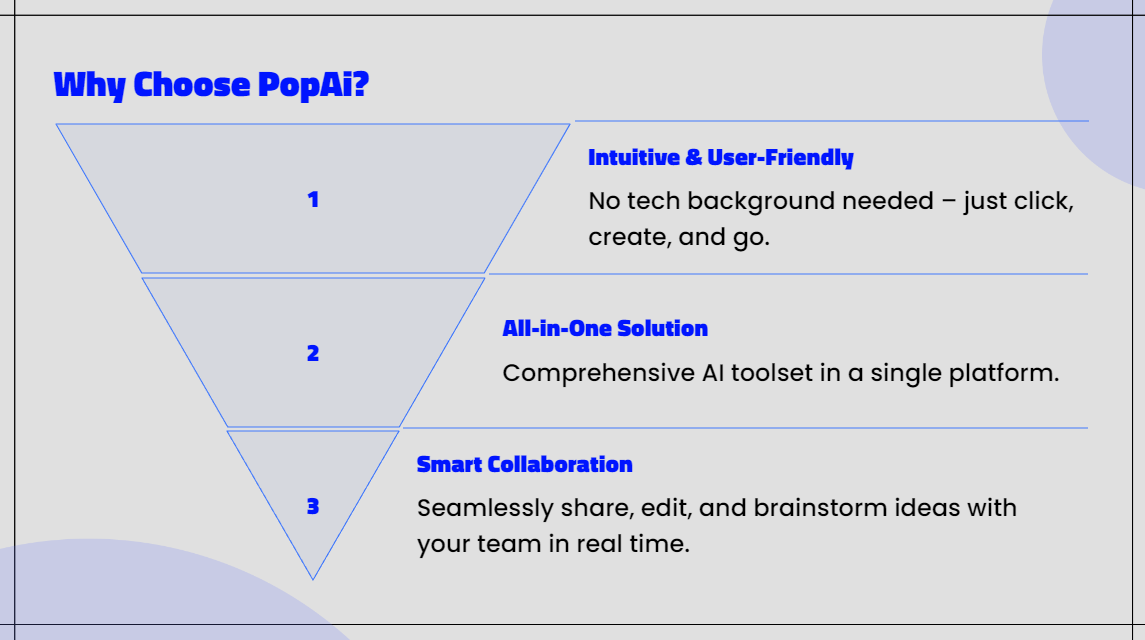
What’s more intelligent is that when you modify the style of an element, you can choose to apply the change to all similar elements for batch adjustments. For example, when changing the font size of one title, all titles will be updated synchronously. This ensures a high degree of design consistency and greatly improves production efficiency.
Emergency Guide! What to Do When Facing These Issues?
Need to Submit Tomorrow? Use This Emergency Plan
When faced with urgent tasks, time management is crucial. It’s recommended to allocate your limited production time in a 3:4:3 ratio: 30% for content organization, 40% for PPT generation and optimization, and 30% for detail polishing and rehearsal. popai’s automatic conversion to presentation function is a lifesaver in this process—simply import your existing Word document or PDF file, and the system will generate a structurally complete and professionally designed PPT draft in just 1 minute.
On this basis, use the AI content enhancement function to quickly optimize the copy of key pages. Use the one–click style unification function to ensure visual consistency. Finally, make local adjustments with the seamless editing function. Following this process, even with only 1 hour, you can produce a high–quality marketing campaign planning PPT.
popai’s Quick Import: Start Immediately with Any Format
In practical work, planning materials may be scattered across files of various formats—Word documents, PDF reports, web links, and even text in images. popai’s flexible upload options support one–click import of all these formats, completely solving the pain point of material organization.
Whether it’s documents stored on your local computer, shared files in Google Drive, or reference materials on web pages, they can all be quickly imported into the popai workspace. The system’s intelligent reading comprehension function automatically parses key information from these materials, providing abundant content for subsequent PPT generation. This allows you to truly “start quickly anytime, anywhere.”