If you’ve decided to cancel your ChatGPT subscription, whether it’s ChatGPT Plus or another paid plan, this guide will walk you through everything you need to know — from how to cancel, what happens next, to alternatives you can use after cancellation, including a strong recommendation for PopAi.
1. Introduction
ChatGPT subscriptions, such as ChatGPT Plus, offer enhanced features like faster response times and access to GPT-4. However, you might want to cancel your subscription due to cost concerns, reduced usage, or switching to other tools.
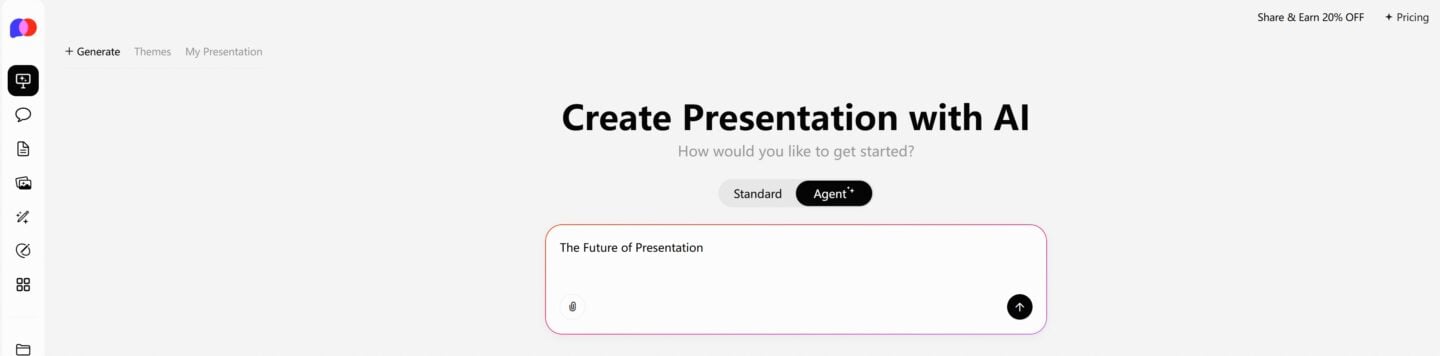
One-Click PPT Generation with a Vast Collection of Templates
2. Where to Manage Your ChatGPT Subscription
You can manage your subscription via:
- OpenAI’s official website if you subscribed directly
- Apple App Store if you subscribed on iOS devices
- Google Play Store if you subscribed on Android devices
3. Step-by-Step Guide to Cancel ChatGPT Subscription
3.1 Cancel via OpenAI Website
Log in to your OpenAI account at https://platform.openai.com/account/billing or the ChatGPT interface.
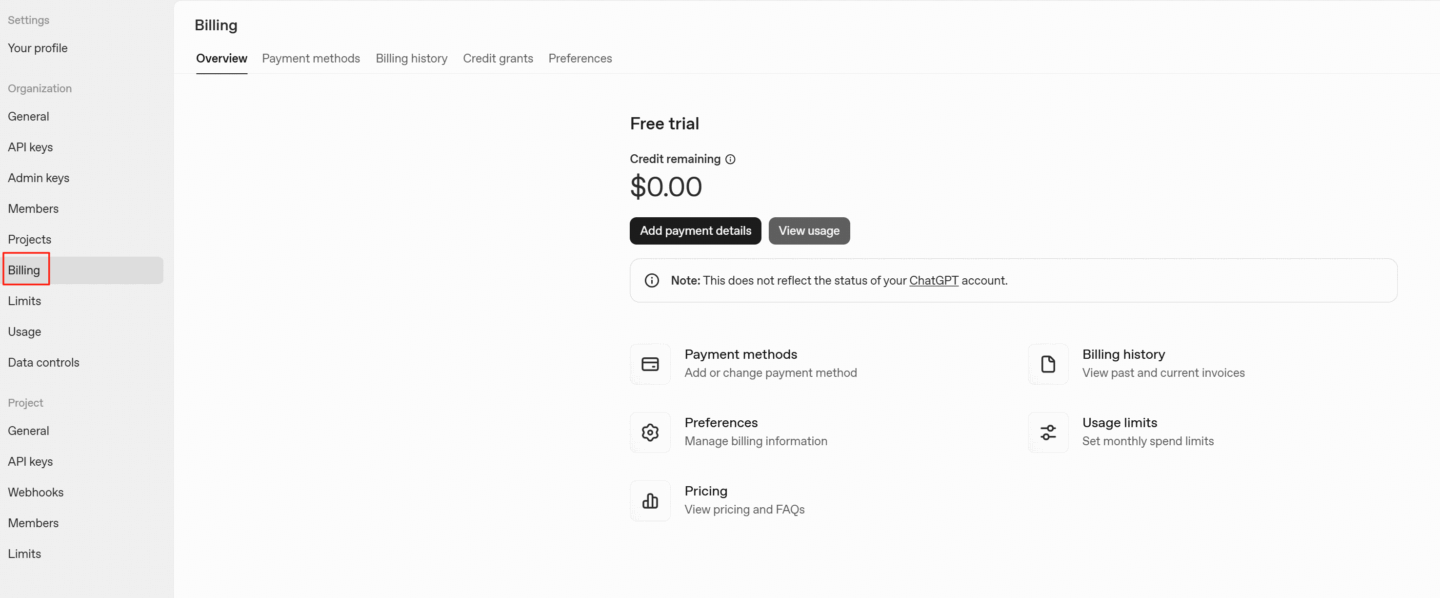
Navigate to Manage Subscription or Billing section.
Locate your ChatGPT Plus subscription.
Click Cancel Plan and confirm your cancellation.
3.2 Cancel via iOS (Apple)
- Open the Settings app on your iPhone or iPad.
- Tap your name at the top (Apple ID).
- Select Subscriptions.
- Find the ChatGPT subscription in the list.
- Tap Cancel Subscription and confirm.
3.3 Cancel via Android (Google Play)
- Open the Google Play Store app.
- Tap your profile icon and select Payments & subscriptions > Subscriptions.
- Find ChatGPT subscription.
- Tap Cancel Subscription and confirm.
Important Notes about Subscription Cancellation
Only existing Plus and Pro plan users will see the ‘Subscription’ option.
Your cancellation becomes effective the day after your next billing date, allowing you to use the services until then.
To avoid being charged for the next billing period, cancel at least 24 hours before your next billing date.
Subscription fees are non-refundable.
4. What Happens After Cancellation
- You keep access to Plus features until the current billing period ends.
- No immediate loss of features after cancellation.
- Your subscription will not renew automatically.
- Your chat history and account data remain intact.
5. What Should I Do If I Can’t Cancel My ChatGPT Subscription? (2 Other Ways)
Here are 2 other ways to cancel your subscription:
If you can no longer access ChatGPT services, ChatGPT can help cancel your subscription on your behalf by contacting the support team directly. You’ll need to provide the following information:
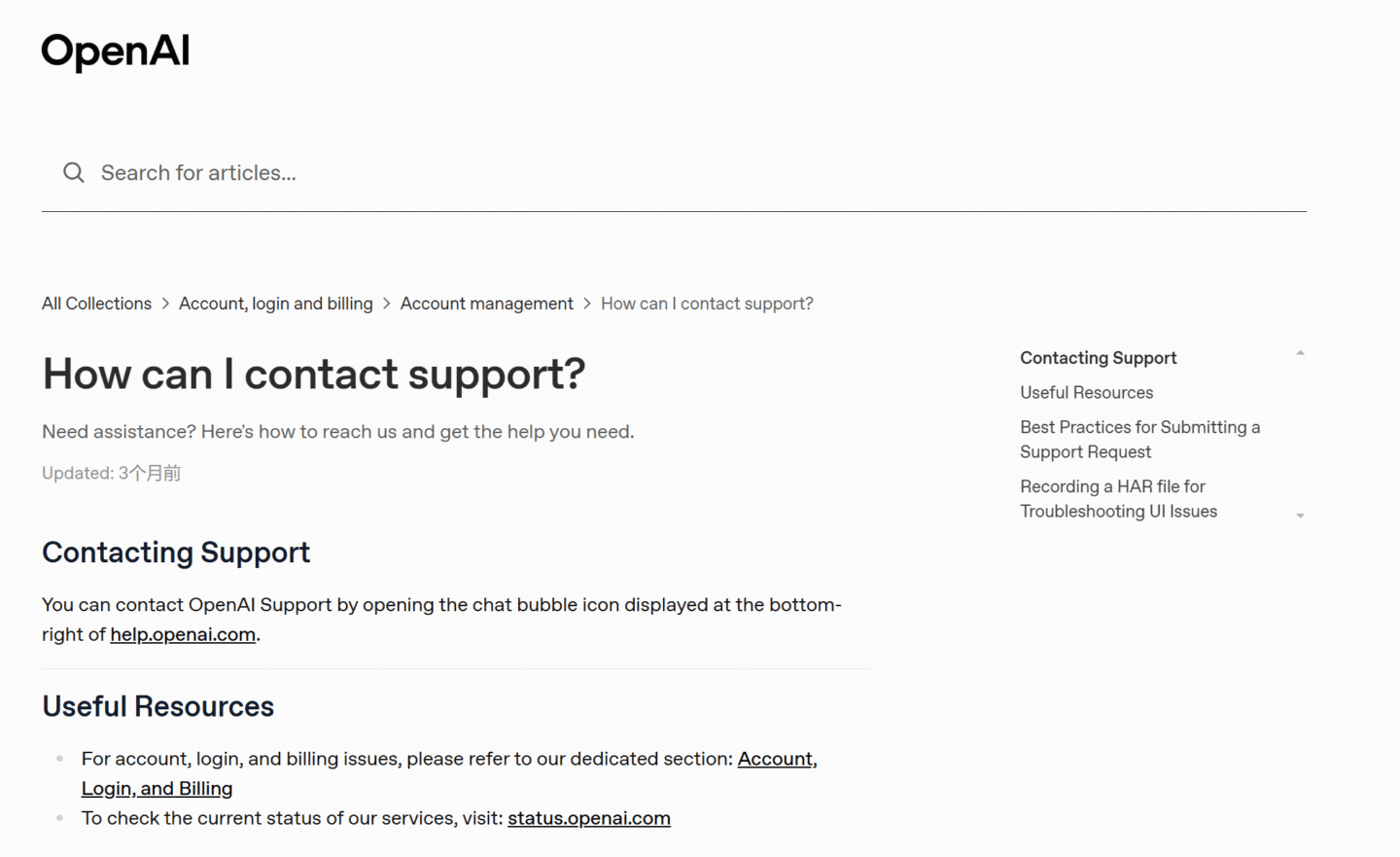
- The email address associated with the account you can no longer access
- The last four digits of the payment card used for the subscription
- The date of your most recent subscription payment
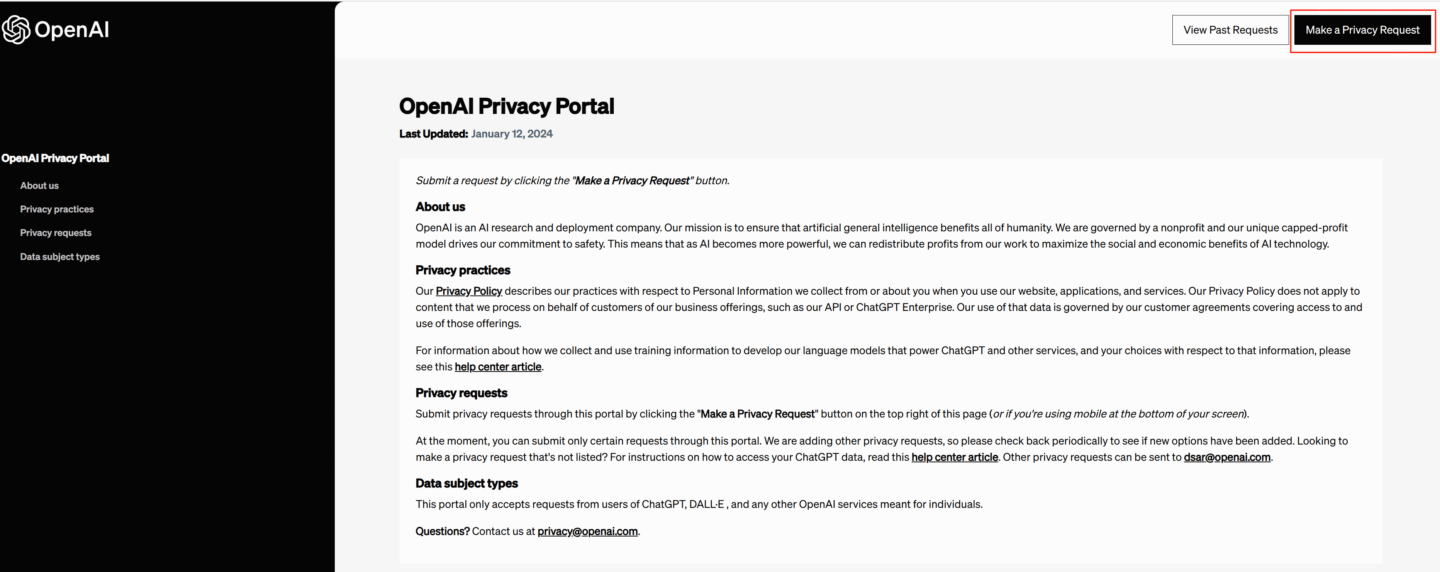
Alternatively, you can submit a policy request to delete your account via ChatGPT’s Privacy Request Portal. This action will also automatically cancel your subscription.
However, please note that this action will permanently delete your ChatGPT account and cannot be undone.
6. Can I Get a Refund After Cancelling ChatGPT? What You Need to Know
If you’re considering canceling your ChatGPT Plus subscription, you might also be wondering whether you’re eligible for a refund. Here’s what you need to know based on how and where you purchased the subscription.
🛡️ For Users in the EU, UK, and Turkey
If you live in the European Union, United Kingdom, or Turkey, you’re entitled to a full refund if you cancel your ChatGPT subscription within 14 days of purchase. This is part of regional consumer protection laws, so be sure to act within that window if you change your mind after subscribing.
📱 If You Subscribed via Apple (iOS)
For users who subscribed through Apple Subscriptions on iPhone or iPad, all cancellations and refund requests must go directly through Apple.
Unfortunately, OpenAI can’t process these refunds on your behalf.
To cancel or request a refund:
- Open the Settings app on your device
- Tap your name > Subscriptions
- Find ChatGPT and cancel it
- For refund support, visit Apple’s refund portal
You can also check the ChatGPT iOS app under settings for a detailed guide.
📲 If You Subscribed via Google Play
If your subscription was made through the Google Play Store, here’s how you can request a refund:
- Go to chat.openai.com and log in with the account you used to subscribe.
- Open the Help Center from the footer or side menu.
- Look for the chat widget at the bottom-right corner of the page.
- Initiate a conversation and request a refund directly through that live chat.
Refunds via Google are handled on a case-by-case basis, so be prepared to share your subscription details.
7. What Can I Use Instead of ChatGPT After Cancelling?
If you cancel ChatGPT but still want access to powerful AI tools, here’s a great alternative to consider:
One-Click PPT Generation with a Vast Collection of Templates
PopAi: A Versatile AI Productivity Platform
- Features: AI chat, document reading, AI-powered PPT creation, image and video generation
- Benefits: Often more stable access and less likely to be restricted
- Use cases: Writing assistance, content generation, research, presentations, and more
- Access: Available via web and mobile, suitable for students, teachers, and professionals
Explore PopAi here: https://www.popai.pro/
PopAi provides a rich AI experience similar to ChatGPT Plus but with added functionalities that can boost your productivity after cancellation.
8. Tips to Manage Your ChatGPT Subscription Effectively
- Set reminders for your renewal dates.
- Regularly monitor your billing statements.
- Keep your payment methods updated.
- Review subscription benefits periodically to decide if continuing is worthwhile.
9. FAQs
- Can I pause instead of canceling? Currently, pausing subscriptions is not supported; you must cancel and resubscribe later.
- How to resubscribe after cancellation? Simply subscribe again via your OpenAI account or app store.
- Can I switch plans instead of canceling? Upgrading or downgrading plans is possible through account settings.
- Does cancellation delete my chat history? No, your chat data remains unless you delete it manually.
10. Conclusion
Canceling your ChatGPT subscription is straightforward, whether through OpenAI, Apple, or Google Play. After cancellation, consider AI alternatives like PopAi to continue benefiting from advanced AI tools without interruption.
If you need assistance with cancellation steps or want personalized AI tool recommendations, feel free to ask!