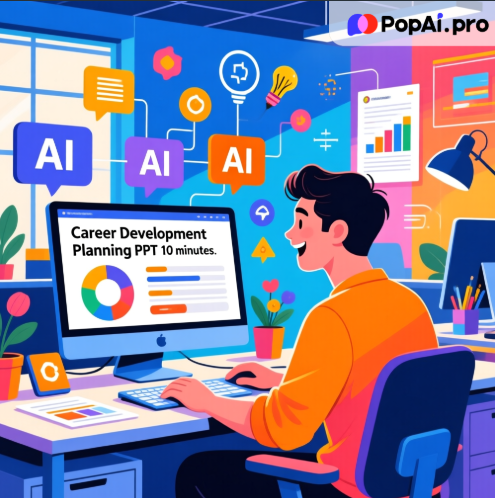
Creating a Career Development Planning PPT doesn’t have to be time-consuming and laborious. With AI tools, you can efficiently handle content organization, design layout, and personalized optimization—and PopAi is a choice that balances practicality and convenience. Whether you’re a professional preparing for a promotion review, a fresh graduate interviewing for jobs, or participating in a career planning competition, a logically clear and visually appealing career planning PPT can help you better showcase your strengths and development potential. However, traditional production methods often face issues such as disorganized content, time-consuming design, and lack of creativity, and the emergence of AI tools is completely changing this situation.
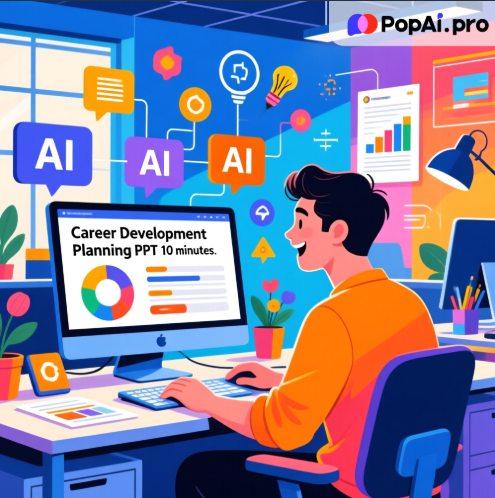
Workplace Pain Points: 3 Major Difficulties in Making Career Development Planning PPT
In workplace and campus scenarios, creating a Career Development Planning PPT is a major headache for many. First, content logic is chaotic. Career planning involves multiple modules including self-awareness, goal-setting, action plans, and evaluation adjustments. Many people don’t know how to build a clear framework, easily leading to information overload or missing key points. Too many information points on a single PPT also drastically reduces audience comprehension efficiency. Second, design capabilities are lacking. Users without a design background struggle with color matching, layout, and chart creation—either directly using generic templates or causing visual clutter by overpursuing flashy effects, which obscures core information instead. Finally, efficiency is low. From collecting data, organizing outlines, to layout design and revisions, the entire process often takes hours or even a day or two. Especially when facing urgent reports or competition deadlines, it’s easy to fall into chaos.
These issues not only affect the presentation effect of the PPT but may also make your career plan less persuasive. A survey by an international consulting firm shows that 76% of professionals spend more than 2 hours a day on PPT design, yet their works are often questioned for professionalism due to visual clutter and logical breaks. For fresh graduates, a poorly made PPT in career planning competitions or job interviews can even directly affect the first impression of judges and interviewers, leading to missed opportunities.
AI Breaks Through: Quickly Build Core Logic of Career Planning PPT
Facing the challenges of creating a Career Development Planning PPT, the core value of AI tools lies in standardizing repetitive tasks and simplifying complex ones, allowing users to focus on content rather than form. As a multifunctional AI tool, PopAi provides end-to-end support in this process, with its integrated features perfectly matching the needs of making career planning PPTs.
In the content organization phase, many people get stuck on outline construction. At this point, you can use PopAi’s AI document reading function to upload PDF or DOC files such as your resume, internship report, and career assessment results. The tool will quickly and intelligently summarize key points, extracting critical information like personal strengths, practical experience, and skill gaps to provide a solid foundation for PPT content. If you’re confused about setting career goals, you can also consult in real-time through PopAi’s AI chatbot, which supports conversations in over 200 languages and can answer questions about industry development trends and career path planning to help you clarify the core direction of your Career Development Planning PPT.
After the framework is built, PopAi’s instant PPT generation function comes into play. It offers a wealth of thematic templates covering different scenarios such as business, campus, and competitions, and supports custom slide numbering and layouts tailored to different audiences. For example, PPTs for interviewers are automatically optimized to highlight competency matching, while presentations for career planning competitions emphasize storytelling and visual expression. Unlike single-function PPT generation tools, PopAi allows you to complete the entire process from content extraction to framework construction without switching platforms, greatly improving production efficiency.
For presenting complex information in career planning, PopAi’s intelligent reading comprehension function is a game-changer. Through AI-driven explanation, translation, and automatic flowchart generation, it can convert abstract career development paths and skill improvement plans into clear visual charts. For instance, using a timeline to show 3-5 year career goals and a radar chart to present personal skill matrices allows the audience to grasp core information at a glance, which is more persuasive than lengthy text descriptions.
Polish Details: Practical Tips for More Eye-Catching Career Planning PPT
An excellent Career Development Planning PPT requires both clear logic and outstanding details. In content optimization, PopAi’s AI-driven content editing function can help you refine text—whether summarizing core viewpoints, expanding specific cases, or condensing redundant expressions—to ensure clarity and accuracy of each document. Many people tend to have vague content when making PPTs, such as only writing “improve professional skills” without specific directions. At this time, you can use PopAi’s AI chat function to obtain specific industry skill requirements, then use the content editing function to improve the expression, making the plan more feasible.
In terms of visual design, PopAi’s AI art image generator can add creative highlights to the PPT. Simply enter a simple text description, such as “blue business-style career development path map” or “tech-savvy AI industry trend illustration,” and you can quickly generate exclusive images, avoiding copyright issues associated with using online pictures. Meanwhile, its AI-enhanced content function automatically searches for relevant images and matches them with content, ensuring the presentation is both informative and visually appealing, solving the aesthetic pain points of non-design users.
In the layout adjustment phase, PopAi’s seamless editing function makes the revision process smoother. You can easily adjust the overall structure and content order of slides without worrying about format chaos, always maintaining a coherent flow and clarity. If you need teamwork or feedback, PopAi’s one-click annotation function allows you to easily mark key points and add comments for systematic knowledge organization; automatic save management prevents content loss due to accidents, creating a simplified knowledge management experience.
Audience-centric design is key to enhancing PPT impact. PopAi automatically optimizes content focus and presentation methods based on the audience type you set. For example, PPTs for corporate executives emphasize data results and strategic planning, while competition entries for university judges highlight personal growth stories and patriotic sentiments. This personalized customization capability makes your Career Development Planning PPT more in line with audience needs, increasing engagement and persuasiveness.
Scenario-Based Practice: Career Development Planning PPT Guides for Core Groups
Fresh Graduate Job Search Scenario
The core of making a Career Development Planning PPT for fresh graduates is to showcase potential and job matching. Take Li Xiao, a fresh graduate majoring in big data, who was preparing for an interview for a product manager position at an internet company. First, he used PopAi to upload his campus project report, internship summary, and career assessment results. The AI document reading function quickly extracted his strengths in data analysis, user research experience, and product thinking. Then, through the instant PPT generation function, he selected the “job interview” thematic template, which automatically generated a framework including self-awareness, career goals, short-term plans, and skill improvement paths.

During content optimization, Li Xiao found his career goal description was unclear. He consulted the product manager career development path through PopAi’s AI chatbot and obtained a clear route: “Junior Product Manager → Intermediate Product Manager → Product Owner.” He then used the AI-driven content editing function to expand his short-term plans, specifying concrete goals such as “master Axure within 3 months and complete 1 competitor analysis report within 6 months.” For visual presentation, he used the AI art image generator to create an illustration of “the connection between data analysis capabilities and product work,” paired with an intelligently generated skill radar chart, making the PPT both professional and personalized. Finally, he adjusted the page order through seamless editing and marked key internship achievements with one-click annotations, completing a high-quality Career Development Planning PPT in just 1 hour.
Professional Promotion Review Scenario
For professionals seeking promotion, a career planning PPT needs to highlight past achievements and future value. When Ms. Zhang applied for a department supervisor position, she faced the challenge of organizing 3 years of work achievements and future team plans. Through PopAi’s flexible upload options, she imported project review reports and performance data spreadsheets from her work documents, and the tool automatically converted them into a PPT presentation, eliminating the need for manual copy-pasting. Targeting management audiences, she chose the “business strategy” thematic template, and PopAi automatically optimized the layout to emphasize data results and strategic planning.

In the content improvement phase, Ms. Zhang used PopAi’s AI-enhanced content function to add industry trend charts and team development roadmaps, making the plan more forward-looking. For the complex team management plan, she generated a clear flowchart through the intelligent reading comprehension function, showing the management logic of “personnel training → task assignment → performance evaluation.” She made multiple revisions and adjustments during the process, but thanks to the automatic save function, all versions were properly recorded, eliminating the worry of content loss. The final PPT not only demonstrated her work capabilities but also reflected clear management thinking, adding significant value to her promotion defense.
Conclusion: AI Makes Career Planning Presentation More Efficient
A Career Development Planning PPT is an important showcase tool in career development, and its production quality directly affects career opportunities and prospects. With the help of AI technology, the once time-consuming and laborious PPT production process has become efficient and convenient. As a multifunctional AI tool, PopAi provides end-to-end support for users. From content organization and framework construction to design optimization and detail adjustment, PopAi’s features such as AI document reading, instant PPT generation, seamless editing, and AI-enhanced content accurately solve various problems in the production process.
Compared with single-function tools, PopAi allows you to complete the entire process from document processing to PPT generation without switching multiple platforms. It supports flexible upload options and personalized customization to meet the needs of different scenarios and groups. Whether you’re a fresh graduate, a professional, or a competition participant, you can quickly create a logically clear and visually appealing Career Development Planning PPT through PopAi, making your career plan more persuasive.
If you’re still struggling with making a career planning PPT, give PopAi a try. It not only saves you time and effort but also improves the professionalism and competitiveness of your PPT. In this efficiency-driven era, using AI tools to empower career development is the key to standing out in fierce competition.