When faced with the need to “quickly make a PPT with AI“, Beautiful.ai and PopAi are two frequently mentioned options. Instead of asking “Which is better?”, it’s more meaningful to ask “Which is a better fit for my current situation?”. After multiple rounds of practical testing, our goal is to provide you with a clear reference to help you decide based on your work habits and specific tasks. Below, we look at how each tool works from three of the most practical dimensions.
I. Operation Workflow Comparison: Which Matches Your Work Habits Better?
Different tools are designed with different usage paths, and understanding them will help you find the one that feels most intuitive.
Beautiful.ai’s path is Describe → Generate → Refine. Its interface is highly focused: a prominent input box guides you to describe the PPT you want to make in one sentence. For example, you can input “Prepare a sales team–facing introduction for the company’s new product launch, highlighting core selling points and marketing strategies”. After clicking generate, it quickly outputs a complete initial draft of slides. Its key feature is “smart adaptation”: when you modify text or add images on any page, other elements on the page (such as charts and icons) automatically adjust their positions and sizes to keep the layout clean. This workflow is ideal for users who want to quickly get a complete, well–structured initial draft and only make minor content revisions afterward. The entire process is linear, straightforward, and low in uncertainty.
PopAi’s path is Set Parameters → Generate → Deep Edit. Before starting generation, it offers multiple options for you to set: the type of presentation (for speaking or reading), target audience (internal team or external clients), desired approximate length, and more. This gives you a stronger sense of preset control over the style of the final product. After generating the initial draft, it provides a rich set of sidebar editing tools that allow you to freely adjust single–page elements, such as moving layers up and down and modifying text styles with greater flexibility. This workflow suits users who have a clear idea of the style they want and don’t mind (or enjoy) fine–tuning each page’s layout after generation. It offers greater control depth but, correspondingly, may require more editing time.
Summary & Selection Reference
l If you prefer: Quick startup, seeing an overall framework first, then optimizing content based on that solid framework, Beautiful.ai’s workflow may feel more efficient for you.
l If you prefer: Defining the general direction upfront, and not settling for a generic template, enjoying hands–on adjustment of the detailed layout of each page, PopAi’s path and tools may be more appealing.
II. Design Effect Comparison: What‘s the Difference Between “Beautiful.ai vs PopAi Layouts”?
The design effect of slides is critical to professionalism and viewing experience. Here, we take a closer look at the different logics behind their page layouts.
Beautiful.ai adopts a template–driven layout logic. You can think of its templates as sets of “design packages” that have been professionally matched. After selecting a template like “Minimalist Business” or “Creative Proposal”, all slides generated by the system strictly follow the rules of this “package”: a unified font combination, fixed color proportions, coordinated image–text spacing, and preset infographic styles. For example, when you insert a data page, it automatically matches the chart style within the template and ensures the color aligns with the entire PPT’s theme color. The advantage of this approach is high production efficiency, and the visual effect of the entire presentation is highly unified and professional—you barely need to worry about design consistency.
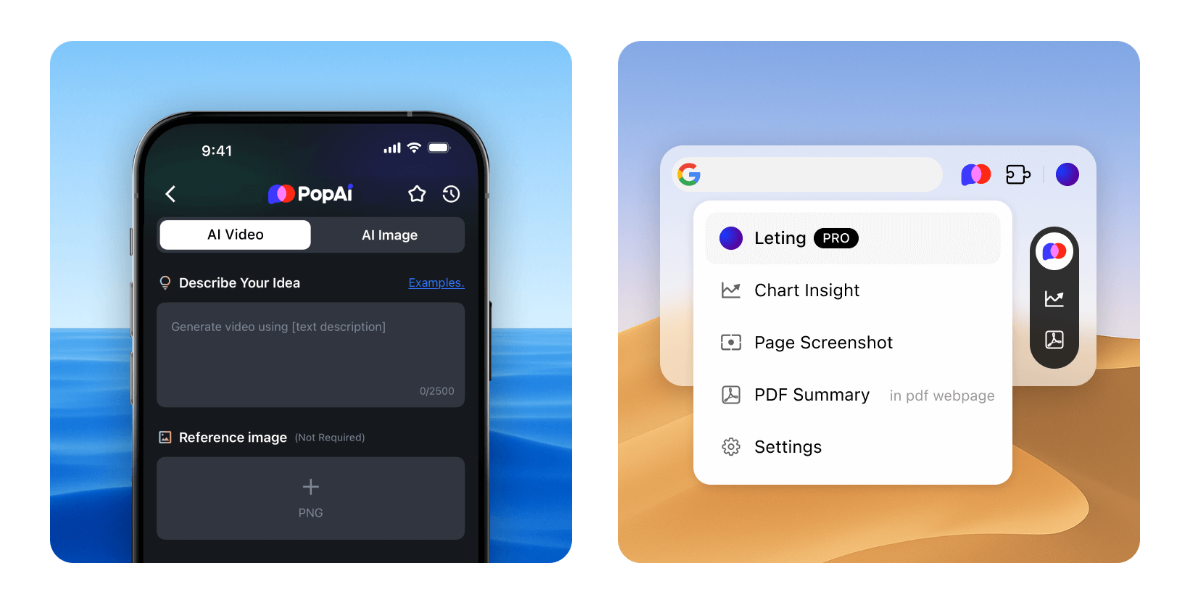
PopAi embodies a flexible combination layout approach. It also offers a variety of design themes, but each theme typically includes a more diverse range of page layout variants. During generation or editing, you can more easily switch different layout structures for a single page. For instance, for the same content, you can quickly try different formats such as “full image with text”, “text on left, image on right”, and “multi–card arrangement”. In the practice of Beautiful.ai vs PopAi layouts, this means PopAi offers higher flexibility and creative potential for single–page design. However, it also requires users to have a good grasp of overall style consistency; otherwise, frequently switching drastically different layouts across pages may undermine the visual coherence of the presentation flow.
Summary & Selection Reference
l If you need: To ensure a presentation has a flawless, unified style from start to finish, especially for important external occasions (such as client proposals and fundraising pitches), Beautiful.ai’s template–driven layout method provides stronger assurance and higher efficiency.
l If you need: To try the most matching page layouts for different content modules (such as team introductions, data displays, and product features), pursue single–page visual impact or creative expression, and you are confident in coordinating the overall style, PopAi’s flexible combination layout approach gives you greater room for creativity.
III. Core Feature Testing: Who Handles PPT Creation from Existing Documents Better?
Quickly converting existing documents such as Word and PDF into PPT is a highly frequent and practical feature. We tested both tools’ performance with the same messy project report document.
Beautiful.ai’s document conversion emphasizes structured extraction and neat layout. After uploading a document, its AI focuses on identifying the document’s heading hierarchy, paragraphs, and list structures. After conversion, you get a logically clear slide skeleton: main headings become slide titles, subheadings become core page points, and long paragraphs are condensed into clear bullet points. More importantly, the extracted content is automatically and neatly placed into the text boxes and containers preset by the selected template, resulting in an immediately clean and organized page layout. Your subsequent work can focus more on refining and elevating the content rather than readjusting the layout.

PopAi’s document conversion prioritizes content extraction and editing flexibility. It also effectively extracts document text content into slides. In testing, we found it sometimes retains more text details from the original document. During editing, it allows you to drag and re–layout the extracted text blocks with great freedom. For example, you can easily drag a key point from the left to the right side of the page, or adjust the shape of a single text box individually. This feature is suitable for users who want to carry out bolder layout reconstruction based on document content. Of course, this also means the initially generated layout may be more “raw”, requiring you to invest energy in layout design afterward to achieve the best visual presentation.
Other Key Features
l AI–Assisted Writing: Both tools offer functions to rewrite and expand text within slides, with little difference in actual experience—both effectively improve copywriting efficiency.
l Image Processing: Beautiful.ai deeply integrates multiple commercial image libraries, recommending high–quality, style–consistent royalty–free images based on content and automatically adapting them to the layout. PopAi, on the other hand, has exploratively integrated AI image generation models, allowing direct creation of creative matching images within the tool, opening up new possibilities for content presentation.
Summary & Selection Reference
l If your main need is: To quickly convert a well–structured document (such as a report or proposal) into a neatly laid–out PPT that can be directly used for rehearsals or sharing, Beautiful.ai’s conversion function may better meet your expectation of “speed and stability”.
l If you have a messy document on hand, or you are not satisfied with a neat layout and want to re–conceive and design the visual expression of each page using document content as material, PopAi’s editing flexibility may be more suitable for this kind of “re–creation”.
Conclusion: How to Choose Based on Your Situation?
Choosing a tool is essentially matching your specific needs and usage habits. You can find your direction by answering the following questions:
What is your usage scenario?
l Frequent formal business reports and external presentations: Beautiful.ai’s advantages in efficiency and style consistency may be more valuable.
l Internal discussions, knowledge sharing, content creation, or presentations requiring prominent visual creativity: PopAi’s layout flexibility and editing depth may better meet your needs.
What is your design ability and time investment?
l Want to minimize time spent on design and rely on the tool to ensure a professional baseline: Beautiful.ai’s template–driven model saves you a great deal of time.
l Have a certain design aesthetic, enjoy hands–on detail adjustment, and pursue personalized layout expression: PopAi provides a canvas and tools to bring your ideas to life.
What is your content source and processing method?
l Often need to convert existing structured documents into PPT quickly: Beautiful.ai’s conversion results are more “ready–to–use”.
l Accustomed to extensive layout reconstruction and creative play based on materials: PopAi’s editing freedom will be more favored.
Final Recommendation
The best approach is to take advantage of the free credits or trial periods both tools may offer, and test them with a real task you have on hand (such as a PPT you need to make next time). Experience the entire process from creation to completion for yourself, and feel which interaction method and output effect align better with your work rhythm and aesthetic preferences. One hands–on practice tells you more than any comparison you read.