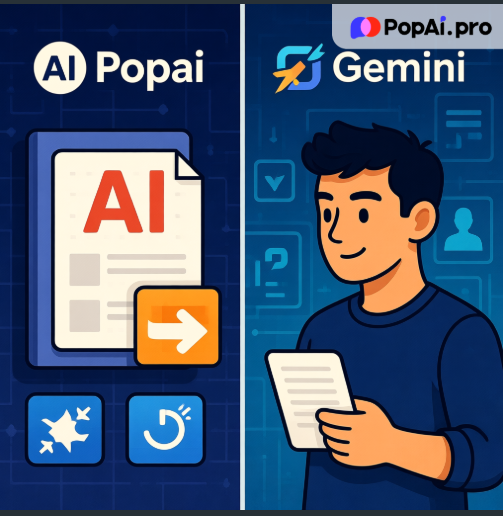
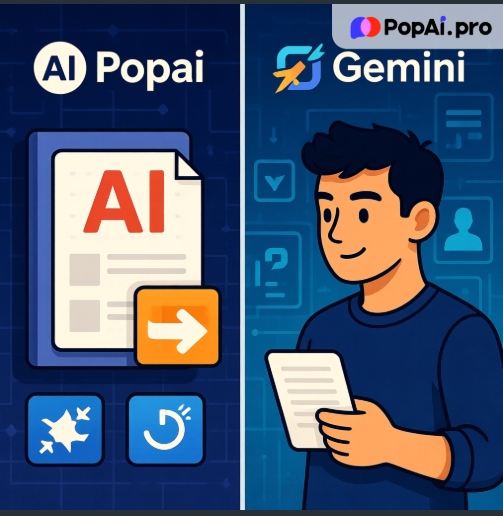
When deciding between Popai and Gemini, the answer depends on your primary use cases: Gemini excels at complex technical tasks like coding and multi-modal reasoning, while Popai stands out as an all-in-one productivity tool for daily communication, document handling, and content creation. This article breaks down their capabilities to help you make an informed choice.
Everyday Communication & Multilingual Support
For global teams or users needing cross-language interactions, both tools offer valuable solutions but with distinct scopes. Gemini supports around 35 languages and integrates smoothly with Google Workspace, making it convenient for users already in the Google ecosystem. Its language expansion includes common tongues like Spanish, French, and Japanese, which covers most business and personal communication needs. However, if your work involves less common languages-such as Swahili, Icelandic, or Vietnamese-Popai’s support for over 200 languages becomes a game-changer. I’ve found Popai’s real-time chat function particularly useful when collaborating with international clients; it maintains natural conversation flow while ensuring accurate translations, eliminating the need for separate translation tools. Whether you’re answering quick questions or holding detailed discussions, Popai’s chatbot adapts to different communication styles, making it feel more intuitive for daily interactions compared to Gemini’s more technical focus.

Document Management & Processing
Document handling is where Popai truly shines with its comprehensive, user-friendly features. Gemini offers solid document capabilities, including uploading files from local devices or Google Drive and summarizing long texts-thanks to its 100,000+ token context window, it can process entire books or large datasets efficiently. It also excels at structured data reasoning, which is helpful for analyzing tables or complex reports. However, Popai takes document management a step further by focusing on end-to-end workflow optimization. When you upload a PDF or DOC file to Popai, you’re not just getting a summary; you can add one-click annotations, generate flowcharts for complex processes, and even convert the document to a customizable PPT with a single tap. This seamless transition from reading to presenting saves hours of work-something I’ve appreciated when preparing client proposals. Popai’s automatic save feature also ensures you never lose edits, while its intelligent organization system helps categorize files by project or type, reducing clutter. For users who need to create, edit, and share documents regularly, Popai’s integrated tools eliminate the hassle of switching between multiple platforms, unlike Gemini which often requires pairing with other Google apps for full functionality.
Another key advantage of Popai is its flexible document creation options. Whether you’re drafting a research paper, business report, or marketing copy, you can adjust word count, format, and tone to meet specific requirements. Its AI-driven editing tools let you summarize dense content, expand bullet points into detailed paragraphs, or translate text without losing context-features that are incredibly useful for students and professionals alike. Gemini offers text editing capabilities too, but they’re more focused on technical accuracy rather than everyday writing needs. For example, Popai’s ability to tailor content to different audiences (e.g., formal for stakeholders, casual for team members) makes it more versatile for general users, while Gemini’s strength lies in technical writing and code documentation.
Content Creation & Presentations
When it comes to creative and presentation-focused tasks, both tools have unique strengths. Gemini’s multi-modal capabilities allow it to process text, images, audio, and video natively, making it ideal for complex creative projects like video scripts or interactive applications. Its code generation skills are also unmatched-if you need to build a website or app alongside your content, Gemini can handle both the creative and technical aspects. However, for most users who need simple, effective content creation tools, Popai offers a more accessible solution. Its AI art generator turns text descriptions into visual assets in seconds, which is perfect for adding graphics to presentations or social media posts without design experience. I recently used it to create custom illustrations for a team meeting slide, and the results were professional enough to replace stock photos.
Popai’s presentation features are designed with usability in mind. Unlike Gemini, which requires manual formatting for slides, Popai offers pre-built themes tailored to different audiences-whether you’re presenting to executives or students. You can customize slide numbers, rearrange content with drag-and-drop editing, and enhance visuals with AI-selected images, all within the same platform. The ability to import documents from URLs, Google Drive, or local files means you can start creating presentations immediately without retyping content. For users who value speed and simplicity, Popai’s presentation tools eliminate the learning curve associated with traditional software like PowerPoint, while still delivering polished results. Gemini’s presentation capabilities, by contrast, are more basic and require integration with Google Slides, adding extra steps to the workflow.
Collaboration & Knowledge Management
Team collaboration and long-term knowledge preservation are often overlooked but critical factors in choosing an AI tool, and here Popai and Gemini again cater to different needs. Gemini leverages Google Workspace’s native collaboration features, allowing real-time co-editing of documents and spreadsheets, and its comment function supports threaded discussions for team feedback. This works well for teams already using Google Docs or Sheets, as it keeps communication within the same ecosystem. However, Gemini’s collaboration tools are primarily tied to individual files, lacking a centralized system for organizing team knowledge across projects.

Popai addresses this gap with a holistic approach to collaborative knowledge management. Beyond basic file sharing, it lets team members share annotations, synchronize comments across documents, and set permission levels for different users-ensuring sensitive information is protected while fostering collaboration. Its intelligent document categorization isn’t just for personal use; teams can create shared libraries sorted by project, department, or topic, making it easy to locate historical data or reference materials. I’ve used Popai to manage a cross-departmental project where team members from marketing, design, and sales needed access to the same reports-being able to tag colleagues in annotations and track edits in real time eliminated endless email chains. Additionally, Popai’s automatic save and version history features let teams revert to previous iterations if needed, preventing the loss of critical work. Unlike Gemini, which often requires pairing with Google Drive’s folder structure for organization, Popai’s built-in knowledge management system streamlines collaboration without extra tools.
Who Should Choose Which?
Gemini is the better choice if you work in technical fields like software development, data science, or research-its advanced reasoning, coding skills, and multi-modal processing make it a powerful tool for complex tasks. It’s also ideal for users deeply embedded in the Google ecosystem who want seamless integration with Workspace apps. However, if your daily work involves multilingual communication, document management, content writing, presentation creation, or team collaboration, Popai’s all-in-one design offers greater convenience and efficiency. Its user-friendly interface and focused features address the pain points of everyday productivity, making it accessible to users of all skill levels.
Popai’s greatest strength is its ability to consolidate multiple tools into one platform, reducing the time spent switching between apps and learning new software. Whether you’re a freelancer managing client documents, a teacher creating lesson plans, a marketer drafting content, or a team lead coordinating projects, Popai adapts to your workflow with features that feel designed for real-world use. It doesn’t try to compete with Gemini’s technical prowess; instead, it excels at the tasks that most users need on a daily basis.
In conclusion, neither tool is “better” overall-they serve different purposes. Gemini dominates in technical and complex tasks, while Popai excels at everyday productivity, integrated workflow management, and team collaboration. If you prioritize versatility, ease of use, and a comprehensive set of tools for communication, documents, content creation, and knowledge sharing, Popai is the ideal choice. Its focus on user-centric design and practical features makes it a valuable asset for anyone looking to streamline their daily work processes. Give Popai a try if you want an AI tool that works with you, not against you, to get things done efficiently.