Cash Flow Forecasting slides presentation is the lifeline of business decision-making, helping finance teams, executives, and investors predict liquidity, identify funding gaps, and align strategic plans. Traditional creation plagues professionals with fragmented data, manual charting, and rigid layouts, wasting hours on technical work instead of strategic analysis. PopAi, the all-in-one AI tool trusted by 150 million+ users, transforms this process by integrating end-to-end features tailored for Cash Flow Forecasting slides presentation. From smart data parsing to AI-enhanced visualization, PopAi streamlines every step, enabling users to turn complex cash flow data into persuasive, actionable presentations that drive informed decisions.
PopAi: Your Secret Weapon for Accurate Cash Flow Slides
PopAi is far more than a generic AI tool; it is a finance-focused workspace merging AI chat, document processing, content creation, and presentation building—all optimized for Cash Flow Forecasting slides presentation. Its AI chatbot supports 200+ languages, allowing real-time queries on rolling forecast models, working capital dynamics, or liquidity risk metrics—critical for refining cash flow insights. For cross-border teams, this multilingual capability ensures seamless collaboration, whether discussing accounts receivable turnover forecasts or capital expenditure cash flows in English, Spanish, or Mandarin.
A core strength of PopAi for Cash Flow Forecasting slides presentation is its flexible upload options. Users can import PDF/DOC cash flow reports, Google Sheets, Excel workbooks, or URLs with historical cash data in one click. PopAi’s AI document reading feature automatically extracts key metrics—operating cash flow, investing cash flow, financing cash flow, and net working capital—summarizes trends, and structures content for slides. It goes further with intelligent interpretation: translating complex forecasting terms into plain language and generating flowcharts to visualize cash cycles, like the link between inventory levels and cash outflows. For example, upload a quarterly cash flow PDF, and PopAi will create a flowchart mapping revenue collection to operating cash inflows, which you can embed directly into your Cash Flow Forecasting slides presentation to simplify abstract concepts.
Speed Up Cash Flow Slides with PopAi’s Instant AI Generation
Building Cash Flow Forecasting slides presentation from scratch is time-consuming, but PopAi’s instant PPT generation feature simplifies it with targeted prompts. Input a brief outline—such as “Generate a 12-month rolling cash flow forecast presentation for a manufacturing firm, focusing on liquidity risks for executive stakeholders”—and PopAi creates a structured deck with rich themes, customizable slide numbers, and audience-tailored layouts. For investors, it prioritizes funding gap alerts and break-even timelines; for operations teams, it highlights cash flow drivers like production costs and customer payment cycles. This audience-centric design ensures your Cash Flow Forecasting slides presentation resonates with viewers and drives action.
Here’s a practical example: A mid-sized retail business needs a Cash Flow Forecasting slides presentation to secure a line of credit. With PopAi, input the prompt and import historical sales data, inventory reports, and accounts payable schedules. PopAi analyzes the data, generates slides with sections like “Monthly Cash Flow Projections,” “Working Capital Trends,” and “Liquidity Risk Mitigation,” and enhances each slide with DALL·E 3-generated charts—line graphs for cash flow trends, bar graphs for inflow/outflow comparisons, and pie charts for cash flow composition. PopAi’s seamless editing lets you adjust slide order, refine data labels, or modify chart styles in one click, maintaining flow and clarity. Use its one-click annotation tool to mark key insights, such as “Q3 cash flow gap due to seasonal inventory buildup—need $500k bridge loan,” organizing feedback systematically for team alignment.
How to Tailor Cash Flow Slides for Any Audience with PopAi
Cash Flow Forecasting slides presentation must adapt to audience needs, and PopAi’s AI-driven tools make customization effortless. Its AI-enhanced content feature searches for relevant visuals—industry benchmark charts, cash flow scenario models, or working capital ratio infographics—to boost slide appeal and information density. For instance, if your presentation focuses on improving cash conversion cycles, PopAi generates a comparison chart linking your firm’s cycle to industry averages, paired with a concise analysis of optimization levers. Its AI content editing tool polishes text by compressing verbose forecasts into 2-3 bullet points or expanding key insights with actionable strategies, balancing detail and brevity—critical for holding audience attention.
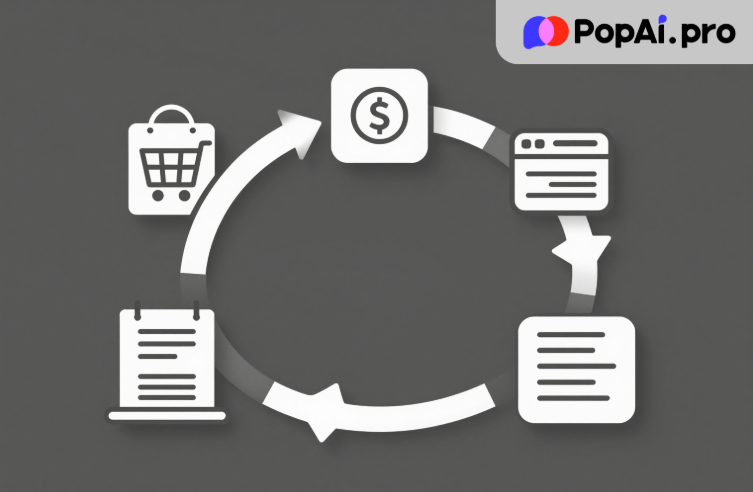
PopAi’s AI art generator adds professional flair without design skills. Describe a visual need—“Minimalist illustration of cash flow cycle for e-commerce, showing order fulfillment to payment collection”—and PopAi creates high-quality images to break up text-heavy slides. Additionally, its automatic save management ensures no progress is lost. It continuously saves edits, slide versions, and annotations, letting you revisit previous drafts or share work with collaborators seamlessly—essential when updating Cash Flow Forecasting slides presentation with new sales projections or cost data.
PopAi’s smart document management further optimizes Cash Flow Forecasting slides presentation workflows. After generating or editing slides, you can categorize them alongside original cash flow models, annotation notes, and supporting documents (like bank statements or invoice reports) in a centralized workspace. This not only keeps all assets organized but also allows for quick cross-referencing during presentations—for example, if an executive questions a Q2 cash inflow projection, you can instantly pull up the source Excel data linked to the slide. It also supports batch editing for multiple slide versions, such as adjusting forecasts for different departments, ensuring consistency across all Cash Flow Forecasting slides presentation variants.
Turn Cash Flow Docs into Polished Slides in Seconds
Most finance professionals already have cash flow analyses in Excel or reports, and PopAi’s automatic document-to-presentation conversion turns these into polished slides in seconds. This eliminates manual copy-pasting, reformatting, and chart recreation. For example, upload a 20-page cash flow forecast report—PopAi extracts core sections (historical trends, 6-month projections, risk factors) and converts each into a well-designed slide. Use its AI content editing to refine slides: expand on “accounts receivable aging impact” with customer segment data, add visual cash flow drivers, or adjust tone for board members. This feature saves hours of work and ensures consistency between reports and Cash Flow Forecasting slides presentation.
Another standout benefit is PopAi’s ability to integrate cross-functional data into Cash Flow Forecasting slides presentation. Import non-financial documents—such as sales pipelines, production schedules, or market demand reports—and PopAi connects them to cash flow data, revealing critical correlations. For example, it links declining sales pipeline (from CRM data) to projected cash inflow drops in your slides, providing a holistic view of business performance. This integration transforms isolated cash flow forecasts into a comprehensive narrative, making your Cash Flow Forecasting slides presentation more persuasive for strategic decision-making.
PopAi’s AI-driven content editing also excels at refining cash flow narratives for clarity and impact. If your initial slide draft contains vague statements like “cash flow may fluctuate,” PopAi can expand it into data-backed insights: “Q4 cash flow fluctuations are driven by delayed accounts receivable from key clients (avg. 45-day collection vs. 30-day target), with a projected $200k shortfall if unaddressed.” It can also translate technical forecasting jargon into audience-friendly language—critical for non-finance stakeholders. For example, it rephrases “rolling 13-week cash flow model” to “weekly cash flow forecast updated in real time to reflect latest business activity,” ensuring your Cash Flow Forecasting slides presentation is accessible to all viewers.
PopAi’s Ready-to-Use Templates for Cash Flow Forecasting Slides
Maximize PopAi’s potential with these actionable templates for Cash Flow Forecasting slides presentation. Start with a slide generation prompt: “Generate a Cash Flow Forecasting slides presentation template for a SaaS startup, including monthly recurring revenue cash flows, customer churn impact, and funding runway, tailored for investors.” PopAi creates a customizable framework, which you can refine via seamless editing. For data-heavy slides, import an Excel forecast and prompt: “Summarize this 18-month cash flow data into 8 slides, generate scenario models (base case, best case, worst case), and highlight key funding gaps.”
When collaborating, use PopAi’s annotation templates: “Verify Q4 cash inflow projections with latest sales team forecasts” or “Adjust cash flow gap timeline to align with CFO’s feedback.” For visual enhancement, use AI art prompts: “Create a professional infographic showing working capital components for Cash Flow Forecasting slides” or “Design a minimalist chart comparing operating vs investing cash flows for a tech firm.” PopAi’s AI content editing refines text with prompts like “Compress this cash flow scenario explanation to 2 bullet points for executive slides” or “Expand this mitigation strategy section with step-by-step actions.”
Below are ready-to-copy prompts for PopAi, covering diverse Cash Flow Forecasting slides presentation scenarios:
1. “Generate a Cash Flow Forecasting slides presentation for a manufacturing company, focusing on inventory cash ties and seasonal payment cycles, with visual trend charts and executive insights.”
2. “Convert this 2025 cash flow forecast Excel into a 10-slide presentation, prioritizing liquidity metrics and funding gap solutions for board approval.”
3. “Enhance my existing Cash Flow Forecasting slides by adding AI-generated industry benchmark charts, refining text for investor clarity, and adjusting layouts for pitch meetings.”
4. “Create a flowchart for Cash Flow Forecasting slides showing the link between accounts receivable, inventory, and operating cash flow, with a professional finance-focused design.”
5. “Summarize this quarterly cash flow data into slides, highlight downside risks from supply chain delays, and generate mitigation strategies for Cash Flow Forecasting.”
These ready-to-use prompts and PopAi’s robust feature set remove the guesswork from Cash Flow Forecasting slides presentation, letting you skip tedious technical work and focus on what matters—delivering clear, data-driven insights. Whether you’re a finance veteran drafting executive presentations, an entrepreneur pitching to investors, or a student refining academic work, PopAi’s all-in-one design simplifies every step: from importing raw cash flow data to polishing visuals, from collaborating with teams to tailoring content for any audience.
Ready to transform your Cash Flow Forecasting slides presentation from time-consuming to effortless? Give PopAi a try today. Leverage its AI-powered generation, seamless editing, and smart document tools to create polished, persuasive slides in a fraction of the time—no advanced design or finance tech skills required. With PopAi, you’ll turn complex cash flow forecasts into compelling stories that drive decisions, while freeing up hours to focus on strategic analysis. Start building your standout Cash Flow Forecasting slides presentation with PopAi now and experience the difference AI can make.