Tired of Design Bottlenecks? PopAi Turns Ideas Into Polished Work Fast
Every designer, marketer, or student has faced the frustration: staring at a blank screen when crafting a Poster Design for an upcoming event, struggling to organize an Exhibition Portfolio that stands out, or wasting hours on a PPT Template that still feels lackluster. These tasks demand creativity, precision, and time—three resources that are often in short supply. That’s where PopAi steps in. As a multifunctional AI tool, PopAi is built to eliminate these pain points, turning your creative intentions into professional results without the steep learning curve.
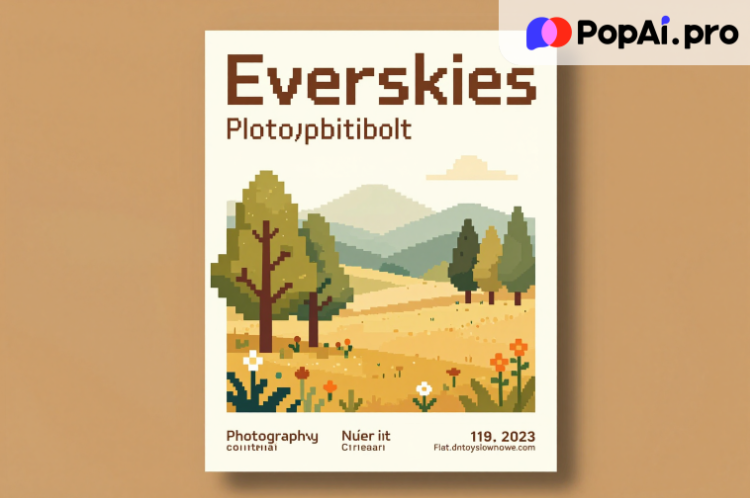
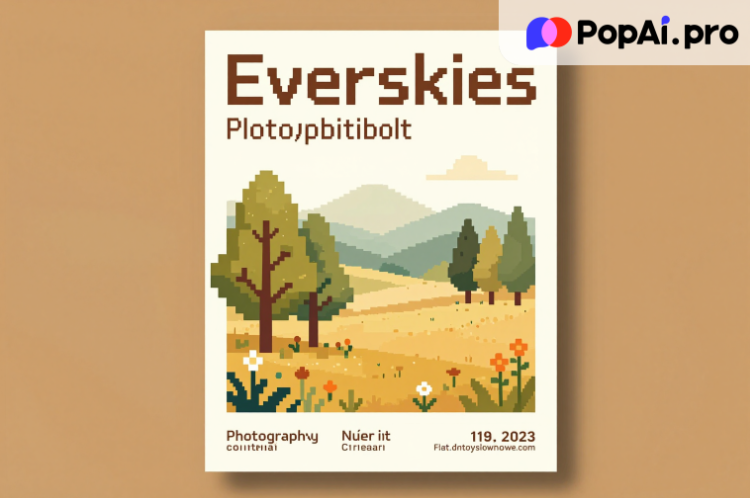
Let’s start with Poster Design, a task that requires a balance of visual appeal and clear messaging. With PopAi’s AI Art Image Generator, you don’t need advanced design skills to create stunning visuals. Simply type a text description—such as “minimalist poster for a photography exhibition, warm tones, focus on nature motifs”—and PopAi generates high-quality art images instantly. This is a game-changer for those who lack access to expensive design software or struggle with visual ideation. For example, a freelance curator preparing for a local art show used PopAi to generate 10 poster drafts in 15 minutes, then refined the chosen design using the tool’s seamless editing features. No more waiting for a designer or compromising on your vision; PopAi puts the creative control in your hands.
When it comes to Exhibition Portfolios, organization and presentation are everything. PopAi’s Smart Document Management and Flexible Document Creation features make it easy to compile, edit, and polish your portfolio. You can quickly create custom documents, adjusting the word count and format to highlight your best work. Need to add annotations to explain your design process? PopAi’s One-Click Annotation Management lets you mark key sections, ensuring viewers understand the story behind each piece. Plus, the Auto-Save Management feature means you’ll never lose a draft—critical for busy professionals juggling multiple projects. Whether you’re a student applying to art school or a seasoned designer showcasing your portfolio to clients, PopAi streamlines the entire process, letting you focus on curating your work rather than managing files.
The Secret to Standout PPT Templates: PopAi’s Audience-Centric AI Tools
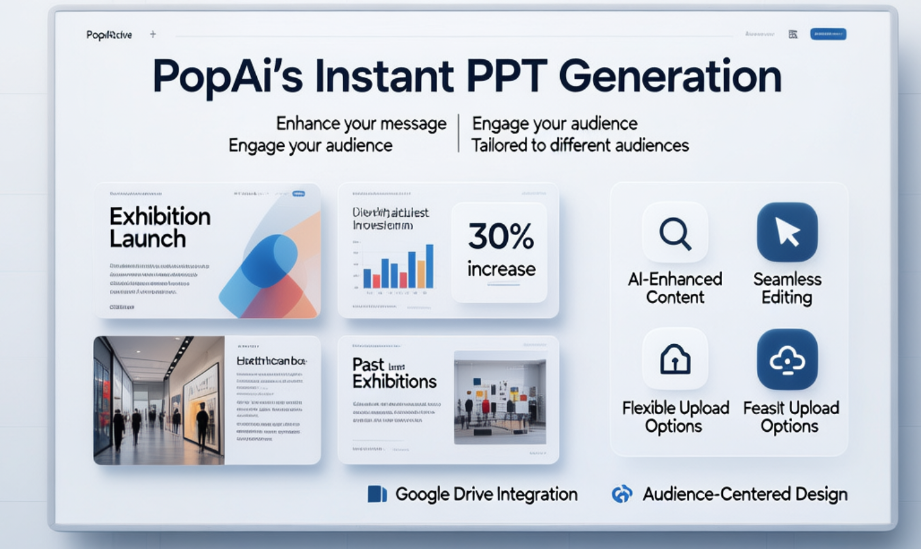
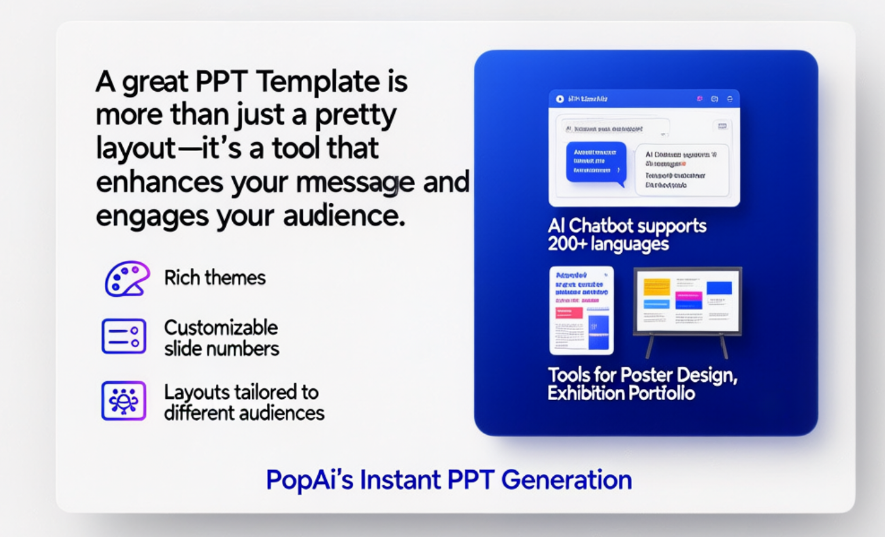
A great PPT Template is more than just a pretty layout—it’s a tool that enhances your message and engages your audience. PopAi’s Instant PPT Generation feature is designed to do exactly that, with rich themes, customizable slide numbers, and layouts tailored to different audiences. Unlike generic templates that feel one-size-fits-all, PopAi lets you create presentations that align with your specific needs, whether you’re pitching a project, teaching a class, or presenting an Exhibition Portfolio to stakeholders.
Here’s a concrete example: A marketing manager tasked with creating a PPT for an exhibition launch used PopAi to generate a template aligned with the event’s brand colors and theme. Using the AI-Enhanced Content feature, PopAi searched for relevant images of past exhibitions and generated compelling captions, ensuring the presentation was both informative and visually appealing. The manager then used Seamless Editing to adjust the slide structure, moving key sections to the front to grab attention early. Thanks to PopAi’s Audience-Centered Design, the presentation resonated with attendees, leading to a 30% increase in post-event inquiries. Best of all, the manager could import existing documents from Google Drive using PopAi’s Flexible Upload Options, avoiding the hassle of retyping content.
PopAi also solves a common problem with PPT creation: turning dense documents into clear, engaging slides. Its Auto-Convert to Presentation feature lets you upload a PDF or DOC file of your Exhibition Portfolio or Poster Design notes, and PopAi automatically transforms the content into a well-structured PPT. The AI-Driven Content Editing tool then summarizes long paragraphs, compresses redundant information, and even translates text into 200+ languages via the AI Chatbot—perfect for international exhibitions or multilingual audiences. This feature isn’t just a time-saver; it ensures your presentations are concise and accessible, key factors for holding your audience’s attention.
PopAi’s Hidden Gems: Tools That Make Design & Portfolio Work Effortless
Beyond the headline features, PopAi has a suite of hidden tools that add immense value to your Poster Design, Exhibition Portfolio, and PPT Template projects. Let’s start with the AI Chatbot, which supports over 200 languages for real-time dialogue. Stuck on a poster slogan? Unsure how to structure your portfolio? Just ask PopAi. For example, a non-native English speaker creating an international Exhibition Portfolio used the chatbot to refine their artist statements, ensuring clarity and professionalism. The chatbot also answers technical questions, such as “How do I customize slide layouts in PopAi?”—eliminating the need to search for tutorials online.
PopAi’s AI Document Reading feature is another standout. Upload a PDF of exhibition guidelines or design briefs, and PopAi provides a smart summary, highlighting key requirements (e.g., poster size, portfolio format, PPT length). This saves you from scrolling through lengthy documents, ensuring you never miss a critical detail. The Smart Reading Comprehension tool takes it a step further, generating flowcharts to simplify complex information—ideal for mapping out your portfolio structure or PPT presentation flow. For instance, a student used this tool to create a flowchart of their design process, which they added to their Exhibition Portfolio to showcase their workflow.
Annotation management is often an afterthought, but it’s crucial for collaborative projects. PopAi’s One-Click Annotation feature lets you add comments, notes, and markers to your Poster Design drafts, Exhibition Portfolio pages, or PPT slides. This makes it easy to collaborate with team members or incorporate feedback from clients. You can organize annotations by category, ensuring a systematic approach to revisions. Plus, all annotations are saved automatically, so you can track changes over time and revert to previous versions if needed.
From Concept to Completion: PopAi’s End-to-End Design Workflow
What sets PopAi apart is its ability to support your entire creative workflow—from ideation to final delivery—for Poster Design, Exhibition Portfolios, and PPT Templates. Let’s walk through a typical workflow to see how PopAi integrates seamlessly at every step. First, use the AI Chatbot to brainstorm ideas: “What are trending Poster Design styles for 2025 art exhibitions?” or “How to structure an Exhibition Portfolio for a graphic design role?” The chatbot provides tailored suggestions, kickstarting your creativity.
Next, generate visual assets with PopAi’s AI Art Image Generator for your poster or PPT slides. Then, use Flexible Document Creation to draft your Exhibition Portfolio, adjusting the format to fit your needs. Upload reference documents (e.g., exhibition briefs, client feedback) using the Flexible Upload Options, and let PopAi’s AI Document Reading feature summarize the key points. As you work, the Auto-Save Management ensures you never lose progress. When it’s time to refine, use Seamless Editing to polish your PPT or poster, and AI-Driven Content Editing to enhance your portfolio’s text.
Finally, convert your portfolio or notes into a PPT using the Auto-Convert feature, and use AI-Enhanced Content to add relevant images and captions. If you need to present to an international audience, the AI Chatbot can translate your PPT content into multiple languages. Throughout the process, PopAi’s Smart Document Management keeps all your files organized, so you can easily access drafts, final versions, and feedback in one place. This end-to-end support eliminates the need for multiple tools, saving you time and reducing frustration.
Must-Have PopAi Templates & Hacks for Instant Design Wins
To make your work even easier, PopAi offers pre-built templates and hacks for Poster Design, Exhibition Portfolios, and PPT Templates that you can start using today. For Poster Design, try this text prompt template for the AI Art Image Generator: “[Style] poster for [Event Type], [Color Scheme], key elements: [Element 1], [Element 2], [Element 3], minimal text, high contrast.” For example, “Vintage poster for a jazz exhibition, black and gold, key elements: saxophone, sheet music, stage lights, minimal text, high contrast.” This prompt ensures PopAi generates visuals that align with your event’s theme.
For Exhibition Portfolios, use this structure template, customizable via PopAi’s Flexible Document Creation: 1. Introduction (brief bio and design philosophy), 2. Featured Projects (each with a description, process notes, and final work), 3. Skills & Tools, 4. Testimonials (if applicable). Use PopAi’s One-Click Annotation to add process notes, such as “This poster was revised 3 times based on client feedback” or “I used PopAi’s AI Image Generator to create the background.” This adds depth to your portfolio and showcases your attention to detail.
For PPT Templates, PopAi’s Audience-Centered Design feature lets you choose from pre-built layouts for different scenarios: “Exhibition Launch Presentation,” “Portfolio Pitch,” “Student Project Showcase,” etc. Use this hack to save time: Upload your portfolio PDF to PopAi, use Auto-Convert to Presentation to generate a base PPT, then use Seamless Editing to rearrange slides and AI-Enhanced Content to add visuals. This ensures your PPT aligns with your portfolio and maintains a consistent brand voice.
Copy-Paste Ready Hacks: Elevate Your Work With PopAi Today
To help you get started immediately, here are copy-paste ready for common tasks, all powered by PopAi:
• Poster Design Prompt: “Generate a [Style] poster for [Exhibition Name], [Color Palette], key visuals: [Visual 1], [Visual 2], text: [Event Date, Venue], high-resolution, print-ready.”
• Exhibition Portfolio Introduction: “I’m a [Designer Type] specializing in [Niche]. This portfolio showcases my work on Poster Design, exhibition curation, and visual storytelling, all refined with PopAi’s AI tools for clarity and impact.”
• PPT Template Opening Slide: “[Presentation Title] | [Your Name/Brand] | [Date] | Designed with PopAi – Elevating Poster Design, Exhibition Portfolios, and Presentations Through AI.”
• PopAi Document Summary Request: “Summarize this exhibition brief PDF, highlight key requirements for Poster Design, portfolio format, and PPT length, and generate a flowchart of the submission process.”
• Multilingual PPT Hack: “Translate all text in this PPT to [Language] using PopAi’s AI Chatbot, keep the visual elements unchanged, and ensure terminology is consistent with design industry standards.”
PopAi isn’t just another AI tool—it’s a partner in your creative journey. Whether you’re crafting a Poster Design that catches the eye, an Exhibition Portfolio that lands you the job, or a PPT Template that wows your audience, PopAi’s multifunctional features save you time, boost your creativity, and ensure professional results. Say goodbye to design frustration and hello to effortless creativity with PopAi.