
Presentation Summary
Strategic Tool Selection for UX/UI Designers in 2026 - An Evidence-Based Comparison Evolution of both platforms in 2026 and current industry landscape for design tools. Real-time editing, stakeholder access, and team workflow capabilities compared side-by-side. Freemium models, per-seat costs, and total cost of ownership for different team sizes. Community resources, AI tools, and integration capabilities for both design platforms. Onboarding experience, training resources, and time to productivity for new users.
Full Presentation Transcript
Slide 1: Figma vs Sketch: A Comparative Analysis
Strategic Tool Selection for UX/UI Designers in 2026 - An Evidence-Based Comparison
Slide 2: Contents
- Market Context: Evolution of both platforms in 2026 and current industry landscape for design tools.
- Collaboration Features: Real-time editing, stakeholder access, and team workflow capabilities compared side-by-side.
- Pricing Analysis: Freemium models, per-seat costs, and total cost of ownership for different team sizes.
- Plugin Ecosystem: Community resources, AI tools, and integration capabilities for both design platforms.
- Learning Curve: Onboarding experience, training resources, and time to productivity for new users.
- Recommendations: Decision framework and use case scenarios to help you choose the right tool.
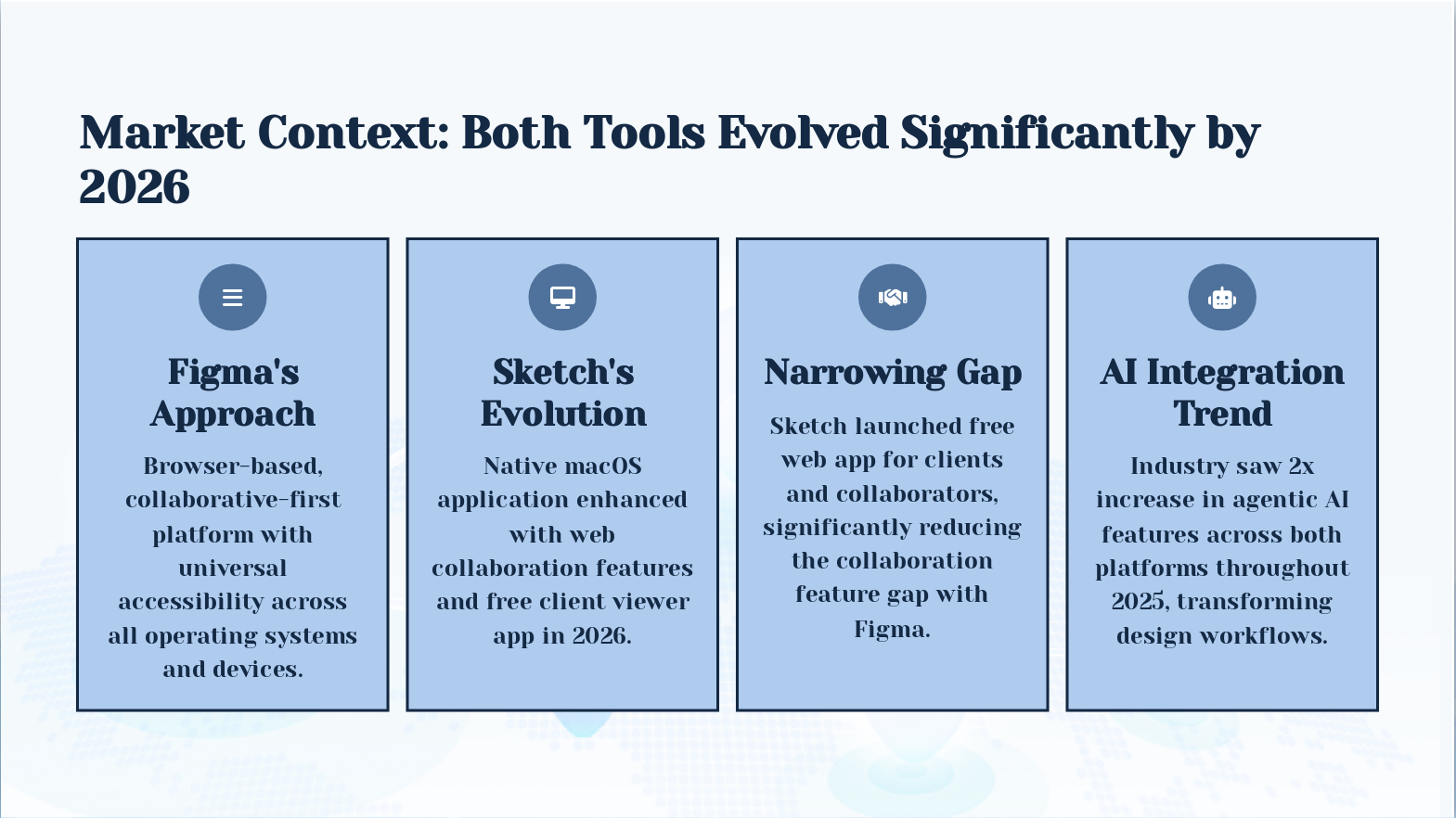
Slide 3: Market Context: Both Tools Evolved Significantly by 2026
- Figma's Approach: Browser-based, collaborative-first platform with universal accessibility across all operating systems and devices.
- Sketch's Evolution: Native macOS application enhanced with web collaboration features and free client viewer app in 2026.
- Narrowing Gap: Sketch launched free web app for clients and collaborators, significantly reducing the collaboration feature gap with Figma.
- AI Integration Trend: Industry saw 2x increase in agentic AI features across both platforms throughout 2025, transforming design workflows.
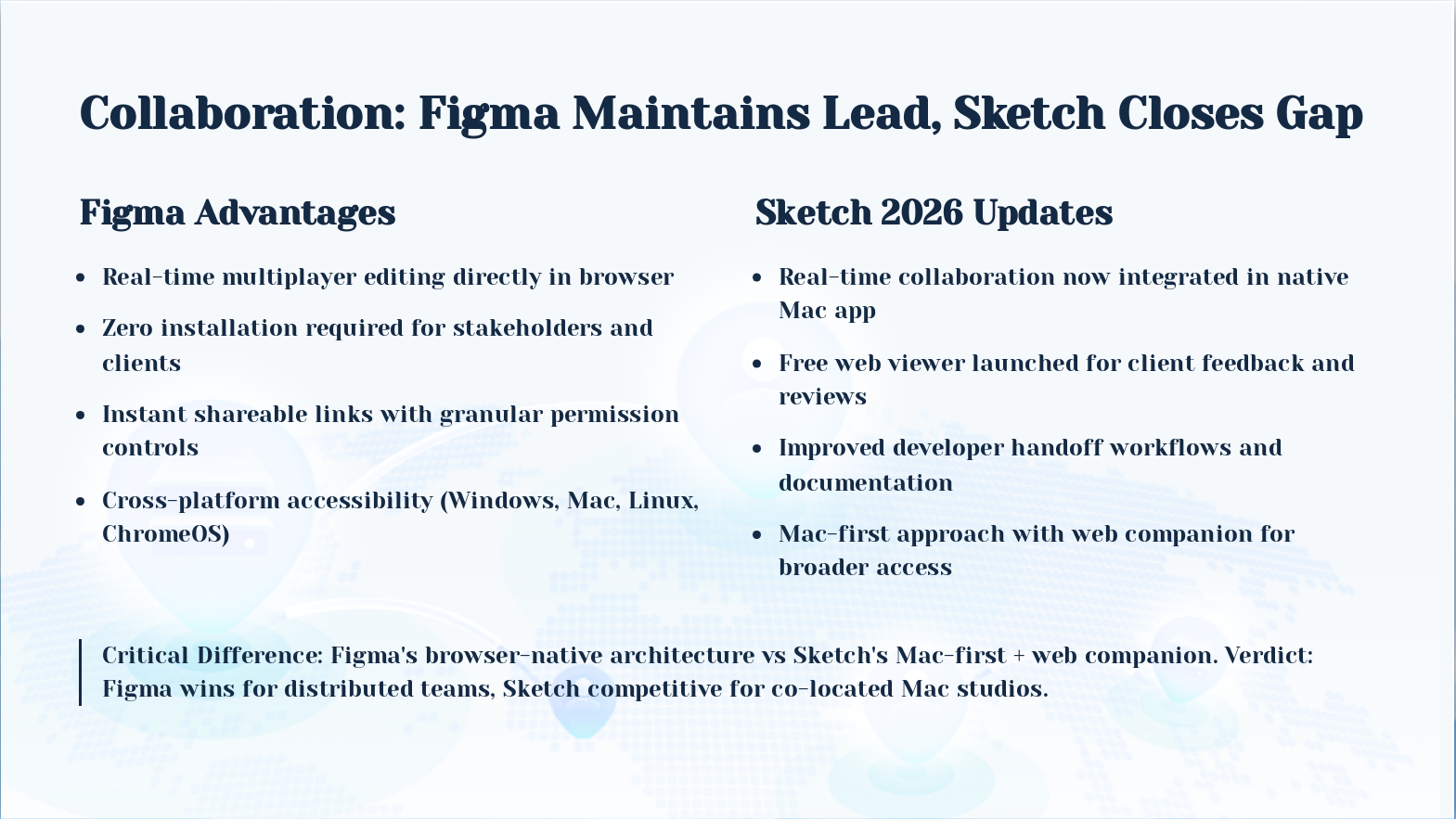
Slide 4: Collaboration: Figma Maintains Lead, Sketch Closes Gap
Real-time multiplayer editing directly in browser
Zero installation required for stakeholders and clients
Instant shareable links with granular permission controls
Cross-platform accessibility (Windows, Mac, Linux, ChromeOS)
Real-time collaboration now integrated in native Mac app
Free web viewer launched for client feedback and reviews
Improved developer handoff workflows and documentation
Mac-first approach with web companion for broader access
Critical Difference: Figma's browser-native architecture vs Sketch's Mac-first + web companion. Verdict: Figma wins for distributed teams, Sketch competitive for co-located Mac studios.
- Real-time multiplayer editing directly in browser
- Zero installation required for stakeholders and clients
- Instant shareable links with granular permission controls
- Cross-platform accessibility (Windows, Mac, Linux, ChromeOS)
- Real-time collaboration now integrated in native Mac app
- Free web viewer launched for client feedback and reviews
- Improved developer handoff workflows and documentation
- Mac-first approach with web companion for broader access
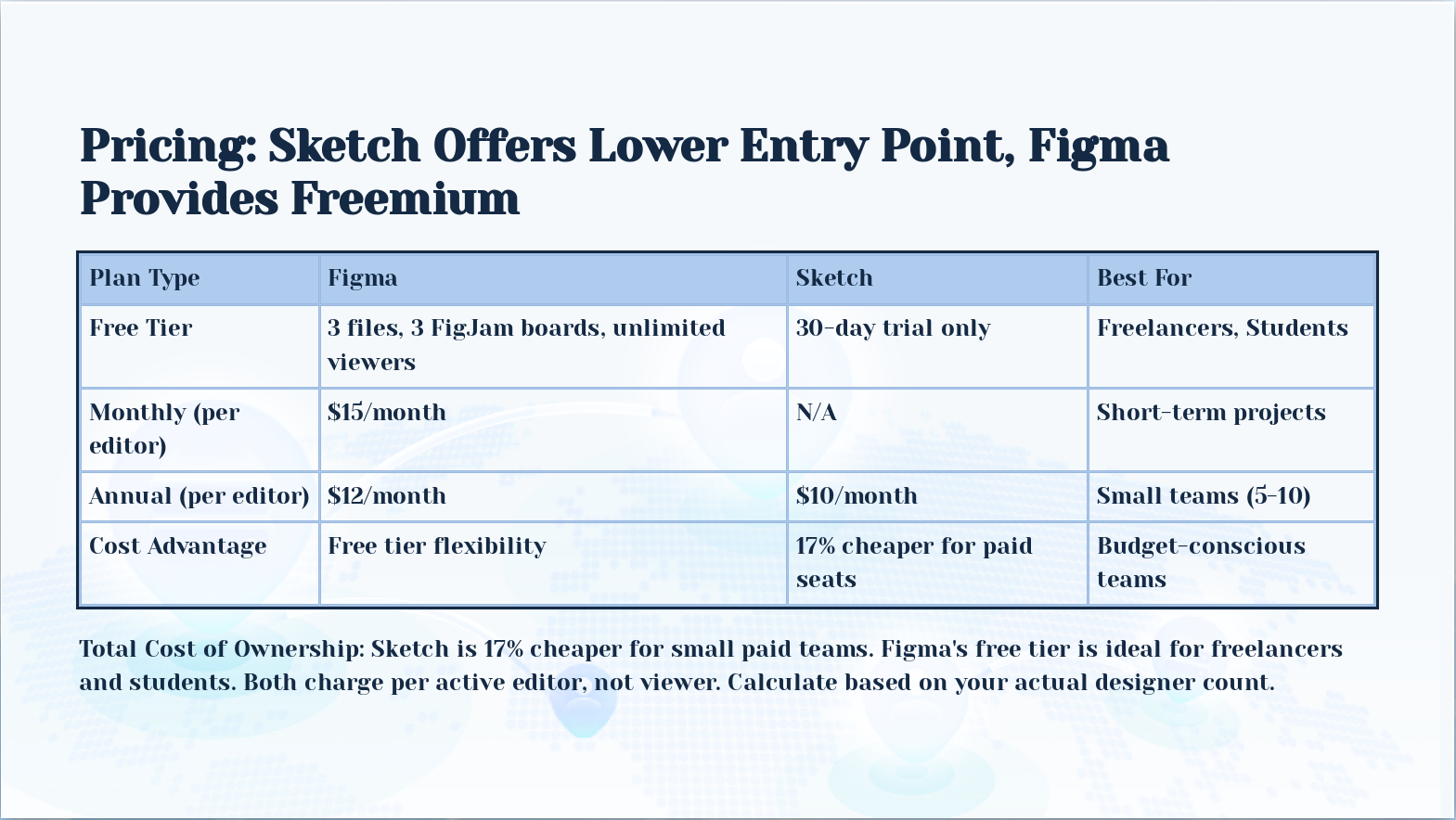
Slide 5: Pricing: Sketch Offers Lower Entry Point, Figma Provides Freemium
Total Cost of Ownership: Sketch is 17% cheaper for small paid teams. Figma's free tier is ideal for freelancers and students. Both charge per active editor, not viewer. Calculate based on your actual designer count.
- Plan Type: Free Tier, Figma: 3 files, 3 FigJam boards, unlimited viewers, Sketch: 30-day trial only, Best For: Freelancers, Students
- Plan Type: Monthly (per editor), Figma: $15/month, Sketch: N/A, Best For: Short-term projects
- Plan Type: Annual (per editor), Figma: $12/month, Sketch: $10/month, Best For: Small teams (5-10)
- Plan Type: Cost Advantage, Figma: Free tier flexibility, Sketch: 17% cheaper for paid seats, Best For: Budget-conscious teams
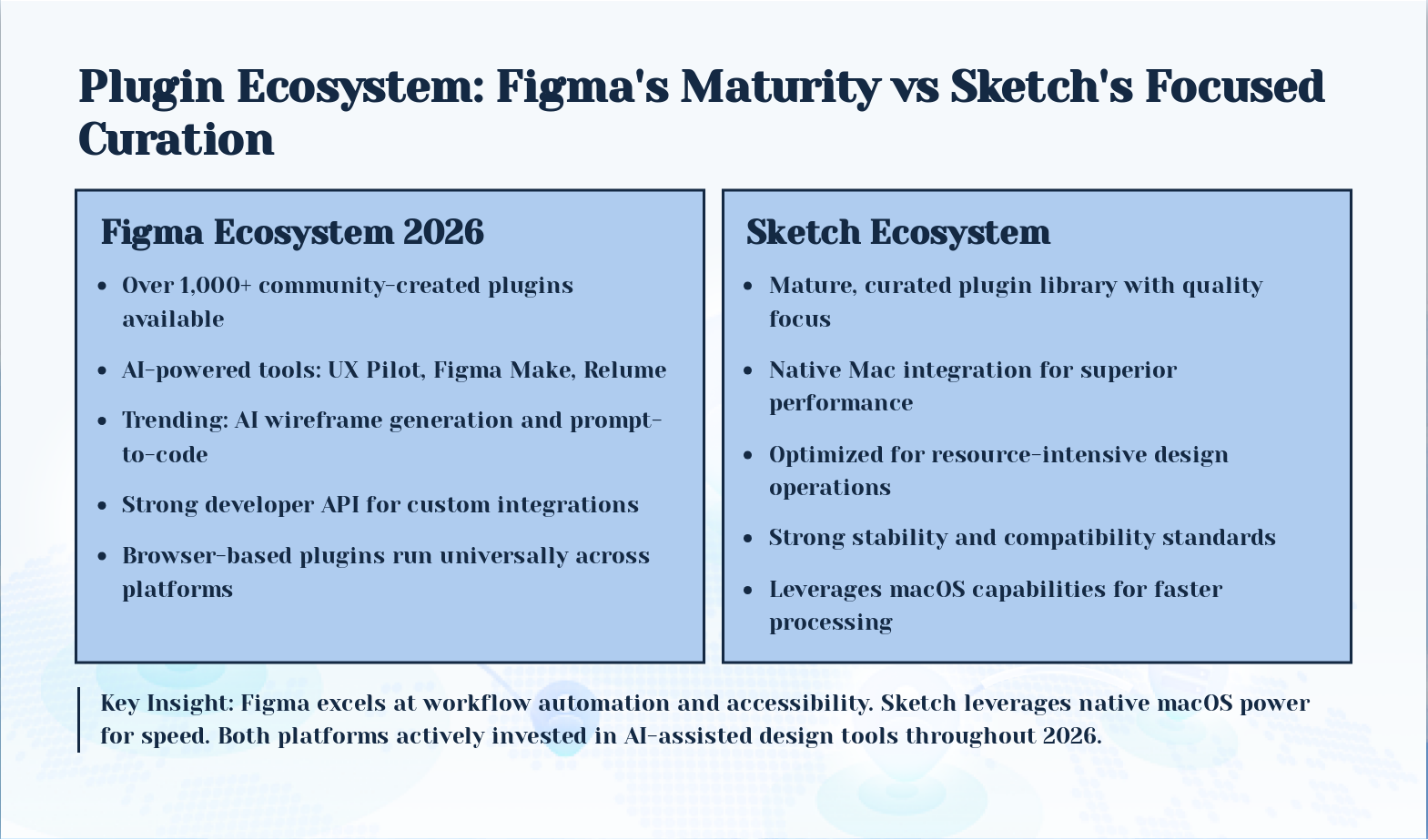
Slide 6: Plugin Ecosystem: Figma's Maturity vs Sketch's Focused Curation
- Figma Ecosystem 2026: Over 1,000+ community-created plugins available
- Sketch Ecosystem: Mature, curated plugin library with quality focus
Key Insight: Figma excels at workflow automation and accessibility. Sketch leverages native macOS power for speed. Both platforms actively invested in AI-assisted design tools throughout 2026.
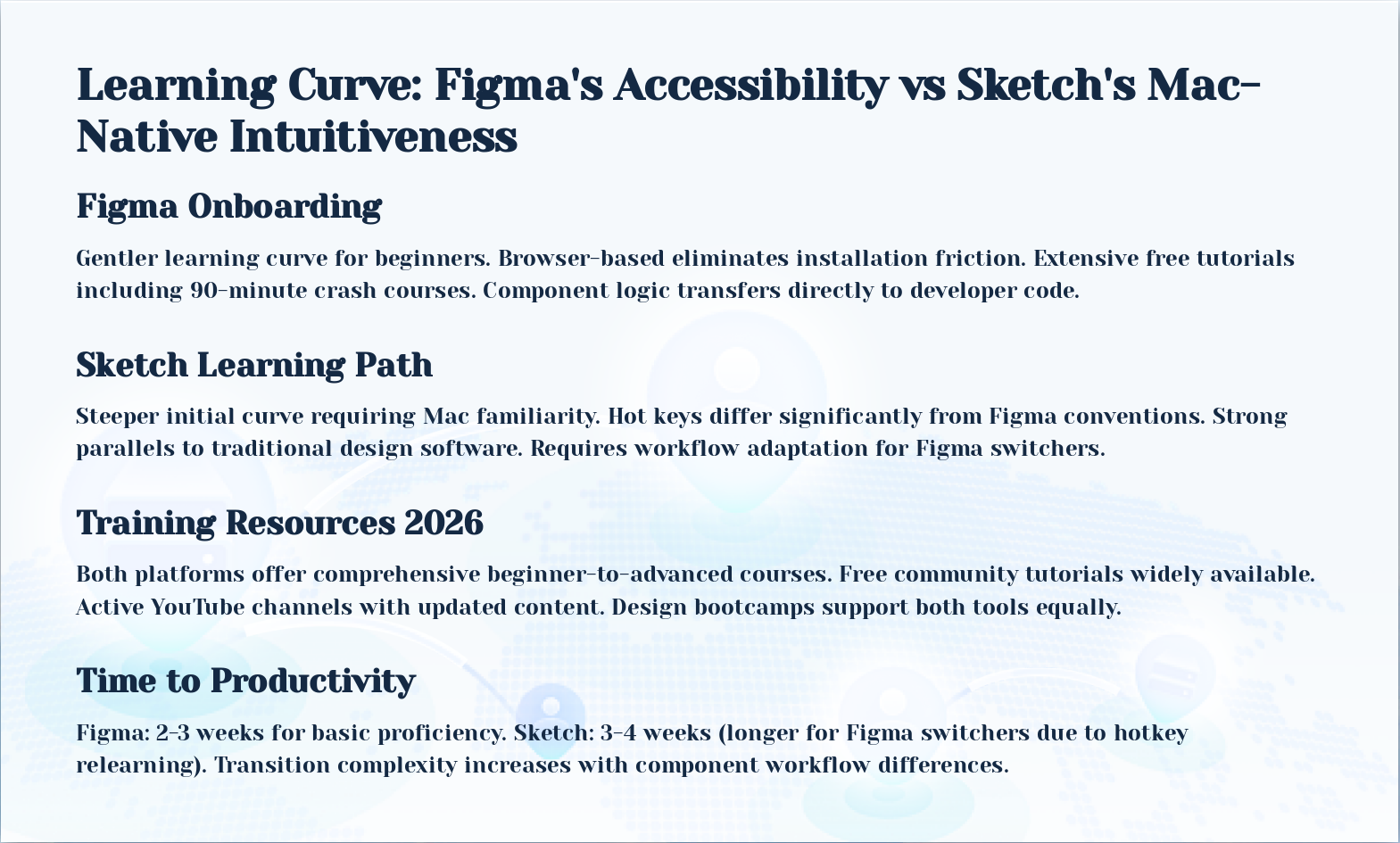
Slide 7: Learning Curve: Figma's Accessibility vs Sketch's Mac-Native Intuitiveness
- Figma Onboarding: Gentler learning curve for beginners. Browser-based eliminates installation friction. Extensive free tutorials including 90-minute crash courses. Component logic transfers directly to developer code.
- Sketch Learning Path: Steeper initial curve requiring Mac familiarity. Hot keys differ significantly from Figma conventions. Strong parallels to traditional design software. Requires workflow adaptation for Figma switchers.
- Training Resources 2026: Both platforms offer comprehensive beginner-to-advanced courses. Free community tutorials widely available. Active YouTube channels with updated content. Design bootcamps support both tools equally.
- Time to Productivity: Figma: 2-3 weeks for basic proficiency. Sketch: 3-4 weeks (longer for Figma switchers due to hotkey relearning). Transition complexity increases with component workflow differences.
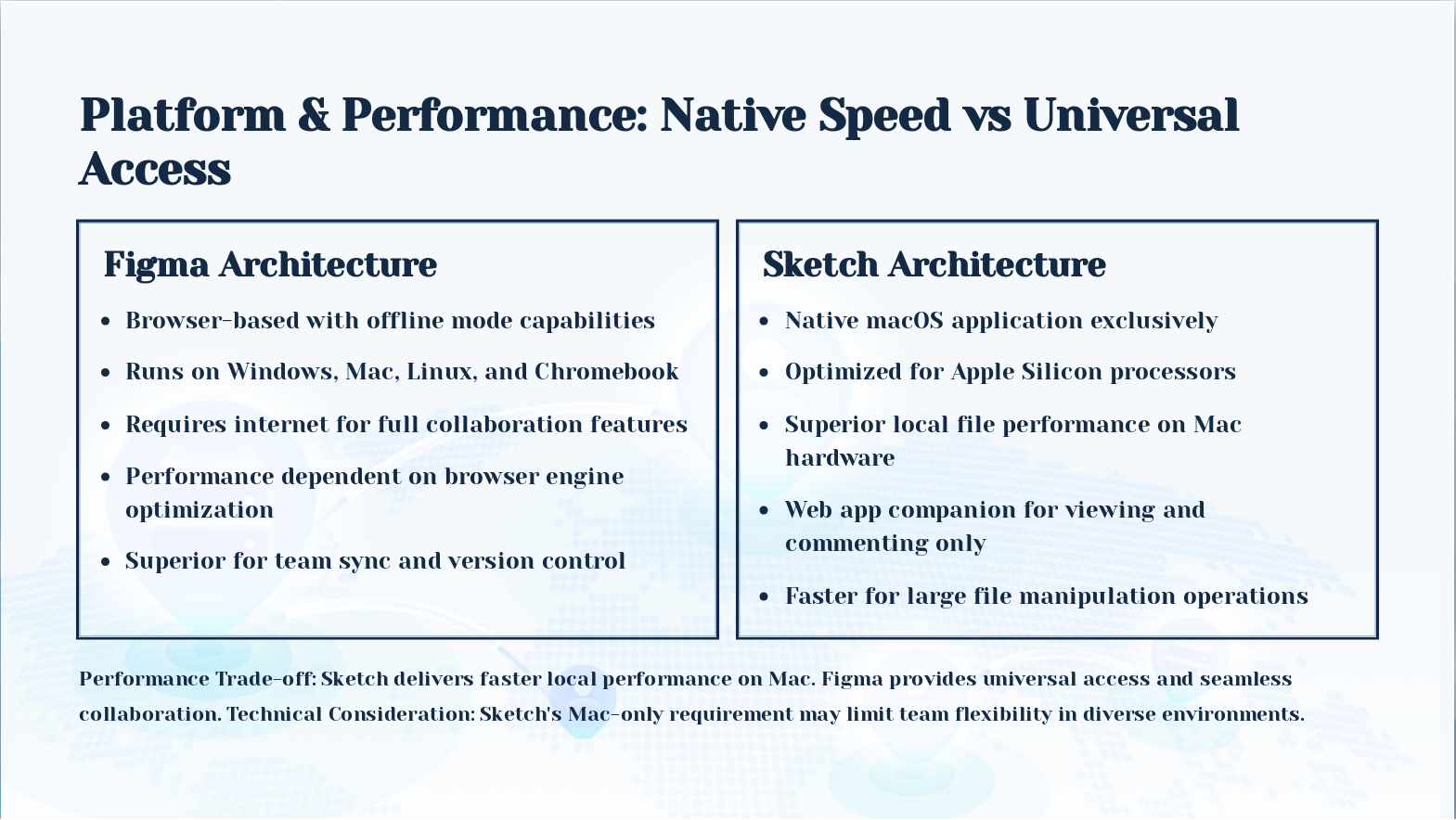
Slide 8: Platform & Performance: Native Speed vs Universal Access
- Figma Architecture: Browser-based with offline mode capabilities
- Sketch Architecture: Native macOS application exclusively
Performance Trade-off: Sketch delivers faster local performance on Mac. Figma provides universal access and seamless collaboration. Technical Consideration: Sketch's Mac-only requirement may limit team flexibility in diverse environments.
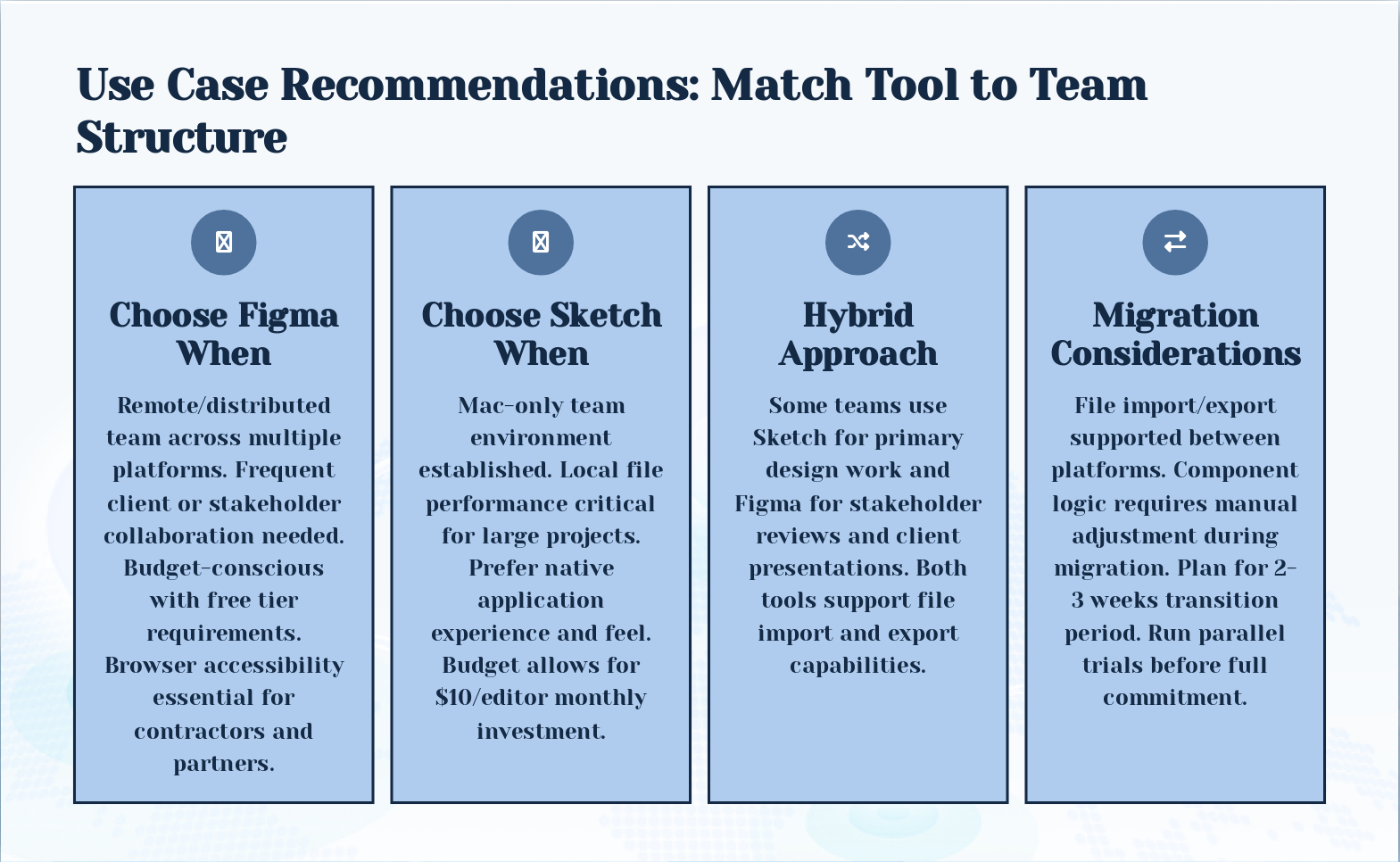
Slide 9: Use Case Recommendations: Match Tool to Team Structure
- Choose Figma When: Remote/distributed team across multiple platforms. Frequent client or stakeholder collaboration needed. Budget-conscious with free tier requirements. Browser accessibility essential for contractors and partners.
- Choose Sketch When: Mac-only team environment established. Local file performance critical for large projects. Prefer native application experience and feel. Budget allows for $10/editor monthly investment.
- Hybrid Approach: Some teams use Sketch for primary design work and Figma for stakeholder reviews and client presentations. Both tools support file import and export capabilities.
- Migration Considerations: File import/export supported between platforms. Component logic requires manual adjustment during migration. Plan for 2-3 weeks transition period. Run parallel trials before full commitment.
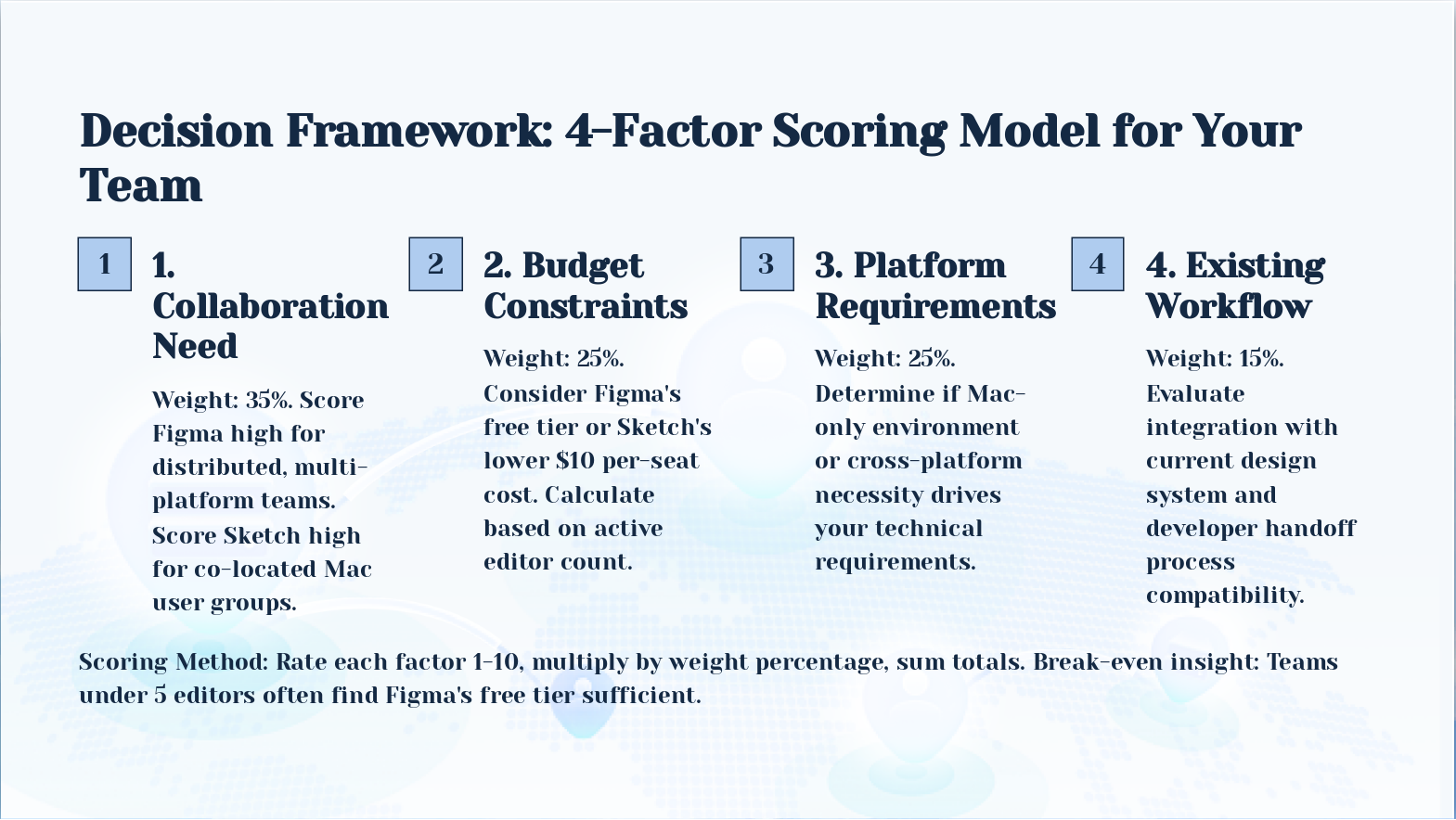
Slide 10: Decision Framework: 4-Factor Scoring Model for Your Team
- Collaboration Need: Weight: 35%. Score Figma high for distributed, multi-platform teams. Score Sketch high for co-located Mac user groups.
- Budget Constraints: Weight: 25%. Consider Figma's free tier or Sketch's lower $10 per-seat cost. Calculate based on active editor count.
- Platform Requirements: Weight: 25%. Determine if Mac-only environment or cross-platform necessity drives your technical requirements.
- Existing Workflow: Weight: 15%. Evaluate integration with current design system and developer handoff process compatibility.
Scoring Method: Rate each factor 1-10, multiply by weight percentage, sum totals. Break-even insight: Teams under 5 editors often find Figma's free tier sufficient.
Slide 11: Key Takeaway: Choose Based on Team Reality
Key Takeaway: Choose Based on Team Reality Both tools reached feature parity in 2026. Your team's platform diversity and collaboration model matter more than feature lists. Run a 30-day trial with real projects before committing.