How to Create a Sales Deck with AI (Objection handling slides)

Published on April 23, 2026

A professional sales team using AI tools to design a high-converting presentation
Leveraging AI to build persuasive sales decks that anticipate prospect needs.

For Account Executives and startup founders, the sales deck is more than just a presentation; it is the bridge between a prospect’s problem and your solution. However, creating an AI sales deck with objection handling that actually converts often feels like a full-time job. You spend hours tweaking layouts and hunting for icons, yet the most critical part—proactively addressing why a customer might say "no"—is often left as an afterthought.

In today’s fast-paced B2B environment, you cannot afford to be reactive. Prospects are more informed and more skeptical than ever. Using artificial intelligence to streamline your deck creation doesn't just save time; it allows you to simulate prospect pushback and build a visual narrative that dismantles hesitation before it even arises.

The Evolution of Sales Presentations: Why AI is the New Standard

The traditional method of building sales decks involves opening a blank PowerPoint, copying slides from a "master deck" that is likely outdated, and hoping the design doesn't look too cluttered. This approach fails because it is static. It doesn't adapt to the specific nuances of a new lead or the shifting competitive landscape.

By shifting to an AI-driven workflow, sales professionals can focus on strategy rather than formatting. AI tools can analyze your product's value proposition and generate a cohesive story arc. More importantly, they can act as a "sparring partner," identifying gaps in your logic where a prospect might raise an objection regarding price, complexity, or integration.

Pro Tip: Modern sales excellence is about personalization at scale. Use an AI presentation maker to tailor every deck to your prospect's specific industry pain points in seconds, not hours.

Step-by-Step: Building an AI Sales Deck from Scratch

Creating a high-impact deck starts with data. To get the most out of an AI tool, you need to feed it the right context. Start by inputting your target audience's profile, the core problem you solve, and your unique selling points (USPs).

  1. Define the Narrative: Tell the AI the "Before and After" story. What does the prospect's world look like now, and how does it improve with your product?
  2. Generate the Outline: Let the AI suggest a slide structure. A standard high-converting flow includes: The Hook, The Problem, The Cost of Inaction, The Solution, Case Studies, and the Call to Action.
  3. Refine the Visuals: AI can suggest imagery that matches your brand voice. Instead of generic stock photos of people shaking hands, use AI to generate conceptual visuals that represent "Growth," "Security," or "Efficiency."

The Core of Conversion: Mastering Objection Handling Slides with AI

This is where most sales decks fall short. An AI sales deck with objection handling should include a dedicated section—often placed right after the solution or pricing—that addresses common "deal killers."

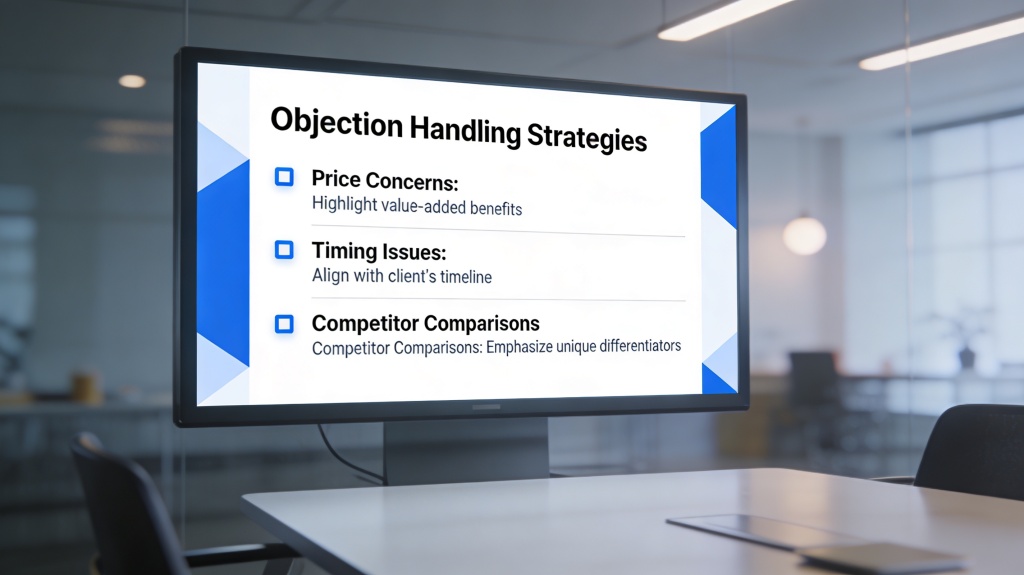
Objections usually fall into four buckets: Budget, Authority, Need, and Timeline (BANT). You can prompt your AI to: "Generate three slides addressing common objections for a mid-market CTO regarding software implementation time." The AI will then produce slides that might include a 'Migration Roadmap' or a 'Time-to-Value' chart.

A dashboard showing AI-generated objection handling scenarios for a sales pitch
AI can help you visualize rebuttals to common prospect concerns like pricing and integration.

When the AI generates these slides, ensure they follow the Feel-Felt-Found technique or the ARC (Acknowledge, Respond, Confirm) method. For example, if the objection is price, the AI-generated slide should focus on ROI and the "Cost of Inaction" rather than just a discount table.

Designing for Persuasion: Visualizing Solutions, Not Just Features

Prospects don't buy features; they buy outcomes. AI helps you move away from bullet-pointed lists of features toward visual representations of success. If your software speeds up a process, don't just say "30% faster." Use AI to generate a side-by-side comparison chart or a "Future State" workflow diagram.

Visual consistency is key. AI ensures that your objection handling slides don't look like they were tacked on at the last minute. They should share the same color palette, typography, and icon style as your primary value prop slides, maintaining a professional and trustworthy appearance throughout the presentation.

Common Mistakes to Avoid in AI-Generated Sales Decks

While AI is a powerhouse, it is not a replacement for human empathy. One common mistake is leaving the AI's "hallucinations" or generic fluff in the final deck. Always review the copy to ensure it sounds like your brand's voice. Another pitfall is including *too many* objection slides. If you address 20 different objections, you might actually plant seeds of doubt that weren't there before. Stick to the top 3-4 most likely concerns.

A clean, minimalist sales slide layout created by AI
Keep your slides clean and focused; AI helps maintain visual hierarchy and clarity.

The Future of Sales Enablement: AI-Driven Iteration

The best sales decks are living documents. In the future, AI will analyze which slides in your deck caused the most engagement or where prospects tended to drop off during a Zoom call. This feedback loop will allow you to automatically iterate on your objection handling slides, refining the language and visuals based on real-world performance data.

FAQ: Solving Common Sales Deck Hurdles

How many objection handling slides should I include in a sales deck?

Typically, you should have 2-4 slides dedicated to the most common objections. However, don't show them all at once. Keep them in an 'Appendix' or 'Hidden' section to pull up only when the specific concern is raised by the prospect.

Can AI really predict what my customers will object to?

Yes, by analyzing industry trends, competitor weaknesses, and common B2B pain points, AI can accurately predict about 80% of standard objections regarding price, implementation, and ROI.

Is it better to address objections early or late in the presentation?

It is usually best to weave 'pre-emptive' objection handling into your value proposition early on, while saving specific technical or pricing rebuttals for the end or the Q&A session.

Create your presentation with one click now

Stop wrestling with slide layouts. Use PopAi to generate a professional, persuasive sales deck with built-in objection handling in seconds.

Try PopAi for Free

Marcus Thorne

Marcus is a Sales Enablement Strategist with over 12 years of experience helping SaaS companies optimize their pitch decks and closing ratios through technology.

Related Articles