Build a Portfolio Presentation with AI
July 14, 2026
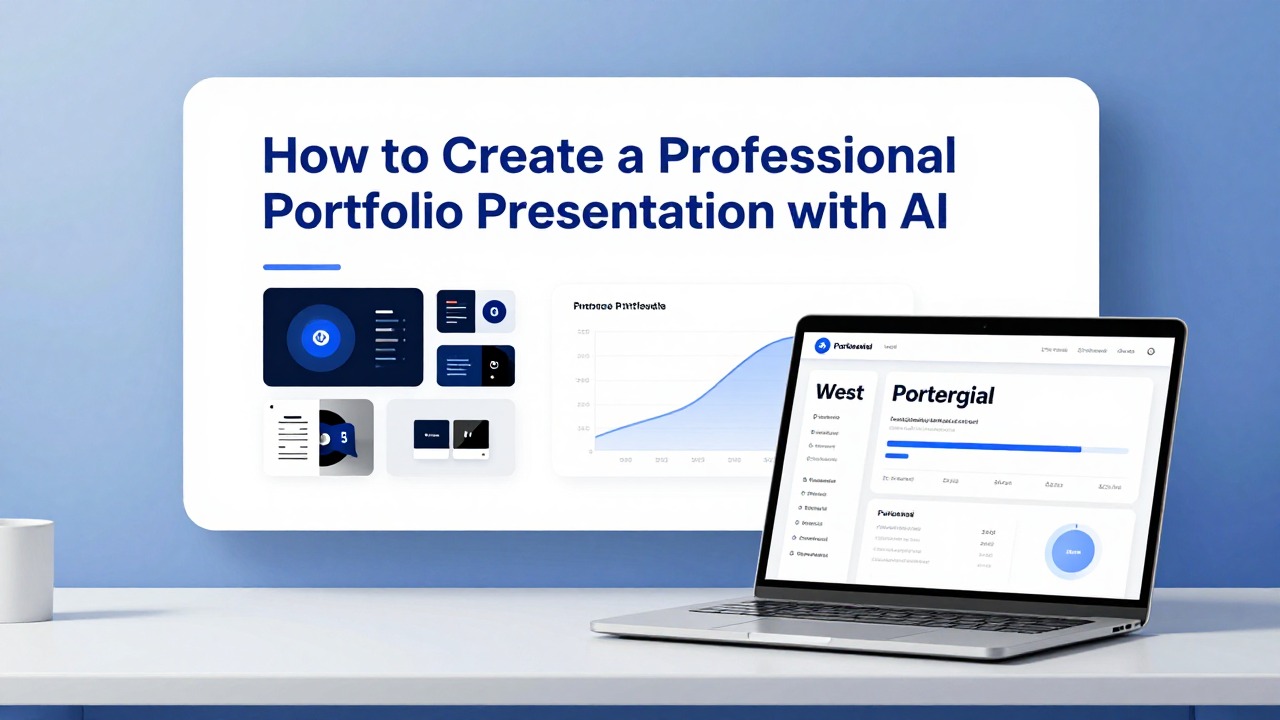
A strong portfolio presentation is not a folder of everything you have ever made. It is a selected, audience-specific story that explains what you did, why it mattered, how you made decisions, and what the viewer should remember about you.
AI can help you move from scattered materials to a polished deck faster, especially when you already have project notes, screenshots, resumes, case study drafts, research summaries, or rough bullet points. The key is to use AI for structure, drafting, and formatting support, then add human judgment, accurate evidence, real visuals, and your own voice.
This guide shows a reusable workflow for building a portfolio presentation with AI for job applications, client pitches, academic reviews, freelance proposals, creative showcases, and internal promotion conversations.
When you are ready to turn the workflow into slides, PopAi AI Presentation can help transform rough notes, documents, or prompts into an editable deck structure.
What a Portfolio Presentation AI Workflow Should Produce
Before you use an AI PPT generator, define the deck you are trying to create and the decision you want it to support.
A professional portfolio presentation is a curated slide deck that turns selected work into a clear story. It is not a complete archive, a visual dump, or a long case study document copied onto slides. The viewer should quickly understand who you are, what kind of work you do, which projects prove it, and what action you want them to take next.
The use case changes the shape of the deck. A recruiter may need evidence of role fit and collaboration. A client may need confidence that you understand their problem and can deliver. An admissions committee may care about learning, process, and intellectual growth. A design review audience may focus on trade-offs, iterations, and decision quality. Portfolio presentation AI can help organize those different needs into a slide sequence, but it should not decide the truth of your work for you.
- Job interview deck: emphasize role match, selected projects, process, collaboration, measurable or observable outcomes, and contact details.
- Freelance pitch deck: emphasize client problem, services, relevant examples, process, deliverables, timeline assumptions, and next step.
- Client proposal deck: connect past work to the prospect's current challenge and show how your approach reduces uncertainty.
- Design review deck: show problem framing, research, explorations, design decisions, constraints, prototypes, and open questions.
- Academic application deck: highlight coursework, research, capstone work, reflection, learning progression, and future direction.
- Internal promotion deck: connect your projects to team priorities, leadership behaviors, cross-functional impact, and readiness for the next level.
- Creative showcase deck: emphasize visual identity, range, craft, concept, references, process, and presentation quality.
Most polished portfolio decks include a title slide, a short positioning statement, an audience-specific summary, three to five selected projects, process slides, evidence of outcomes or learning, a skills snapshot, and a clear next-step slide. For creative portfolios, the deck should also show how ideas developed, not only the final visuals.
Use AI to build the scaffolding, not to invent the building. Your strongest deck still depends on accurate evidence, real work samples, and personal judgment.
If you are unsure what to include, write the decision at the top of your planning document: hire me, invite me to interview, approve my proposal, admit me, promote me, or remember my creative direction. Every slide should help that decision.
Portfolio Presentation Templates by Role
A portfolio deck should prove judgment, taste, and results. AI can help structure the story, but you need role-specific evidence instead of generic “about me” slides.
| Audience / role | Slide sequence | Proof to show | CTA |
|---|---|---|---|
| Designer | Cover, design point of view, 2-3 case studies, process, before/after, results, tool stack, contact. | Screens, sketches, design system elements, usability findings, launch metrics, testimonials. | “View full case study” or “Book a portfolio review.” |
| Writer | Cover, niche, sample themes, 3 writing samples, editorial process, results, voice range, contact. | Published clips, content metrics, edited before/after, client brief, testimonials. | “Request writing samples” or “Discuss a content project.” |
| Marketer | Cover, growth thesis, campaign case studies, channel mix, KPI results, lessons, next experiment, contact. | Campaign dashboards, CAC/ROAS, conversion lift, creative examples, landing-page tests. | “Review campaign plan” or “Schedule a strategy call.” |
| Student | Cover, academic focus, selected projects, research/process, team role, learning outcomes, next goals, contact. | Project artifacts, grades if relevant, professor feedback, competition results, prototype images. | “Invite me to interview” or “View project repository.” |
| Consultant | Cover, expertise, client/problem types, 2 case examples, framework, measurable outcomes, working model, contact. | Framework diagrams, sanitized client examples, quantified impact, recommendations, testimonials. | “Request proposal” or “Discuss your project.” |
Do not let AI invent client names, metrics, awards, employers, or project ownership. Use AI to clarify the story around real work.
Prepare Your Portfolio Materials Before You Generate Slides
Better inputs produce better AI-generated decks, so organize your source material before asking any tool to create slides.
Many weak AI-generated portfolio decks fail before the first prompt because the source material is vague. If you feed an AI tool a resume and a few project names, it may produce broad claims such as strategic thinker, innovative designer, or results-driven marketer. Those phrases sound polished, but they do not prove anything. Your job is to give the tool specific raw material it can structure.
- Resume or professional bio with current role, target role, core skills, and relevant experience.
- Project summaries with your role, the problem, audience, constraints, process, tools, deliverables, and result or learning.
- Case study notes, drafts, research summaries, campaign recaps, design rationale, or class project reflections.
- Screenshots, mockups, prototypes, diagrams, presentation images, campaign assets, writing samples, dashboards, or before-and-after visuals.
- Process material such as sketches, wireframes, research notes, content maps, rejected concepts, or iteration snapshots.
- Testimonials only if they are real, approved, and appropriate to share.
- Metrics only if verified, relevant, and safe to disclose.
- Audience requirements such as job description, client brief, application instructions, portfolio review criteria, or proposal request.
Select three to five strong projects for the main deck. More projects can make you look unfocused, especially in an interview or pitch setting. Choose work that is relevant to the audience, shows range without becoming scattered, and gives you enough evidence to tell a credible story. If you need to show breadth, use one skills or selected highlights slide rather than giving every project a full case study.
- Write the project name and one-line description.
- State your exact role, including what you owned and what other people contributed.
- Define the problem or opportunity in plain language.
- Name the audience, user group, client type, stakeholder group, or academic context.
- List constraints such as time, budget, brand guidelines, technical limitations, research access, or course requirements.
- Summarize your process in three to five steps.
- List tools used only when they matter to the audience.
- Describe the final output, such as a campaign, prototype, research report, website, presentation, strategy model, or visual system.
- Add the result, learning, or decision supported by the work.
- Explain why this project belongs in the deck for this specific audience.
Before uploading or pasting materials into any AI tool, remove confidential client information, private user data, unapproved internal documents, unreleased product details, legal material, and anything covered by a non-disclosure agreement. Replace sensitive names with neutral labels such as B2B software client, regional nonprofit, graduate research project, or internal operations team.
If you do not have measurable outcomes, do not invent numbers. Use careful qualitative language such as improved clarity, supported launch preparation, helped stakeholders compare options, clarified the customer journey, or strengthened the final critique discussion.
Use an AI PPT Generator to Build the First Portfolio Deck
Once your materials are organized, use AI to create a draft outline and editable slide deck rather than designing from a blank page.
An AI PPT generator is most useful at the beginning of the portfolio process, when you need structure, slide titles, narrative flow, and a first version of the deck. PopAi AI Presentation fits this stage well because it can help turn prompts, documents, notes, and rough ideas into a structured presentation faster. For example, you can start with project briefs, a resume, and a target job description, then ask for a portfolio deck outline that matches the audience.
- Define the audience: recruiter, hiring manager, client, admissions committee, professor, creative director, manager, or investor.
- Choose the deck goal: get an interview, explain your process, win a proposal, pass a review, support a promotion, or showcase creative range.
- Paste or upload prepared project notes, removing confidential material first.
- Ask for a slide outline before generating the full deck so you can check sequence and emphasis.
- Generate the first deck using a clear visual direction, such as minimal editorial, clean product design, academic review, or client pitch style.
- Review the slide sequence and remove anything that distracts from the audience's decision.
- Rewrite weak sections that sound vague, exaggerated, or too detached from your actual work.
- Replace placeholder visuals with approved screenshots, mockups, diagrams, process images, or portfolio assets.
- Add presenter notes for slides that require explanation during an interview or live review.
A useful prompt gives the AI a role, audience, deck length, source materials, tone, slide style, and constraints. Avoid prompts that simply say create my portfolio. That leaves too much room for generic phrasing.
Example prompt: Create a 10-slide portfolio presentation for a UX designer applying to a product design role at a B2B SaaS company. Use these three case studies, my role notes, and the job description below. Emphasize problem framing, research synthesis, interaction design decisions, collaboration, and outcomes. Keep the style clean, image-led, and concise. Do not invent metrics or responsibilities.
PopAi workflow example one: a UX designer has a resume, three case study drafts, and screenshots from a prototype. They use PopAi AI Presentation to request a 10-slide portfolio outline first. After reviewing the outline, they generate a draft deck with one overview slide, three project sections, a process slide, and a closing slide. Their revision task is not to accept the deck as finished; it is to replace generic visuals with real mockups, cut unsupported claims, clarify their role on team projects, and add speaker notes for interview discussion.
You can also ask for audience-specific versions. A recruiter version may open with role fit and skills. A client pitch version may open with the client's problem and your services. An academic review version may open with learning goals and research questions. The same project can remain in the deck, but the framing, order, captions, and call to action should change.
Do not accept every AI-generated title, skill summary, project result, or achievement claim. Check each statement against your real work, your source material, and what you are comfortable defending in a live conversation.
Portfolio Presentation Examples by Scenario
These realistic workflows show how different professionals can adapt the same AI-assisted process without pretending the examples are verified case studies.
The best portfolio presentation structure depends on the audience and the type of proof they need. A designer proves decision-making and craft. A marketer proves positioning, execution, and campaign judgment. A student proves learning progression. A consultant proves problem framing and client-ready thinking. The following examples are sample workflows you can reuse, not invented success stories.
- Design portfolio example: A product designer applying for a mid-level role needs a 10-slide interview deck for a hiring manager and design panel. Source materials include a resume, three UX case study drafts, Figma screenshots, research notes, wireframes, and final interface images. Pain points include too much detail, unclear personal role, and slides that show final screens without explaining design decisions. The AI intervention is to ask an AI PPT generator for a clean case-study sequence: context, problem, role, constraints, process, decision points, final design, outcome or learning, and fit for the role. Revision focuses on replacing placeholders with real screens, adding captions that explain trade-offs, and cutting any claim the designer cannot support. Final use: a live interview walkthrough with presenter notes.
- Marketing portfolio example: A growth marketer preparing for a client pitch needs a 12-slide deck that shows campaign thinking without exposing private performance data. Source materials include campaign summaries, creative samples, landing page screenshots, audience personas, positioning notes, and approved results statements. Pain points include scattered campaign examples, too many channels, and unclear proof of strategic value. AI helps group the work into themes such as audience insight, message testing, content execution, and launch coordination. The revised deck uses one project slide per campaign, one slide on repeatable process, and one slide showing services. Final use: a prospect meeting where the marketer needs to look organized and credible.
- Student or academic portfolio example: A graduate student applying for a program review or internship needs an 8-slide academic portfolio. Source materials include coursework summaries, a capstone project, research abstract, critique notes, prototype images, and a short reflection. Pain points include sounding too informal, failing to connect projects to learning goals, and presenting assignments as disconnected tasks. AI helps translate the raw material into a coherent academic story: focus area, selected work, research question, methods, artifact, reflection, skills gained, and next direction. Revision focuses on accuracy, citations where needed, and making sure the student's own reflection remains authentic. Final use: academic review, internship application, or faculty discussion.
- Freelancer portfolio example: A brand designer pitching a small business client needs a concise 9-slide client-facing deck. Source materials include brand identity samples, logo variations, website screenshots, process notes, package descriptions, and approved testimonials. Pain points include overexplaining design theory, not connecting past work to client needs, and using the same portfolio for every prospect. AI helps convert the portfolio into a service narrative: client challenge, relevant examples, design process, deliverables, collaboration style, timeline assumptions, and next step. Revision focuses on removing unrelated work, adding client-specific opening language, and using only approved assets. Final use: discovery call follow-up or proposal meeting.
- Consultant case study deck example: A strategy consultant applying for an internal role or pitching an advisory engagement needs a 10-slide case study deck. Source materials include anonymized project notes, problem statements, workshop agendas, stakeholder maps, recommendation summaries, and non-confidential deliverables. Pain points include confidentiality, dense text, and difficulty showing impact without revealing client information. AI helps structure the story around problem, diagnostic approach, options considered, recommendation logic, stakeholder alignment, and reusable capability. Revision focuses on anonymization, removing sensitive data, simplifying diagrams, and clarifying the consultant's role. Final use: internal promotion discussion, proposal support, or capability showcase.
PopAi workflow example two: a freelance marketer has a resume, three campaign recaps, several landing page screenshots, and a short services document. They use PopAi AI Presentation to turn those notes into a client pitch deck outline. The first draft gives them a structure: positioning, client problem, relevant campaign examples, process, deliverables, and next step. The marketer then rewrites the opening for one prospect, removes unapproved metrics, adds real campaign screenshots, and changes the closing slide from contact me to schedule a 30-minute strategy call.
For every scenario, keep a reusable source folder with approved visuals, sanitized project briefs, and audience-specific prompts. That makes it easier to create new deck versions without starting over.
Make Creative Slides Look Personal, Not AI-Generated
The first AI-generated deck is a draft; the professional finish comes from real assets, clear editing, and design judgment.
AI-generated creative slides often look generic when they rely on placeholder icons, broad statements, and stock-like compositions. A portfolio deck should feel like it came from your body of work. Replace generic visuals with real project screenshots, approved mockups, prototypes, diagrams, process photos, sketches, campaign assets, writing excerpts, research artifacts, or before-and-after examples.
- Use consistent typography across the deck, with clear differences between title, subtitle, body, caption, and label styles.
- Limit the color palette so the deck feels intentional rather than assembled from multiple templates.
- Create a clear hierarchy on every slide: main message first, supporting evidence second, detail third.
- Crop images strongly so viewers can see the relevant part of the work without squinting.
- Write captions that explain why the visual matters, not just what it is.
- Leave enough white space around important visuals so the deck feels curated.
- Use one main message per slide instead of compressing a full case study into one crowded layout.
- Check readability at presentation size and PDF export size.
Personal voice is just as important as visual style. AI may write, I created an innovative solution that improved user engagement. A stronger human-edited version might say, I simplified the onboarding flow from six decision points to three after reviewing support tickets and prototype feedback. The second version is more credible because it names the decision, the input, and the design action.
For design portfolio slides, show process and decision-making, not just final visuals. Include the messy middle when it helps the story: rejected concepts, research synthesis, wireframe comparisons, copy explorations, layout tests, or critique feedback. The goal is not to show every step. The goal is to prove that your final work came from informed choices.
- Find vague AI phrases such as innovative solution, impactful results, seamless experience, or strategic approach.
- Replace each phrase with a concrete decision, constraint, trade-off, or observed learning.
- Add role clarity: I led, I contributed, I designed, I researched, I wrote, I analyzed, or I facilitated.
- Add evidence only when it is real and approved.
- Read the slide aloud to check whether it sounds like you would explain the work in a meeting.
A portfolio deck should not only show what the work looked like. It should show how you think when the work becomes difficult.
Common Mistakes to Avoid When Using AI for a Portfolio Presentation
AI can speed up portfolio creation, but common errors can make the final deck feel careless, inflated, or hard to trust.
The most common mistake is including too many projects. A portfolio presentation is usually judged by focus and relevance, not volume. If every project gets equal space, the viewer has to do the work of deciding what matters. Select your strongest and most relevant examples, then use a short appendix or link for additional work if needed.
- Do not let AI exaggerate achievements, create unsupported metrics, or imply that you owned work handled by a team.
- Do not use the same deck for recruiters, clients, academic reviewers, and internal stakeholders without changing the opening, project order, and call to action.
- Do not rely on generic icons, stock-like illustrations, or decorative shapes when real project visuals would be more credible.
- Do not keep vague labels such as impactful results, innovative process, or creative solution unless you explain the evidence behind them.
- Do not hide your role on collaborative projects; state what you personally contributed and where others were involved.
- Do not include confidential client names, internal screenshots, private user data, or unapproved results.
- Do not forget file size, export format, image quality, accessibility, and readability when sending the deck.
- Do not assume the viewer will read dense paragraphs; slides should support a conversation, not replace one.
Another mistake is treating AI's first visual style as your personal brand. Templates can help you start, but your finished deck should reflect your professional identity and the work itself. A minimalist consulting deck, a bold art direction showcase, and a research-heavy academic portfolio should not look the same.
- Accuracy: every role, date, result, metric, tool, and deliverable matches the real project.
- Audience fit: the first three slides answer why this viewer should care.
- Visual consistency: typography, spacing, color, captions, and image treatment feel intentional.
- Confidentiality: sensitive details are removed, anonymized, or approved for sharing.
- Spelling and grammar: project names, client categories, academic terms, and contact details are correct.
- Speaking notes: you know what to say beyond the text on the slide.
- Next-step slide: the deck ends with a clear action, such as interview discussion, proposal call, review meeting, or contact information.
- Export test: the PDF or presentation file opens correctly and images remain readable.
Send yourself the final deck before sharing it externally. Open it on a different screen and review it as a recruiter, client, or reviewer would: quickly, critically, and with limited context.
Final Workflow: From Rough Portfolio Notes to a Ready-to-Share Deck
The strongest portfolio presentations combine AI-assisted structure with your own evidence, taste, and audience judgment.
If you have scattered materials and limited time, do not begin by choosing fonts or arranging screenshots. Start with the story. Who is the deck for? What do they need to believe after seeing it? Which projects prove that point? Once those answers are clear, AI can help you move faster without taking over the substance of the work.
- Collect your resume, project notes, approved visuals, case study drafts, research summaries, writing samples, and audience requirements.
- Select three to five projects that are relevant, strong, and easy to explain with evidence.
- Write a short project brief for each selected project: role, problem, audience, constraints, process, output, result or learning, and why it matters.
- Use an AI PPT generator to create a slide outline before generating the full deck.
- Generate an editable first draft with a clear audience, deck goal, tone, and visual direction.
- Replace placeholder visuals with real work samples, screenshots, mockups, diagrams, or process images.
- Refine the story by cutting weak slides, clarifying your role, and adding decision-making detail.
- Tailor the opening, project order, examples, and call to action for each audience.
- Rehearse the deck aloud and revise anything that is hard to explain clearly.
PopAi AI Presentation is a practical starting point when you want to turn rough notes, documents, project summaries, or early ideas into an editable portfolio deck. It is especially useful when the blank page is slowing you down and you need a structured outline, slide sequence, and first draft that you can refine.
The best portfolio presentation AI workflow does not end with generation. It ends with review: checking facts, replacing generic visuals, editing for your voice, tailoring to the audience, and rehearsing the narrative. AI can help you build the frame; your credibility comes from the work itself.
Prepare one project brief today and generate a small three-to-five-slide test deck before building the full portfolio. You will quickly see what the AI understands, what it misses, and what you need to refine.
FAQ
Can AI create a complete portfolio presentation for me?
AI can create a strong first draft, including the outline, slide sequence, titles, and draft text. You still need to verify facts, add real project visuals, remove unsupported claims, and edit the deck so it reflects your actual work and voice.
What should I put in a professional portfolio presentation?
Include a title slide, short professional summary, audience-specific positioning, selected projects, your role, process, outcomes or learnings, skills, and a contact or next-step slide. Keep the deck focused on the decision you want the audience to make.
How many projects should a design portfolio presentation include?
Most design portfolio presentations work best with three to five strong, relevant projects. Quality, relevance, and storytelling matter more than volume, especially when you need to explain your process in an interview or review.
How do I stop AI-generated portfolio slides from looking generic?
Use real screenshots, mockups, prototypes, diagrams, process images, and approved project assets. Replace vague AI-written phrases with specific decisions, constraints, trade-offs, lessons learned, and clear statements about your role.
Is it safe to upload client work or confidential project files to an AI presentation tool?
Review confidentiality rules before uploading anything. Remove sensitive information, use approved materials only, anonymize client details when needed, and check the tool's privacy terms before sharing private files.
Create your presentation with one click now
Turn your portfolio notes into a structured, editable deck you can refine for interviews, pitches, reviews, or creative showcases.
Try PopAi AI Presentation