Designing Educational Webinar Presentations with Popai.pro

Published on April 29, 2026
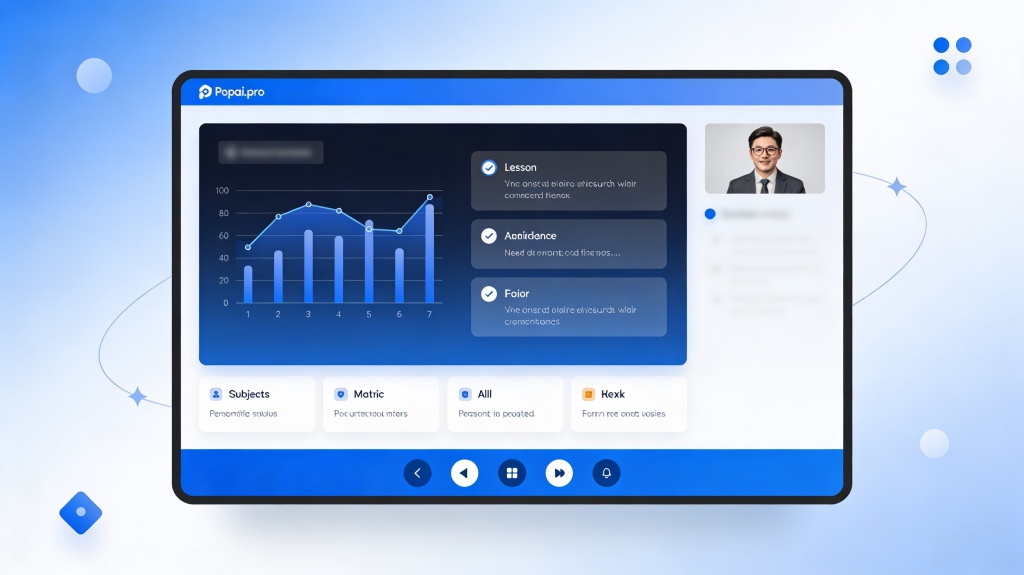
A professional educator presenting a digital webinar with high-quality slides
Effective educational webinar presentations combine clear visuals with pedagogical structure to maximize student retention.

In the rapidly evolving landscape of digital education, the challenge for educators and trainers isn't just delivering information—it's maintaining engagement in a virtual environment. Many instructors struggle with "death by PowerPoint," where cluttered slides and lack of visual hierarchy lead to student fatigue. Creating high-quality educational webinar presentations often takes hours of manual design work that could be better spent on curriculum development. This is where Popai.pro steps in, transforming the way educational content is visualized and delivered.

The Evolution of Educational Webinar Presentations

The transition from physical classrooms to digital webinars has fundamentally changed how students consume information. In 2026, learners expect more than just static bullet points; they demand dynamic, visually stimulating content that facilitates understanding. Traditional slide design often fails because it treats the digital screen like a printed page. However, modern educational webinar presentations must account for shorter attention spans and the limitations of remote viewing.

Instructional design now prioritizes "micro-learning" visuals. By leveraging AI-driven tools, educators can move away from the tedious task of aligning text boxes and instead focus on the narrative flow. The goal is to create a seamless experience where the slides act as a secondary teacher, reinforcing the spoken word without distracting from it.

Key Elements of a High-Impact Educational Webinar

What makes a presentation truly educational? It's the balance between aesthetic appeal and cognitive load management. To ensure your students actually learn, your slides should follow these core principles:

Pro Tip: When designing for webinars, remember that many students view content on mobile devices. Ensure your font sizes are legible and your primary educational webinar presentations keywords are highlighted for quick scanning. Try PopAi's Maker for Mobile-Ready Slides.

How to Use Popai.pro for Rapid Course Design

Popai.pro simplifies the instructional design process by using advanced AI to generate slide structures based on your syllabus or topic. Here is a streamlined workflow to get your webinar ready in minutes:

  1. Input Your Syllabus: Paste your lesson outline or a summary of your educational goals into the AI prompt.
  2. Select an Educational Theme: Choose a template that reflects the tone of your subject—be it academic and formal or creative and vibrant.
  3. Refine with AI: Use the built-in editor to ask the AI to "summarize this slide into three bullet points" or "find an image that represents photosynthesis."
  4. Export and Present: Download your finished deck in professional formats ready for Zoom, Microsoft Teams, or Google Meet.
Instructional designer using AI tools to organize educational content
AI-powered tools like Popai.pro help educators convert complex text into digestible visual components.

Visual Storytelling Strategies for Educators

Every great lesson is a story. Your educational webinar presentations should have a clear beginning (the hook), a middle (the core instruction), and an end (the application). Visual storytelling involves using your slides to build a narrative arc. For instance, if you are teaching a history lesson, your slides should transition chronologically with visual cues that signal a shift in time or perspective.

Using Popai.pro, you can generate consistent characters or icons that follow the student throughout the webinar. This "visual anchor" helps in building a mental model of the subject matter. When a student sees a recurring icon, their brain automatically connects it to the previous context, reinforcing long-term memory retention.

Engagement Tactics: Keeping Your Online Students Focused

Engagement is the "holy grail" of online teaching. Even the most beautiful slides can't save a boring presentation. However, you can design your slides to prompt interaction. Consider including:

By integrating these elements directly into your educational webinar presentations, you transform a passive viewing experience into an active learning session.

Best Practices and Common Pitfalls in Webinar Design

Even with AI assistance, educators should be aware of common mistakes that can undermine their teaching. One major pitfall is "reading the slides." If your slides contain everything you are saying, the student will read ahead and stop listening to you. Instead, your slides should provide the visual "proof" or "summary" of your spoken words.

Another common error is poor contrast. Ensure that your text stands out clearly against the background. Popai.pro’s smart themes automatically handle color contrast ratios, ensuring your content is accessible to students with visual impairments, a critical requirement for modern educational standards.

A clean, minimalist slide layout showing educational data
Minimalism in slide design prevents cognitive overload and keeps the focus on the learning objectives.

FAQ: Mastering Educational Webinar Presentations

How do I make my educational webinar more interactive?

Use Popai.pro to create visual cues for polls, Q&A breaks, and collaborative exercises. Breaking content into 10-minute chunks followed by an interactive element keeps learners engaged and prevents mental fatigue during long sessions.

Can AI handle complex scientific diagrams for educational presentations?

Yes, Popai.pro can interpret complex prompts to generate structured diagrams or suggest layouts that make technical information easier to digest for students. You can also upload your own data for the AI to visualize.

Is there a limit to the number of slides for a webinar?

While there is no technical limit, educational best practices suggest focusing on quality over quantity. Aim for one core concept per slide to prevent cognitive overload. A 60-minute webinar typically benefits from 20-30 high-impact slides.

How do I maintain brand consistency across multiple modules?

Popai.pro allows you to save "Brand Kits" including specific fonts and colors. By applying these to every deck you generate, you ensure a professional and cohesive look across your entire course or curriculum.

Create your presentation with one click now

Join thousands of educators using Popai.pro to turn complex lessons into stunning educational webinar presentations in seconds.

Start Designing for Free
Dr. Elena Vance
Senior Instructional Designer & EdTech Specialist. Dr. Vance has over 15 years of experience helping universities transition to digital-first learning environments.