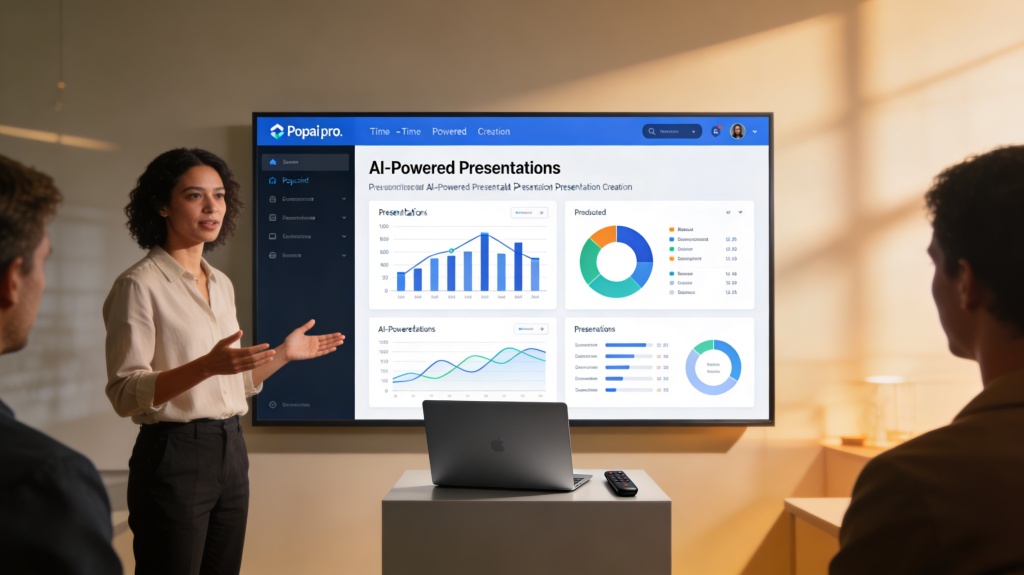
Creating Effective Product Demonstration Presentations with Popai.pro
Published on April 29, 2026
In today's fast-paced business environment, the ability to deliver effective product demonstration presentations is the difference between a lost lead and a loyal customer. Whether you are a startup founder pitching to investors or a sales manager presenting to a B2B client, your presentation must do more than just list features—it must tell a compelling story of transformation. Many professionals struggle with cluttered slides, lack of narrative focus, and the sheer amount of time required to build a professional deck. This guide will show you how to solve these pain points using the power of Popai.pro.
Identifying Your Audience and Core Objectives
Before you open any design software, you must understand who is sitting across the table. An effective product demonstration presentation for a CTO will look vastly different from one designed for a CEO or an end-user. The CTO cares about integration and security; the CEO cares about ROI and market share; the end-user cares about ease of use.
Start by identifying the primary pain point your audience faces. Are they losing money due to inefficiency? Is their current workflow too complex? Your presentation should be framed as the definitive answer to these specific questions. By setting clear objectives—such as "Schedule a follow-up technical deep dive" or "Secure a pilot program"—you can tailor every slide to lead toward that goal.
Structuring Your Product Demonstration for Impact
A common mistake in product demos is the "feature dump." Instead, follow a narrative arc that keeps the audience engaged. A proven structure for effective product demonstration presentations includes:
- The Hook: Acknowledge the current reality and the pain points your audience experiences daily.
- The Vision: Describe what life looks like once those problems are solved.
- The Solution (The Demo): Introduce your product as the bridge between the pain and the vision.
- The Evidence: Use case studies, testimonials, or data to prove your product works.
- The Call to Action: Clearly state what you want the audience to do next.
Pro Tip: Use the "Rule of Three." Focus on the three most impactful features that solve the audience's biggest problems. Anything more risks diluting your message. Try building your first 3-point deck here.
Leveraging Popai.pro for Rapid, Professional Design
Design is often where product managers and founders get stuck. You have the knowledge, but not necessarily the graphic design skills. This is where Popai.pro's AI presentation maker becomes your secret weapon. Instead of starting with a blank white slide, you can provide the AI with your product's core value propositions, and it will generate a cohesive, visually stunning deck in seconds.
Popai.pro ensures that your effective product demonstration presentation maintains brand consistency. It automatically selects color palettes that evoke trust and professionalism, and it lays out text and images in a way that respects visual hierarchy. This allows you to focus on your script and your delivery rather than pixel-pushing in a traditional slide editor.
Integrating Visual Proof and Real-World Scenarios
Static slides are great for structure, but product demonstrations need life. When showcasing a software product, use high-quality screen recordings or live mirrors. If it's a physical product, use high-resolution photography that highlights the build quality. An effective product demonstration presentation relies on the audience "seeing themselves" using the product.
Popai.pro allows you to easily embed multimedia elements that support your claims. Instead of just saying your software is "fast," show a 10-second clip of a complex task being completed instantly. This visual proof builds credibility faster than any bullet point ever could.
Common Pitfalls to Avoid in Product Demos
Even with the best tools, certain habits can sink a presentation. To ensure your effective product demonstration presentation succeeds, avoid these common traps:
- The "Everything" Demo: Showing every single setting and button. Stick to the "Value Path."
- Ignoring the "Why": Explaining *what* a feature does without explaining *why* it matters to the customer.
- Technical Glitches: Always have a backup. If you're doing a live demo, have a "backup slides" version of the demo in your Popai.pro deck just in case the internet fails.
- Lack of Interaction: Reading from the slides rather than engaging with the audience's reactions.
Frequently Asked Questions
What is the ideal length for an effective product demonstration presentation?
For a standard sales pitch, aim for 15-20 minutes of presentation followed by 10 minutes of Q&A. If the product is highly technical, you might extend this, but always prioritize quality over quantity. Keeping it concise respects your audience's time and keeps energy levels high.
How can Popai.pro help if I am not a designer?
Popai.pro is an AI presentation maker that generates professional layouts, color schemes, and content structures based on your input. You don't need design skills; the AI handles the visual polish for you, ensuring that your effective product demonstration presentation looks like it was made by a professional agency.
Should I show every feature of my product?
No. An effective product demonstration presentation should focus on the features that solve the specific pain points of your audience. Overwhelming them with every detail can lead to "feature fatigue," where the prospect loses sight of the primary value your product offers.
Create your presentation with one click now
Stop struggling with design. Let our AI build your next high-converting product demo in seconds.
Get Started for Free