PowerPoint AI Generator Deep Dive: Is PopAi.pro Worth It?
Published on May 25, 2026

If you build presentations for sales calls, internal reviews, training sessions, or client proposals, the bottleneck is rarely PowerPoint itself. The hard part is turning scattered notes into a logical deck, choosing the right slide flow, and making the result look credible before the meeting starts.
This deep dive evaluates the PowerPoint AI generator workflow behind PopAi.pro from a practical user perspective: what it helps with, where human editing is still required, and when it is worth adding to your presentation process. For teams comparing AI slide tools, PopAi AI Presentation is most relevant when speed, structure, and repeatable deck creation matter more than designing every slide from a blank canvas.
What a PowerPoint AI Generator Should Actually Do
A good AI slide tool is not just a prettier template picker; it should reduce the thinking time between source material and a coherent presentation.
It should solve the blank-slide problem
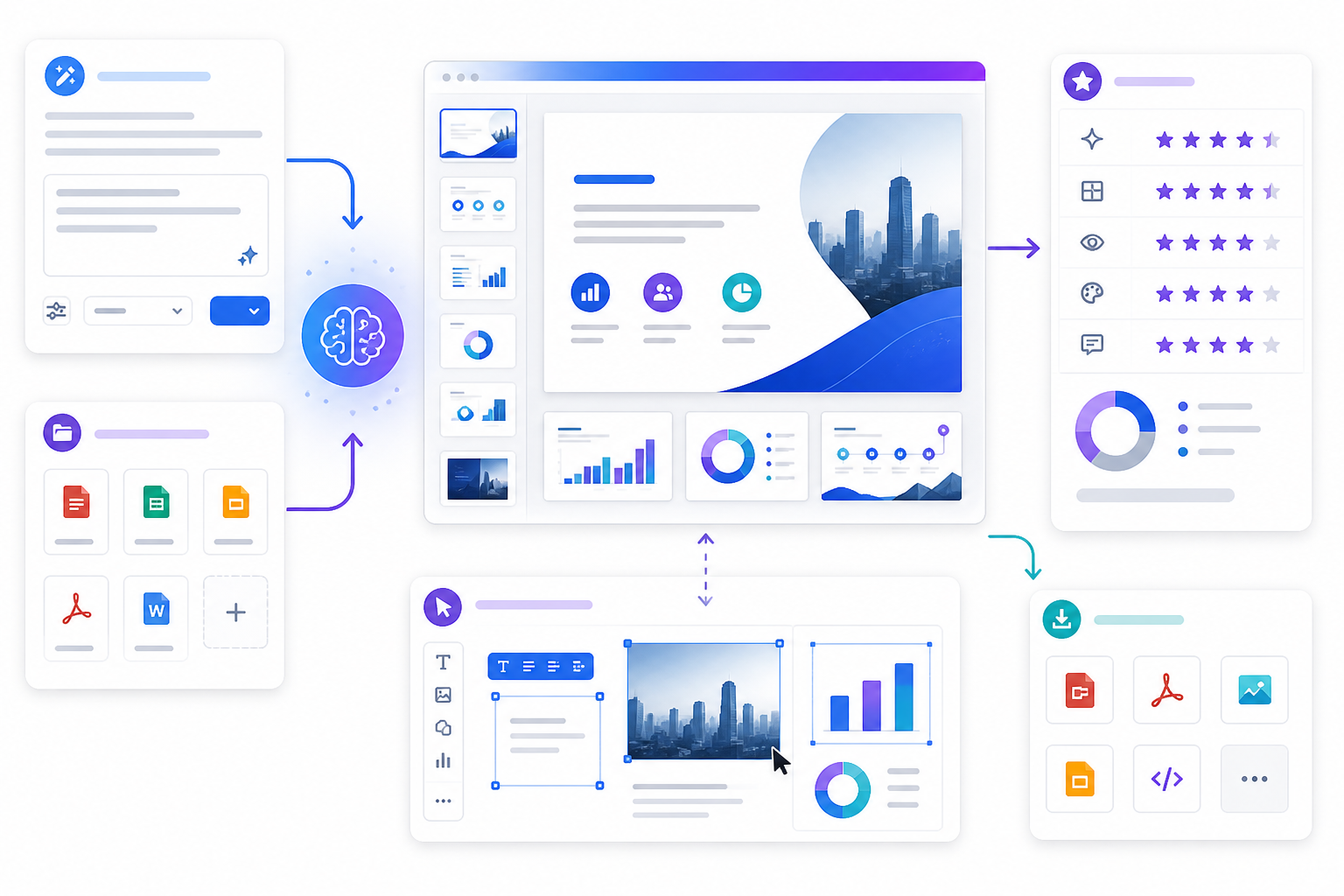
The most valuable feature is first-draft generation. Instead of opening PowerPoint and wondering whether slide one should be a problem statement, agenda, or executive summary, a PowerPoint AI generator should propose a structure based on your goal and audience.
For business users, that usually means producing:
- a clear title slide and agenda;
- section breaks that match the story arc;
- concise slide headlines, not paragraph-heavy walls of text;
- visual suggestions such as timelines, comparison layouts, charts, or process diagrams;
- a deck that can still be edited after generation.
It should preserve the human role
AI can organize and accelerate, but it cannot know every stakeholder sensitivity, internal metric definition, or brand nuance. The right expectation is “strong editable draft,” not “final boardroom deck with zero review.”
Use AI to get from 0% to 70% faster. Keep human judgment for the final 30%: accuracy, persuasion, tone, and executive relevance.
Pro tip: If your team creates recurring decks, test one repeatable format first in PopAi AI Presentation, such as a monthly report or sales proposal, before using it for high-stakes investor or board presentations.
Testing PopAi.pro as a PowerPoint AI Generator
To judge whether PopAi.pro is useful, the key question is simple: does it shorten the distance from raw information to a deck you can confidently revise?
Hands-on test: from brief to slide outline
For this review, we evaluated the workflow using a 900-word product launch brief with audience, goals, feature notes, and competitive context. The useful output was not that every slide was instantly perfect; it was that the generated structure surfaced a workable 10-slide narrative in one pass: market context, customer problem, product value, feature proof, rollout plan, and next steps.
That is the kind of time saving presentation-heavy teams notice. In a manual workflow, the first 20 to 40 minutes often disappear into outlining, cutting text, and deciding what belongs on each slide. With an AI-generated draft, that time shifts toward verifying claims, sharpening headlines, and replacing generic examples with company-specific evidence.
Where the output needs review
The draft still needs human editing in three areas. First, any metric or claim must be checked against your source file. Second, the tone may need tightening for senior audiences. Third, visual hierarchy should be adjusted if the slide contains multiple ideas competing for attention.
| Evaluation area | What PopAi.pro helps with | What you should still check |
|---|---|---|
| Structure | Builds a logical opening, body, and close from messy inputs. | Whether the story matches your stakeholder’s decision path. |
| Slide copy | Creates concise headings and starter bullet points. | Accuracy, tone, and whether claims are supported. |
| Design direction | Suggests clean layouts faster than starting from a blank deck. | Brand colors, typography, chart labeling, and visual emphasis. |
The Best PopAi.pro Workflow for Faster Deck Drafting
The quality of any AI presentation output depends heavily on the quality of the prompt and source material you provide.
Start with audience, purpose, and slide count
Before uploading notes or pasting a prompt, define the basics. A deck for a CFO should not sound like a training deck for new hires. A five-minute update should not have the same structure as a 30-minute workshop.
- Name the audience: executives, prospects, students, managers, or customers.
- State the decision: approve budget, understand progress, buy a product, learn a process, or align on priorities.
- Set the format: pitch deck, report, lesson, proposal, webinar, or meeting recap.
- Limit the length: request a specific slide count to prevent overbuilding.
- Add constraints: tone, must-include points, data sources, and visual preferences.
Use a prompt that forces prioritization
A weak prompt asks for “a presentation about our product.” A stronger prompt asks for “a 10-slide sales presentation for mid-market operations leaders that explains the cost of manual reporting, introduces our automation platform, and ends with a pilot proposal.” The second version gives the AI enough context to choose what matters.
A presentation generator performs best when you brief it like a junior strategist, not like a search box.

Design, Editing, and Export: What Matters After Generation
The first generated deck is only the beginning; the real test is whether you can polish it quickly without fighting the tool.
Look for editable structure, not locked artwork
Business teams need decks they can revise after feedback. If a client asks for a shorter version or a manager wants a stronger financial slide, you should be able to edit copy, rearrange sections, and refine visuals without rebuilding the presentation from scratch.
Microsoft’s own PowerPoint guidance emphasizes themes, layouts, and slide masters as reusable design systems. The same principle applies to AI-generated decks: the output is more useful when it follows consistent layout logic instead of treating each slide as a disconnected graphic.
Run a five-minute quality check
Before sharing any AI-generated presentation, review it against a short checklist:
- Message: Does every slide headline make a point, or does it merely label a topic?
- Evidence: Are numbers, customer examples, and claims traceable to your source?
- Flow: Would the audience understand the argument if they skimmed only the slide titles?
- Design: Are fonts, colors, spacing, and chart labels consistent?
- Action: Does the final slide make the next step obvious?
In our test deck, the most useful edits were headline improvements. Changing a generic title like “Market Challenges” to “Manual reporting slows weekly decision-making” made the slide more persuasive without changing the layout. That is a realistic example of where AI gives you a base and human editing turns it into communication.
When This PowerPoint AI Generator Is Worth It
PopAi.pro is most valuable when presentations are frequent, time-sensitive, and based on reusable business patterns.
Strong-fit use cases
The tool is worth testing if you regularly create decks from documents, meeting notes, outlines, or research summaries. It is especially practical for teams that need a solid draft before they can think clearly about design.
- Sales teams: turn discovery notes into proposal decks and solution overviews.
- Marketing teams: create campaign recaps, launch plans, webinar decks, and competitive summaries.
- Operations teams: convert process notes into training or SOP presentations.
- Founders and consultants: draft pitch, strategy, and client recommendation decks quickly.
- Educators and students: structure lessons, reports, and project presentations.
Lower-fit scenarios
If your presentation depends on highly bespoke art direction, complex financial modeling, or strict corporate template governance, an AI generator may still help with outline and copy, but it will not remove the need for specialist design or finance review.
A practical benchmark: if you spend more time deciding what to say than manually drawing custom graphics, PopAi.pro is likely useful. If you already have a finished storyboard and only need pixel-perfect design production, a dedicated designer or brand template workflow may be a better fit.

Common Pitfalls to Avoid with AI Presentation Tools
Most disappointing AI deck results come from weak inputs, unrealistic expectations, or skipping the review stage.
Do not ask for everything at once
If you provide a vague prompt and expect a polished executive deck, the output will likely feel generic. Ask for a focused deck first, then refine. For example, generate a 12-slide outline, review the section flow, and only then ask for stronger executive wording or more visual contrast.
Do not trust unsupported numbers
Any AI tool can misread context or produce wording that sounds more certain than the source material allows. Treat generated statistics, market claims, and performance statements as placeholders until verified. This is especially important for investor, legal, medical, academic, or financial presentations.
Do not skip audience adaptation
The same information should be framed differently for a CEO, a technical evaluator, and a frontline team. A CEO usually needs strategic implications and decisions. A technical evaluator needs implementation detail. A frontline team needs workflow impact and clear instructions.
Decision rule: Use AI for speed and structure, then edit for trust. The best deck is not the one generated fastest; it is the one your audience can understand, believe, and act on.
FAQ: PowerPoint AI Generator and PopAi.pro
These are the practical questions teams usually ask before adding an AI slide generator to their workflow.
Can PopAi.pro replace a human presentation designer?
PopAi.pro can speed up first drafts, structure, slide wording, and design direction, but it should not replace final human review for brand accuracy, executive nuance, data validation, or high-stakes storytelling.
Does a PowerPoint AI generator create editable slides?
A useful PowerPoint AI generator should produce slide content that can be revised, exported, and adapted. Always check text editability, chart accuracy, and whether the output fits your required presentation format before sending it to stakeholders.
What source material works best with PopAi.pro?
Structured source material works best: a clear brief, agenda, notes, report sections, customer research, or bullet-point findings. Messy transcripts can still work, but you should identify the audience, goal, and desired slide count first.
Is PopAi.pro worth it for recurring business decks?
It is most worth testing if you build recurring decks such as sales proposals, training presentations, reports, or strategy updates, because the time savings compound when you repeatedly turn raw notes into structured slides.
Create your presentation with one click now
Turn prompts, notes, and documents into a structured presentation draft you can refine for meetings, pitches, lessons, and reports.
Start creating with PopAi