AI Presentation Maker for Teams: Collaboration & Brand Kit
June 23, 2026
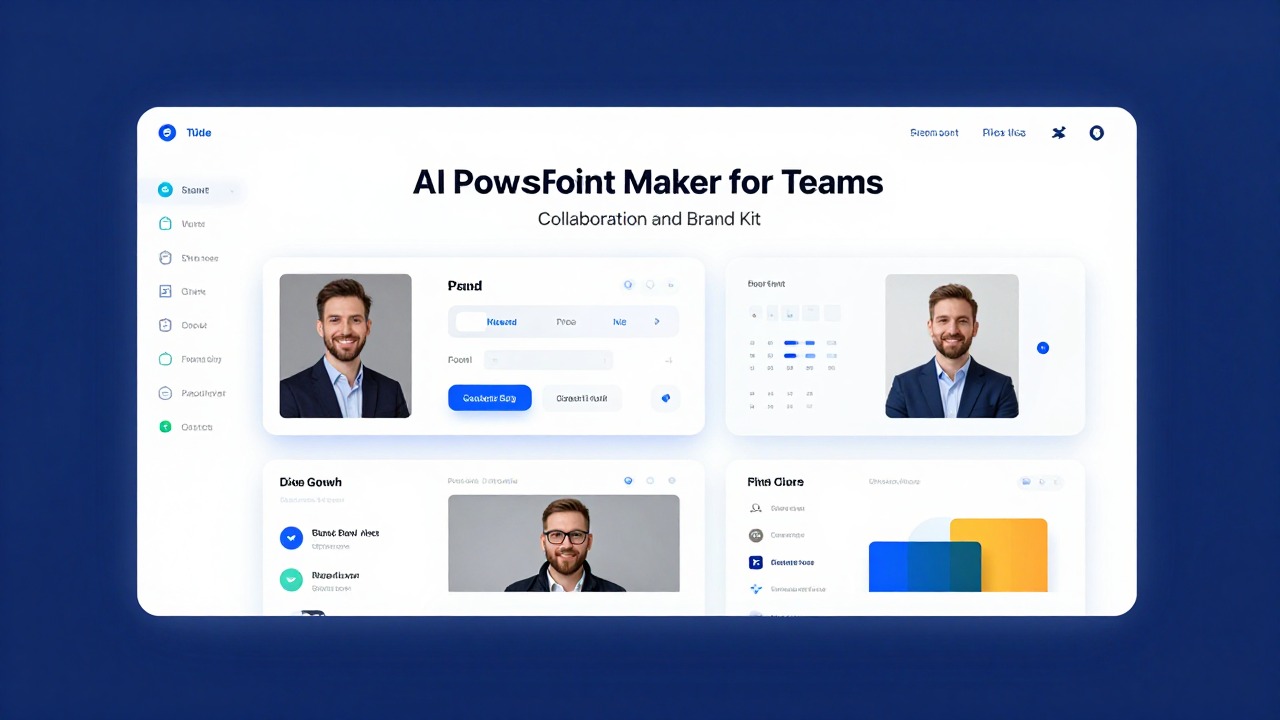
An AI presentation maker for teams should do more than generate attractive slides. It should help a group move from source material to an editable deck, keep contributors aligned, apply brand rules, support review handoff, and make final polishing easier in PowerPoint or another familiar format.
The best fit depends on where your team loses time. If the problem is blank-page drafting, look for prompt-to-deck and document-to-deck generation. If the problem is inconsistent slides, prioritize brand kits, reusable structures, and controlled review steps. If feedback gets scattered, choose a workflow that clarifies ownership before export, after export, or both.
PopAi AI Presentation fits especially well when teams need to turn campaign briefs, meeting notes, product documents, research files, or rough ideas into structured slide drafts quickly, then refine the message, visuals, and speaker notes with human review.
When you are ready to turn the workflow into slides, PopAi AI Presentation can help transform rough notes, documents, or prompts into an editable deck structure.
The quick answer: what teams need from an AI PowerPoint maker
Team-ready AI slide tools should combine fast drafting with collaboration discipline, brand consistency, and editable output.
For a solo user, an AI presentation maker is often judged by how quickly it creates a decent-looking deck from a prompt. For a team, that is only the starting point. A useful AI PowerPoint maker for teams helps with content generation, slide structure, layout, visual suggestions, editing, sharing, review handoff, and brand consistency.
The reason is simple: team decks usually pass through multiple hands. A product marketer may write the first outline, a sales lead may adjust customer language, a designer may clean up visuals, a manager may revise the storyline, and a presenter may rewrite speaker notes. If the tool only produces a deck but does not support repeatable workflow, the team still ends up fixing scattered edits manually.
- Draft generation: the tool should turn a prompt, brief, notes, or existing content into a clear slide outline and first draft.
- Collaboration: contributors should be able to review, edit, comment, or hand off work without creating ten disconnected file versions.
- Brand kit support: the tool should help apply approved colors, fonts, logos, visual style, and recurring slide patterns.
- Document-to-deck conversion: teams should be able to summarize campaign briefs, product documents, reports, training manuals, or meeting notes into presentation-ready structure.
- Editable final output: the deck should remain easy to refine in the tool itself, PowerPoint, Google Slides, or the team’s chosen presentation environment.
PopAi AI Presentation is relevant because it helps teams reduce blank-page work. A user can start with a prompt, file, notes, or rough business idea and create a structured deck draft. That draft can then become the shared starting point for content review, brand review, speaker-note refinement, and final export.
If a tool only makes pretty slides, it may help an individual. If it also supports repeatable inputs, shared review, brand checks, and editable output, it can support a team workflow.
How collaboration features should work in team slide creation
Collaboration is about assigning the right work to the right people while keeping the deck coherent from draft to approval.
Good collaboration features reduce copy-paste work, clarify ownership, and prevent contributors from redesigning the same slide in different directions. The tool does not need to replace every existing workflow, but it should fit cleanly into how your team already creates, reviews, and presents decks.
It helps to separate content collaboration from design collaboration. Content collaboration focuses on message, outline, claims, data, examples, speaker notes, and audience fit. Design collaboration focuses on layout, brand identity, visual hierarchy, imagery, icons, charts, and final polish. Many messy team decks happen because these two workstreams are mixed too early.
- Shared workspace or shared project access: team members can find the latest draft without searching through chat threads.
- Editable drafts: AI-generated slides can be changed rather than treated as static images.
- Comments or review handoff: reviewers can point to specific slides, sections, or claims that need revision.
- Version clarity: contributors know whether they are editing the current draft, a duplicate, or an exported file.
- Role-based contribution: subject-matter experts, designers, managers, and presenters can each focus on their part.
- Easy export or sharing: the deck can move into PowerPoint, Google Slides, PDF, or presentation mode when needed.
A realistic example: a product marketer uploads a product brief and asks the AI tool to create a launch deck for sales enablement. The first draft includes positioning, target customer pain points, key features, competitive context, and a closing call to action. A sales lead then edits the pain points to match what reps hear on discovery calls. A designer reviews visuals and adjusts slide density. A manager approves the storyline before the deck is shared with the sales team.
Before choosing a tool, check where collaboration actually happens. Some tools allow team editing inside the AI workspace. Others are strongest at generating the draft, then expect the team to collaborate after export in PowerPoint or Google Slides. Both models can work, but your team should know which one it is adopting.
- Map the current deck workflow from request to final approval.
- Identify where time is lost: drafting, formatting, sourcing visuals, review, or version control.
- Test whether the AI tool reduces those specific steps rather than adding a parallel process.
- Confirm who owns the final slide file after AI generation and export.
- Define a simple approval rule: no deck goes live until content, brand, and presenter checks are complete.
The best collaboration feature is not always simultaneous editing. Sometimes it is a clear handoff that prevents three people from fixing the same slide in three different ways.
What a brand kit for AI slides should include
A brand kit should guide both how slides look and how the team speaks to its audience.
A brand kit in an AI PowerPoint maker is a reusable set of rules, assets, and preferences that helps generated slides look and sound like they belong to the same organization. Many people think of brand kits as logos and colors, but team decks need more than that.
- Logos: primary logo, secondary logo, monochrome version, and rules for placement and spacing.
- Color palette: primary colors, accent colors, background colors, and chart colors.
- Fonts: heading font, body font, fallback fonts, and preferred sizing rules.
- Slide templates: title slides, agenda slides, section dividers, comparison slides, data slides, case study slides, and closing slides.
- Cover slide styles: preferred hero image use, title placement, subtitle treatment, and date or presenter fields.
- Image style preferences: photography, illustration, abstract visuals, screenshots, product UI, or minimal icon-led layouts.
- Icon style: outline icons, filled icons, duotone icons, rounded icons, or a specific approved library.
- Tone of voice: direct, executive, educational, technical, conversational, formal, or persuasive.
- Approved messaging: standard product descriptions, audience terminology, value propositions, disclaimers, and naming conventions.
Brand consistency is not only visual. A sales proposal deck should not describe a product differently from the website. A training deck should not use casual terminology if the company requires precise policy language. A product launch deck should use the approved feature names, not whatever phrase the AI model happens to generate.
Brand kits are useful across recurring team workflows. Marketing teams can use them for campaign plans, social reports, product launch slides, and client updates. Sales teams can use them for proposal decks and pitch variations. Teachers can keep lesson decks consistent across a course. HR teams can standardize onboarding modules. Leadership teams can make quarterly updates feel connected even when different departments contribute slides.
AI can support consistency, but it still needs human review for logo placement, color contrast, font availability, image relevance, accessibility, and compliance-sensitive wording.
- Check logo usage: correct version, safe spacing, visible placement, and no stretching.
- Check colors: approved palette, readable contrast, and consistent chart colors.
- Check typography: correct fonts or fallbacks, clear hierarchy, and readable body text.
- Check visuals: matching image style, no generic filler, and no misleading imagery.
- Check message accuracy: approved product names, claims, terminology, and audience tone.
- Check slide density: one clear point per slide where possible, with supporting detail moved to notes if needed.
- Check audience fit: executive summary for leaders, practical detail for operators, teaching sequence for learners, and persuasive flow for customers.
A practical team workflow: from rough idea to branded presentation
A repeatable workflow lets teams use AI for speed without skipping human judgment.
The safest way to use AI-generated decks is to treat the first output as a structured draft, not the final presentation. The team still owns the message, evidence, audience fit, brand quality, and presenter readiness. AI is most useful when it removes the blank page and gives contributors something concrete to improve.
- Define the audience and purpose. State who the deck is for, what they already know, what decision or action you want, and how formal the tone should be.
- Collect source material. Use campaign briefs, sales call notes, product roadmaps, research summaries, training manuals, investor memos, class lesson plans, or meeting notes.
- Generate an outline. Ask the AI tool for a slide-by-slide structure before creating the full deck if the topic is complex or high stakes.
- Create the first deck draft. Use PopAi AI Presentation or a similar tool to turn the prompt, document, notes, or business idea into an editable presentation structure.
- Assign review roles. Give each reviewer a specific responsibility instead of asking everyone to comment on everything.
- Apply brand kit checks. Review logos, fonts, colors, layouts, visuals, message tone, and recurring slide patterns.
- Refine speaker notes. Make sure the presenter has enough context to explain the slide without reading it word for word.
- Export or present. Move the deck into PowerPoint, Google Slides, PDF, or the tool’s presentation mode based on how the audience will receive it.
PopAi workflow example for marketing: a campaign manager has a product launch brief, positioning notes, a list of target personas, and a rough channel plan. Instead of asking a designer to build from scratch, the manager uses PopAi AI Presentation to generate a launch strategy deck with sections for objectives, audience insight, messaging, channel plan, timeline, risks, and next steps. The brand owner then checks tone and visuals, the product marketer corrects feature language, and the campaign lead adds speaker notes for the stakeholder meeting.
PopAi workflow example for education and training: an HR training coordinator has a 20-page onboarding manual and a few notes from managers about common new-hire questions. The coordinator uses PopAi AI Presentation to create a training deck outline with learning objectives, policy summaries, scenarios, discussion prompts, and recap slides. A compliance reviewer checks policy wording, an HR manager adjusts examples for company culture, and the facilitator rewrites speaker notes to support a live workshop.
- Subject-matter expert: checks factual accuracy, data interpretation, technical claims, and missing context.
- Brand owner: checks visual identity, approved messaging, terminology, and style consistency.
- Presenter: checks narrative flow, transitions, slide order, and speaker notes.
- Manager or stakeholder: checks whether the deck serves the audience, decision, and business goal.
Teams should also decide when to regenerate and when to manually edit. Regenerate when the structure is wrong, the audience is misunderstood, the deck is too shallow, or the sequence does not make sense. Manually edit when the issue is a precise claim, customer name, date, number, policy phrase, legal wording, or final visual polish.
Use this structure: audience, goal, source material, desired slide count, tone, brand guidance, must-include points, and what to avoid. A vague prompt creates a vague deck.
Best-fit scenarios: which teams benefit most from AI slide collaboration and brand kits
AI slide collaboration is most valuable for teams that create recurring decks from repeatable source material.
Not every presentation needs an AI workflow. A one-off keynote with heavy creative direction may still need a designer-led process from the beginning. But teams that create frequent updates, reports, proposals, lessons, or enablement decks often benefit from faster first drafts and more consistent structure.
- Marketing teams: campaign plans, social performance reports, product launch decks, content strategy presentations, client updates, and event recaps. The main value is a faster first draft and stronger brand consistency across recurring external-facing work.
- Sales teams: pitch decks, proposal decks, discovery-call summaries, customer education slides, renewal narratives, and account plans. The main value is repeatable messaging with room for account-specific customization.
- Product and tech teams: roadmap updates, sprint reviews, feature explainers, technical summaries, release notes, and stakeholder updates. The main value is turning dense product information into a clearer narrative for non-technical audiences.
- Teachers and training teams: lesson decks, onboarding modules, workshop slides, course summaries, and assessment review materials. The main value is converting long-form teaching material into structured learning sequences.
- Leadership and operations teams: quarterly updates, internal planning decks, meeting summaries, policy communication, and process change presentations. The main value is clearer handoff from raw information to executive-ready or employee-ready communication.
- Client-facing teams: consulting updates, project recaps, strategic recommendations, and status reports. The main value is consistent formatting and faster reuse across similar engagements.
For marketing, the brand kit matters heavily because decks often represent the company outside the organization. A campaign update with mismatched colors or inconsistent product language can make the work feel less mature, even if the strategy is sound.
For sales, the most important feature is often controlled customization. Reps need to adapt a deck to a prospect, but they should not rewrite positioning or redesign layouts from scratch. A good AI workflow gives them a structured proposal or pitch draft while preserving approved messaging.
For product and technical teams, document-to-deck conversion can be especially useful. Roadmaps, release notes, technical specs, and research findings often contain too much detail for a stakeholder presentation. AI can help compress the source material into sections, then a product owner can verify nuance.
The best-fit team is not the one that wants to avoid work. It is the one that wants people to spend less time formatting and more time improving the decision-making value of the deck.
Common mistakes when teams use AI-generated PowerPoint decks
Most AI deck problems come from weak inputs, skipped review, or uncontrolled editing after the draft is created.
The biggest mistake is treating AI output as final. AI-generated slides can look polished before they are accurate, audience-ready, or brand-compliant. Teams should fact-check claims, data, names, dates, product details, policies, and client-specific information before the deck is used.
Another common mistake is using vague prompts such as “make a business presentation.” That request gives the tool too little context. The result may be generic, overly broad, or misaligned with the audience. Better prompts include audience, goal, source material, tone, desired slide count, must-use terminology, and any constraints.
- Do not let every contributor redesign slides independently. Assign one person or role to own visual consistency.
- Do not keep every paragraph from the source document. Slides need hierarchy, not document transcription.
- Do not accept generic imagery if it weakens credibility. Replace filler visuals with product screenshots, relevant diagrams, approved photography, or simple charts.
- Do not mix icon styles across slides. Mismatched icons make a deck feel assembled from scraps.
- Do not ignore speaker notes. A slide may look minimal, but the presenter still needs the right explanation.
- Do not upload confidential files, client information, or restricted internal documents unless your organization’s policies allow it.
Teams also need to watch for slide density. AI tools can sometimes pack too much text into a slide because the source material contains many points. A strong human editor should split dense slides, move detail into speaker notes, or choose the single message the audience needs to remember.
- Message clarity: can each slide’s main point be understood in a few seconds?
- Audience relevance: does the deck answer what this audience cares about?
- Source accuracy: are claims, numbers, names, and dates verified against trusted material?
- Brand match: do colors, fonts, logos, tone, and terminology follow the brand kit?
- Slide readability: is the text large enough, concise enough, and visually organized?
- Visual consistency: do charts, icons, screenshots, and imagery feel like one system?
- Presenter readiness: are speaker notes, transitions, and expected questions covered?
Before uploading confidential files, client data, employee information, financial details, or restricted documents to any AI tool, follow your organization’s data handling and permission rules.
How to choose the right AI presentation maker for your team
The right tool is the one that improves your real deck workflow, not the one that performs best on a generic demo prompt.
A useful evaluation starts with one real deck task. Choose a monthly report, campaign brief, product update, lesson plan, sales proposal, or training document that your team would actually create. Run that material through the AI presentation maker and judge the result by workflow fit, not novelty.
- Collaboration fit: can your team share the draft, assign review responsibilities, and avoid disconnected file versions?
- Brand kit depth: does the tool support logos, colors, fonts, templates, visual style, tone, and approved messaging well enough for your use case?
- Input flexibility: can it work from prompts, documents, notes, business ideas, reports, manuals, or research summaries?
- Output editability: can the team revise slides easily in the tool or after export to PowerPoint or Google Slides?
- Design quality: are layouts readable, balanced, and appropriate for the audience without heavy cleanup?
- Speaker note support: can presenters refine what they will say, not just what appears on the slide?
- Export options: can the deck move into the format your team, clients, teachers, or executives expect?
- Learning curve: can beginner-to-intermediate users create a usable draft without needing a long setup process?
Cost-effectiveness should be judged qualitatively against your team’s deck volume and review burden. If your team makes one simple deck each quarter, a lightweight workflow may be enough. If your team creates weekly sales proposals, monthly reports, training modules, or recurring stakeholder updates, the value of faster drafting and more consistent structure becomes easier to justify.
PopAi AI Presentation is a strong option for teams whose main bottleneck is moving from raw material to a structured editable deck. It is especially practical when the input might be a document, meeting notes, a prompt, a research summary, or a rough business idea. The tool helps create the first organized version so the team can spend its energy on accuracy, brand, story, and delivery.
Teams with strict enterprise governance, advanced design systems, or complex compliance requirements should confirm admin controls, data handling rules, template support, export compatibility, and approval workflows before adopting any AI presentation tool. A tool can be fast and useful while still needing review against internal policies.
- Select one real deck your team recently created or needs to create soon.
- Prepare the same source material for each AI tool you are testing.
- Use a prompt that includes audience, goal, tone, slide count, and brand guidance.
- Review the generated outline before judging the full deck.
- Measure cleanup effort: structural edits, factual corrections, brand fixes, visual revisions, and speaker-note work.
- Ask the likely users whether the workflow felt easier than starting from an old file.
- Choose the tool that saves meaningful drafting and formatting effort while preserving review control.
A team AI presentation tool should not remove human review. It should make human review more focused, because the first draft is already organized.
FAQ
What is an AI presentation maker for teams?
It is an AI tool that helps multiple people create, edit, review, and brand presentation decks faster. The strongest value comes from combining AI drafting with human review for accuracy, tone, audience fit, and visual quality.
How is team collaboration different from simply sharing a PowerPoint file?
Team collaboration should include clearer roles, shared source material, AI-assisted drafting, review handoff, comments or edits, brand consistency, and fewer disconnected copy-paste steps. Sharing a file is only one part of the workflow.
What is a brand kit in an AI PPT tool?
A brand kit usually refers to reusable brand assets and rules such as logos, colors, fonts, templates, imagery style, icon style, and sometimes voice, terminology, or approved messaging guidance.
Can AI presentation tools keep every slide perfectly on brand?
AI can support brand consistency, but teams still need human review for logo use, color accuracy, accessibility contrast, layout quality, image relevance, font availability, and approved messaging.
Can PopAi AI Presentation turn team documents into slides?
Yes. PopAi AI Presentation is designed to help users turn documents, notes, prompts, and rough ideas into structured presentation drafts that teams can refine, review, brand, and export.
Create your presentation with one click now
Turn your team’s notes, files, or rough ideas into an editable presentation draft ready for review and brand polish.
Try PopAi AI Presentation