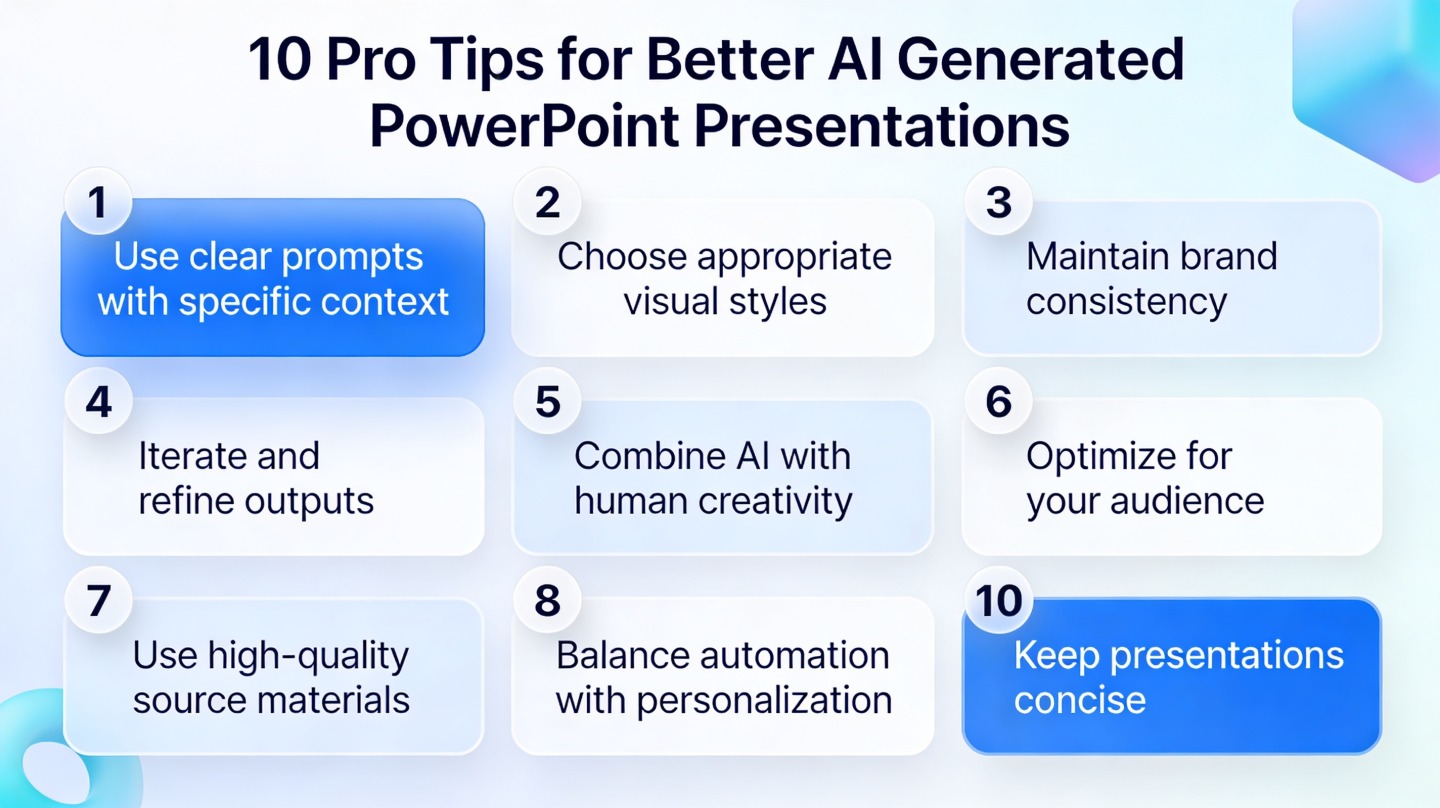
Build a Client Proposal Deck with AI: Structure & Tips
June 23, 2026
AI can make slides, but a real client proposal deck needs more than polished layouts. It must show that you understood the client’s problem, recommend a credible path forward, explain scope and investment clearly, and help the buyer make a decision without feeling pressured or misled.
The best use of AI is to draft the structure, summarize messy notes, organize proof points, and create an editable first version. You still own the strategy: positioning, pricing logic, risk, promised outcomes, evidence, and relationship judgment.
This guide walks through a practical workflow for turning discovery-call notes, briefs, service details, constraints, and pricing assumptions into a client-ready proposal deck using AI. It includes deck structures for sales, consulting, agency, freelance, and small-business scenarios, plus prompts and review checklists you can reuse.
When you are ready to turn the workflow into slides, PopAi AI Presentation can help transform rough notes, documents, or prompts into an editable deck structure.
The Quick Answer: Use AI to Draft the Deck, Not to Decide the Strategy
AI is most useful when it organizes your inputs into a persuasive proposal structure while leaving strategic decisions to you.
The practical answer is this: use AI to turn your raw materials into a structured proposal deck, then edit it like a strategist. AI can help you move from a blank page to a coherent flow, but it should not decide what you should sell, what you should charge, what you can safely promise, or how you should handle a sensitive stakeholder concern.
For client proposals, AI is especially helpful with repetitive but important work: summarizing discovery notes, identifying themes, drafting slide headings, grouping services into phases, turning long explanations into client-facing language, and creating a first deck you can refine. Tools such as PopAi AI Presentation fit this stage because they help turn notes, documents, prompts, and rough ideas into an editable presentation structure.
- Use AI for structure: deck outline, section order, slide titles, speaker intent, and first-pass wording.
- Use AI for synthesis: summarizing calls, grouping pain points, extracting decision criteria, and turning documents into slides.
- Use AI for revision: simplifying technical language, tightening titles, adjusting tone, and preparing a leave-behind version.
- Do not outsource strategy: client positioning, scope tradeoffs, pricing logic, proof, risk, legal claims, and relationship judgment still need human review.
- Do not treat AI guesses as facts: mark assumptions clearly and turn uncertain points into questions or decision slides.
A reliable proposal deck usually follows a simple arc: the client’s problem, the current situation, the proposed solution, the project plan, the proof or rationale, the investment or scope, and the next step. That flow works because it mirrors the buyer’s decision process. First, they want to know whether you understood them. Then they want to know whether your recommendation makes sense. Finally, they want to know what they are committing to.
AI should help you prepare the room for a better client conversation, not replace the thinking you need to do before you enter it.
If a slide affects trust, price, scope, timeline, risk, or promised results, review it manually before it reaches the client.
What to Prepare Before You Ask AI for Proposal Slides
The quality of an AI-generated proposal depends on the specificity, cleanliness, and honesty of the inputs you provide.
Generic AI proposal slides usually come from generic prompts. If you ask for a sales deck with little context, you will get broad claims, vague benefits, and predictable sections. If you give AI the right raw material, it can produce a much more useful draft: one that reflects the client’s market, stakeholders, goals, objections, and constraints.
- Discovery-call notes, including direct phrases the client used to describe the problem.
- Client brief or RFP excerpts, if available, especially evaluation criteria and required deliverables.
- Relevant email threads, meeting recaps, or stakeholder questions.
- Website notes, public positioning, current campaigns, product pages, or market messaging.
- Target audience, buyer personas, customer segments, or internal users affected by the project.
- Client pain points, stated goals, current blockers, and known success criteria.
- Proposed services, product modules, consulting workstreams, or implementation phases.
- Constraints such as timing, budget boundaries, internal capacity, compliance needs, or procurement steps.
- Competitive context, incumbent vendor issues, or reasons the client is considering change.
- Known objections, risks, unresolved questions, and assumptions that still need validation.
Before uploading or pasting anything into an AI tool, remove information that should not be shared. Anonymize sensitive client details when needed, replace names with roles, remove confidential financials unless they are essential and permitted, and avoid including private customer data. If your organization has AI use policies, follow them. Proposal speed is not worth a confidentiality mistake.
You should also separate facts from assumptions. A fact is something the client confirmed, such as “the team wants to reduce manual reporting across three regions.” An assumption is your interpretation, such as “the reporting issue is probably caused by poor workflow ownership.” Both can be useful, but they should not appear the same way in a client-facing deck.
- Create a short section labeled confirmed facts from the client conversation.
- Create a second section labeled working assumptions to validate.
- Create a third section labeled open questions for the proposal meeting.
- Ask AI to use confirmed facts as the foundation and to present assumptions as hypotheses, not claims.
- Review the generated slides and remove any sentence that makes an uncertain point sound settled.
- Client type: B2B SaaS company, regional healthcare provider, ecommerce brand, nonprofit, local business, or another clear category.
- Audience: founder, procurement team, marketing director, CFO, technical evaluator, or mixed stakeholder group.
- Meeting goal: win approval, narrow scope, compare options, secure budget, align stakeholders, or confirm next steps.
- Proposal offer: product, service, consulting engagement, campaign, implementation, retainer, audit, or project package.
- Tone: consultative, executive, practical, technical, creative, concise, or advisory.
- Slide count: a short executive deck, a moderate live-presentation deck, or a detailed leave-behind.
- Must-have sections: problem, recommendation, process, deliverables, timeline, proof, investment, next steps.
- Known objections: price, timing, risk, switching cost, internal bandwidth, proof, or executive buy-in.
Once your notes and documents are cleaned up, PopAi AI Presentation can help turn them into a structured proposal draft. Better inputs usually lead to a first deck that needs editing instead of complete rebuilding.
A Practical AI Workflow for Building a Client Proposal Deck
This workflow moves from messy inputs to an editable deck through summarizing, outlining, generating slides, and human review.
A realistic client proposal workflow has three parts: context, action, and result. The context is usually messy: a discovery call, scattered notes, a client brief, a rough service package, and an upcoming meeting. The action is to use AI in stages rather than asking for the final deck immediately. The result is a proposal that is structured quickly but still edited for accuracy, credibility, and client fit.
- Summarize the client situation from notes or documents. Start by asking AI to produce a concise account of the client’s current situation, business problem, goals, constraints, stakeholders, and open questions.
- Ask AI to identify goals, pain points, constraints, and decision criteria. This step helps you see what the deck must answer, such as why now, why this approach, why your team, and what risks the client cares about.
- Generate a proposal deck outline before creating slides. Review the outline first so you can correct the strategic flow before design and slide copy distract you.
- Turn the approved outline into slides with clear section headers and speaker intent. Each slide should have a job: frame the problem, explain the recommendation, reduce risk, prove credibility, or move the decision forward.
- Review each slide for accuracy, specificity, evidence, and client relevance. Replace filler with client language, correct assumptions, and remove unsupported claims.
- Revise the deck for the actual meeting format. A live pitch needs fewer words and stronger speaker notes. A leave-behind PDF needs more context. A procurement review needs scope precision. An executive readout needs sharper decisions and risks.
PopAi AI Presentation fits naturally after you have cleaned up your inputs. You can paste or upload notes, use them to generate a structured deck, edit the slide order, and refine wording into client-facing language. The key is not to treat the first deck as final. Treat it as a working draft that removes the blank-page problem and gives you a strong base for strategy editing.
The most effective AI proposal workflow is outline first, slides second, client-ready judgment last.
Here is a reusable prompt you can adapt before generating slides. It is intentionally specific because proposal decks need boundaries, audience context, and decision intent.
Create a client proposal deck for [client name], a [industry/company type] organization. The audience is [roles and seniority]. The meeting goal is to [win approval, align stakeholders, narrow scope, secure next step]. The client’s main problem is [problem]. Their known goals are [goals]. Their constraints are [timeline, budget, team capacity, compliance, procurement, or other constraints]. Our proposed offer is [product/service/consulting engagement/package]. Use a [consultative/executive/practical/creative] tone. Create [desired slide count] slides with these sections: client situation, key pain points, recommended solution, approach or workstreams, timeline, deliverables, proof or rationale, scope or investment, risks and assumptions, and next steps. Mark any uncertain points as assumptions, not facts. Write slide titles as clear arguments, and include brief speaker intent for each slide.
Example workflow one: a B2B sales manager preparing a proposal for a mid-market operations team. The context was a messy set of call notes: the client had manual reporting, inconsistent handoffs, and a leadership deadline for improving visibility. The action was to paste cleaned notes into PopAi AI Presentation and ask for a ten-slide proposal structure with problem framing, workflow impact, solution fit, implementation phases, and decision steps. The result was not a perfect final deck, but it gave the sales manager a clear flow: current reporting friction, business impact, recommended platform modules, phased rollout, adoption support, proof points, and next-step decision. The human edit added pricing logic, removed an unsupported efficiency claim, and changed generic titles into client-specific arguments.
Example workflow two: an agency lead preparing a campaign proposal after a brand discovery session. The inputs included the client’s website notes, audience summary, creative constraints, channel preferences, and a rough retainer range. In PopAi, the agency lead generated an outline first, then adjusted it before creating slides. The result was a deck organized around audience insight, campaign concept, channel plan, creative direction, measurement approach, project timeline, and scope boundaries. The human review added sample creative references, clarified what was included in the retainer, and turned vague marketing language into specific recommendations tied to the client’s launch window.
- Use AI early to organize and synthesize, not late to decorate a weak proposal.
- Approve the outline before producing the full deck.
- Keep a separate notes file for assumptions, objections, and scope decisions.
- Review all generated proof points and remove anything you cannot defend in the client meeting.
- Prepare two versions if needed: a concise live deck and a more detailed follow-up PDF.
Proposal Deck Structures for Common Client Scenarios
Different client situations need different proposal structures, depending on the audience, buying stage, and decision being made.
There is no single perfect proposal deck structure. A CFO reviewing investment risk needs a different story from a marketing director comparing campaign ideas. A competitive final-stage pitch needs sharper differentiation than an exploratory meeting. Before you build slides, decide whether the deck is meant to educate, persuade, reassure, compare options, or secure final approval.
- Sales proposal for a B2B product or service: The user persona is a sales manager or account executive selling a platform, service, or solution to a buying committee. Common pain points include translating product features into business impact, addressing switching concerns, and keeping the deck relevant to multiple stakeholders. AI intervention: summarize discovery notes, extract buying criteria, and generate a deck flow covering problem, business impact, solution fit, implementation, proof, investment, and next step. Expected output: a structured sales proposal that connects client pain to product value. Reuse: the problem-impact-solution-next-step arc for any sales opportunity.
- Consulting proposal: The user persona is a consultant, partner, or advisory lead proposing diagnostic, strategy, operations, finance, HR, or transformation work. Common pain points include avoiding vague advisory language, defining workstreams clearly, and balancing confidence with uncertainty. AI intervention: turn notes and an early hypothesis into a deck with diagnosis, recommended approach, workstreams, timeline, deliverables, governance, decision points, and assumptions. Expected output: a proposal that makes the consulting method visible. Reuse: the diagnosis-approach-workstreams-deliverables structure.
- Marketing or agency proposal: The user persona is an agency lead, strategist, creative director, or growth marketer pitching a campaign, retainer, brand project, or launch plan. Common pain points include presenting creative ideas without losing commercial logic, defining channels clearly, and avoiding scope creep. AI intervention: organize audience insight, campaign idea, channel plan, creative direction, reporting plan, timeline, and scope. Expected output: a deck that connects insight to execution. Reuse: the insight-idea-channel-reporting-scope structure.
- Freelance or small-business proposal: The user persona is a freelancer, boutique consultant, designer, copywriter, developer, coach, or small-business owner. Common pain points include sounding credible without overbuilding the deck, making boundaries clear, and explaining process simply. AI intervention: create a concise deck around client goal, proposed package, process, deliverables, boundaries, timeline, approval path, and next steps. Expected output: a polished but direct proposal that supports a decision without overwhelming the client. Reuse: the goal-package-process-boundaries-approval structure.
For senior executives, lead with business issue, recommendation, investment, risk, and decision. For practitioners, include process, implementation details, and collaboration model. For procurement, clarify deliverables, responsibilities, assumptions, and commercial terms. For a competitive pitch, add differentiation and proof. For a final approval meeting, remove exploratory content and make the decision easy to understand.
- Identify the buyer’s current stage: early exploration, vendor comparison, scope negotiation, or final approval.
- Choose the proposal structure that fits the stage.
- Ask AI to generate the outline in that structure, not as a generic proposal.
- Edit the first three slides until they clearly answer why this problem matters now.
- Cut slides that do not help the audience make the next decision.
If the client is still diagnosing the problem, use a deck that educates and frames options. If the client is ready to buy, use a deck that clarifies scope, confidence, tradeoffs, and next steps.
How to Make AI-Generated Proposal Slides Feel Client-Specific
Specificity comes from client language, decision criteria, responsible proof, and slide titles that make clear arguments.
The biggest weakness in many AI-generated proposals is not design. It is sameness. The slides sound like they could be sent to any company in the same industry. A client-specific deck shows that you heard the buyer’s exact concern, understand their constraints, and shaped your recommendation around their decision.
- Replace generic claims with observations from discovery, such as “your team is spending Friday afternoons consolidating reports from three systems” instead of “manual reporting reduces productivity.”
- Use the client’s own language when it is clear and appropriate, especially phrases they used for goals, risks, internal pressure, or desired outcomes.
- Add known priorities, such as speed to launch, executive visibility, reduced handoffs, customer retention, compliance readiness, or budget predictability.
- Address stakeholder concerns directly, such as adoption risk, procurement requirements, brand consistency, technical integration, or internal capacity.
- Tie recommendations to decision criteria from the brief or call, not to a generic list of benefits.
One strong editing technique is to rewrite slide titles as arguments. Generic titles label the topic. Argument titles tell the client what the slide proves. This changes the deck from a brochure into a persuasive conversation.
- Change “Our Services” to “A Phased Launch Plan Reduces Risk Before Scaling Spend.”
- Change “Implementation Timeline” to “The First Phase Focuses on the Highest-Friction Workflow.”
- Change “Why Choose Us” to “Our Process Is Built Around the Constraints Your Team Flagged.”
- Change “Campaign Overview” to “The Launch Plan Prioritizes Audience Education Before Conversion Pushes.”
- Change “Next Steps” to “A Two-Week Alignment Sprint Can Confirm Scope Before Full Commitment.”
Proof also needs care. AI may invent impressive-sounding claims if you do not constrain it. Use proof responsibly: relevant case examples, portfolio references, process rationale, qualitative experience, client-approved testimonials, pilot learnings, or specific examples you can verify. If you do not have outcome data, do not imply that you do. You can still be persuasive by explaining why the approach is logical, how you will manage risk, and what evidence will be collected during the project.
- Use simple process diagrams to show how work moves from discovery to delivery.
- Use roadmap slides to show phases, milestones, and decision gates.
- Use before-and-after framing to clarify the change the client is buying.
- Use scope breakdown slides to separate included work from optional work.
- Use decision slides to summarize choices, tradeoffs, and recommended next action.
PopAi can help you create the first structure and produce clear slide drafts, but the presenter should sharpen the story. Add the context only you know: the tense moment in the discovery call, the executive priority hidden behind the brief, the objection the procurement lead hinted at, or the delivery risk that must be surfaced early. That is what makes the proposal feel like it was built for this client, not just generated for a category.
Remove the client name from the deck. If the proposal could still be sent unchanged to five similar prospects, it is not specific enough yet.
Mistakes to Avoid When Presenting an AI-Built Proposal to Clients
AI can speed up proposal development, but unchecked slides can create credibility, scope, and trust problems.
A polished deck can still fail if it does not answer the client’s buying question. The buying question might be “Will this solve our immediate problem?”, “Can this team deliver?”, “Is the risk acceptable?”, “Is the investment justified?”, or “Can we explain this internally?” If your deck looks professional but avoids the real question, design will not save it.
- Do not send an AI-generated deck without checking facts, client names, scope, dates, assumptions, examples, and duplicated phrasing.
- Do not make unsupported ROI, revenue, savings, adoption, timeline, or performance claims.
- Do not allow AI to turn uncertain discovery points into confirmed business needs.
- Do not overload the deck with every slide AI generates; cut anything that does not help the client decide.
- Do not hide scope limits because you want the proposal to sound more attractive.
- Do not use impressive but vague language if a simpler sentence would be more credible.
- Do not read AI-written text word for word in the meeting; rehearse the narrative in your own voice.
Scope is one of the most important areas to review. AI often writes proposals in a generous tone, which can blur boundaries. A client may interpret “support launch execution” differently from you. Clarify deliverables, responsibilities, exclusions, approval points, review rounds, dependencies, and optional add-ons. A clear scope slide protects both sides.
Pricing and investment slides also require human judgment. AI can help you explain the structure, but it should not invent pricing logic or justify fees with unsupported claims. Make sure the investment matches your actual offer, internal margin requirements, client expectations, and any procurement constraints.
- Accuracy: Confirm names, facts, numbers, dates, roles, services, and references.
- Relevance: Check that each slide connects to the client’s stated goals or decision criteria.
- Flow: Make sure the deck moves from problem to recommendation to commitment without abrupt jumps.
- Objection handling: Include clear responses to known concerns around cost, risk, timing, proof, or capacity.
- Scope clarity: Define deliverables, exclusions, responsibilities, assumptions, and approval points.
- Next step: State the decision or action you want after the meeting.
- Speaker notes: Add reminders for context, transitions, caveats, and questions to ask.
- Privacy: Remove confidential information, internal notes, or data that should not be shared.
The client does not need to know every idea AI helped generate. They need a proposal that is accurate, relevant, and easy to decide on.
Practice the proposal once without looking at the slide text. If you cannot explain the story naturally, revise the deck until it supports your conversation instead of replacing it.
FAQ: Using AI for Client Proposal Decks
These answers address the practical questions teams usually ask before using AI for real client proposals.
It is acceptable to use AI for client proposals when you treat it as a drafting and structuring partner. The professional responsibility remains yours. You must review confidentiality, accuracy, claims, scope, tone, and strategic fit before presenting or sending the deck.
- For a live presentation, keep slides focused and use speaker notes for nuance.
- For an email follow-up, add more context so the deck can stand alone.
- For a vague client brief, create assumptions, questions, and decision points instead of pretending certainty.
- For a procurement review, emphasize scope, deliverables, responsibilities, timeline, and commercial clarity.
- For an executive readout, lead with business problem, recommendation, risk, investment, and decision.
A proposal deck does not need a fixed number of slides. It needs enough slides to help the client decide without burying them in unnecessary detail. A short executive proposal may only need the core narrative. A complex consulting or implementation proposal may need more detail on workstreams, governance, dependencies, and proof.
When the client brief is vague, use AI to create three useful assets: a assumptions slide, a questions slide, and a decision-path slide. This keeps the proposal honest. It also positions you as thoughtful rather than overconfident.
Try building a first-pass proposal structure in PopAi AI Presentation using cleaned-up notes, then edit it for strategy, accuracy, scope, proof, and client fit before the meeting.
FAQ
Can I use AI to create a proposal deck for a real client?
Yes, if you use AI for drafting, structuring, summarizing, and revising rather than as the final decision-maker. Review accuracy, confidentiality, strategy, scope, pricing, claims, and client relevance before sharing the deck.
What should I include in a client proposal deck?
Include the client problem, goals, current situation, recommended solution, approach, deliverables, timeline, proof or rationale, scope or investment, risks or assumptions, and clear next steps.
How do I stop an AI-generated proposal from sounding generic?
Give AI real client context, including discovery notes, decision criteria, pain points, constraints, and known objections. Then rewrite slide titles around client-specific arguments and remove vague marketing language.
What is the best prompt for creating proposal slides with AI?
Use a prompt that includes the client name or anonymized client type, industry, audience, meeting goal, main problem, proposed offer, constraints, tone, desired slide count, required sections, and instructions to label assumptions clearly.
Should I send the AI-generated deck directly to the client?
No. Treat the AI-generated deck as a first draft. Check facts, privacy, unsupported claims, formatting, scope clarity, pricing, client names, and whether each slide helps the client make a decision.
Create your presentation with one click now
Turn your cleaned-up proposal notes into an editable client-ready deck structure with PopAi AI Presentation.
Try PopAi AI Presentation